


Curious how a privacy-first analytics tool can save time and keep your site fast? TinyAnalytics focuses on the essentials so you get clear web insights without the clutter.
Simple pricing makes it easy to pick a plan: Starter at $9/month, Pro at $29/month, or Annual at $299/year. You can start with a free trial and use a 30-day money-back guarantee to test fit risk-free.
The service uses cookie-less tracking (a ~6 KB script), shows daily unique visitors and top referrers across multiple websites, and stores data in London with GDPR-aligned controls. That means fewer consent banners and faster pages for your users.
TinyAnalytics keeps the interface basic by design and intentionally limits heavy reports. Compared to Google Analytics, you avoid intrusive consent popups and complex setups. Versus Matomo, you skip heavier infrastructure and long installs.
Key Takeaways
- Plans: Starter $9/mo, Pro $29/mo, Annual $299/yr.
- Free trial + 30-day money-back guarantee to try without risk.
- Privacy-first, cookie-less tracking that reduces consent popups.
- Fast, lightweight script and simple dashboard for quick insights.
- Hosted in London with GDPR alignment for clear data control.
- Best for small teams that need fast traffic and referrer insights.
TinyAnalytics pricing at a glance for the present
Here’s a concise look at current plan pricing and what each tier delivers.
Starter — $9/month, Pro — $29/month, Annual — $299/year
Starter $9/month: Lean sites validate traction with basic tracking, daily uniques, and referrer reports. Use this tier if your site needs lightweight website analytics and low overhead.
Pro $29/month: For growing teams that need more headroom. You get higher usage limits, multi-site support and extended data retention to follow user behavior as traffic rises.
Annual $299/year: Pay once to lock the best effective monthly rate. Same features as Pro, but predictable billing and lower per-month cost for budgeting.
Trial and 30‑day money‑back guarantee details
You can start with a free trial to test implementation and reporting flow before you commit. If the platform isn’t a fit, request a refund within 30 days and your charge is reversed.
- Privacy-friendly tracking at every tier supports GDPR and CCPA needs while reducing cookie consent in many cases.
- Lightweight ~6 KB script keeps pages fast and lowers impact on site performance.
- Upgrade from Starter to Pro as visitors and traffic grow to avoid throttling.
- Complete checkout on the billing page, apply a coupon, verify totals, and confirm your plan.
| Plan | Best for | Key limits/features |
|---|---|---|
| Starter — $9/mo | Lean sites validating traction | Basic tracking, uniques, referrers, low usage cap |
| Pro — $29/mo | Growing teams | Higher limits, multi-site, longer data retention |
| Annual — $299/yr | Budget-conscious teams | Lowest effective monthly cost, same Pro features |
Compare value: This alternative to google analytics avoids some consent and ownership trade-offs. Matomo cloud prices start higher for similar visit volumes, so check usage and servers before you decide.
Why TinyAnalytics is built for small businesses
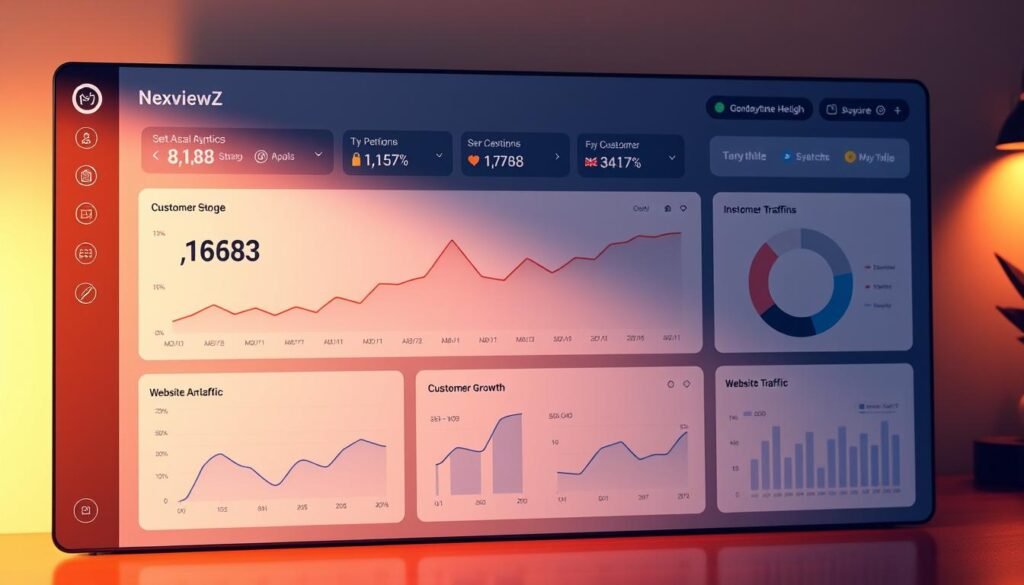
Small businesses need analytics that focus on the essentials—fast, private, and easy to read.
Simple, privacy-friendly tracking without cookies or consent banners
You avoid cookies by default, so many sites skip consent banners and keep the path to content clear for users.
Custom dashboards that surface uniques and referrers in seconds
The single dashboard shows daily unique visitors and top referrers across multiple websites. You get quick insights without digging through menus.
E‑commerce tracking to monitor key conversions and revenue drivers
Track core conversions and revenue signals without heavy add-ons. This gives small teams the metrics they need to optimize checkout and campaigns.
Lightweight ~6 KB script for faster pages and better user experience
The ~6 KB script keeps pages fast on mobile and desktop. That improves the user experience and can boost conversion rates.
Data control and compliance
Your analytics data is stored on servers located in London and aligned with GDPR, PECR, and CCPA expectations. You retain control and avoid sharing information with third parties.
Known limits: focused metrics and a basic interface by design
The platform prioritizes speed and clarity over exhaustive reports. If you need deep behavior analysis, use it alongside other tools. For day-to-day checks, it’s a practical alternative to google analytics for small teams.
| Benefit | What you get | Best for |
|---|---|---|
| Cookie-less tracking | No consent popups, cleaner UX | Small sites & local shops |
| Single dashboard | Daily uniques + top referrers | Owners checking traffic fast |
| E‑commerce signals | Conversions and revenue drivers | Online stores with modest traffic |
| Data control | Stored in London, GDPR/CCPA aligned | Companies with compliance needs |
TinyAnalytics vs Google Analytics and Matomo

Deciding between tools means balancing privacy, cost, and how much reporting you actually need.
You should pick the tool that fits your team’s priorities: whether that is deep multi-report analysis or fast, private signals that reduce friction for your visitors.
Compared to Google Analytics: privacy, ownership, and consent
You skip consent popups in most cases with a cookie‑less approach, while google analytics often requires consent banners that slow the user journey.
With this alternative, you retain clearer control over data. Google’s ecosystem can share data with third parties and ad platforms, which raises privacy questions for some companies.
Compared to Matomo: setup, footprint, and reporting
Matomo gives you 100% data ownership, especially when self‑hosted, but that can mean more configuration and server work.
This platform uses a ~6 KB script and a focused dashboard for daily uniques and referrers. That keeps your site fast and reporting simple compared to heavier Matomo deployments.
- Consent: cookie‑less tracking lowers consent needs vs google analytics.
- Ownership: clearer control of data without broad ad integrations.
- Footprint: minimal script vs larger GA or many Matomo setups.
- Reporting: streamlined dashboard for quick insights, not exhaustive behavior reports.
- Compliance: aligned with GDPR and PECR through UK/EU hosting and minimal cookies.
| Aspect | Google Analytics | Matomo | Alternative (this platform) |
|---|---|---|---|
| Consent banners | Often required | Optional if configured | Usually not required (cookie‑less) |
| Data ownership | Limited; tied to Google ecosystem | Full ownership (self‑hosted) | Clear ownership; hosted in London |
| Setup effort | Moderate; many integrations | High for self‑hosted; moderate for cloud | Low — single ~6 KB script |
| Reporting style | Extensive, complex | Comprehensive, configurable | Focused: daily uniques & referrers |
| Cost benchmark | Free core product; privacy costs possible | Self‑hosted free; cloud starts ~19 EUR/50k | Straightforward paid plans with trial |
How to claim TinyAnalytics discounts and coupons
Grab a discount before checkout to lower your cost and test focused analytics risk‑free.
First, locate active promotions. Check the official site, verified partner listings, and trusted coupon sites. Doing this before you start checkout saves time and avoids expired codes.
Find active promotions or partner coupons before checkout
Look for partner or seasonal coupons and confirm expiration dates. Note usage limits and whether a code applies to Starter, Pro, or Annual plans.
Apply the coupon code on the billing page and verify savings
Start your free trial or pick a plan, then paste the promo into the billing page promotional form. Verify the discount on the order summary before you confirm payment.
Choose Annual at $299/year to lock in the best effective monthly rate
Annual gives the lowest effective monthly price. If your team needs steady analytics, the $299 option reduces yearly cost and simplifies budgeting.
Refunds made easy: request within 30 days if it’s not a fit
If the tool doesn’t match your needs, request a refund within 30 days. The money‑back policy protects your purchase and keeps risk low.
Recommended use case for small businesses: quick daily insights across multiple sites
Use this cookie‑less, ~6 KB script to surface daily uniques and referrers across multiple websites. The simple interface helps small teams act on traffic sources fast while keeping GDPR‑aligned data control.
Call to action
Start your free trial or apply your coupon now to secure savings on the plan that matches your growth stage and get fast, privacy‑first analytics in minutes.
Conclusion
Decide quickly: start on Starter ($9/month), move to Pro ($29/month) as traffic grows, or lock savings with Annual ($299/year). Each plan includes a free trial and a 30‑day money‑back guarantee so you can validate fit risk‑free.
For small teams, this privacy‑first option gives cookie‑less tracking via a ~6 KB script and a single dashboard for daily uniques and top referrers across your websites. Your data is hosted in London, keeping compliance clear without heavy consent tooling.
The trade‑off is intentional: a simple interface and focused metrics instead of exhaustive reports. If speed, privacy, and quick time‑to‑value matter more than deep dives, try TinyAnalytics now or claim a discount to start your free trial and see results on your site.


