



Curious which plan actually saves you time and money while boosting your SEO results?
You need clear answers fast. This review shows exactly what Outranking.io offers today: Starter, Pro, and Annual tiers, plus how this ai-powered assistant speeds up research, drafts, and on-page optimization.
We’ll walk you through key features like AI first drafts, audits, plagiarism checks, optimization score, internal linking, and Search Console integration.
No surprises: learn about document quotas, user seats, pay-as-you-go add-ons, the 30-day refund and trial, and step-by-step coupon or Annual upgrade tips so you can claim savings at checkout.
By the end, you’ll know if this tool fits your small business for seo content and content writing, how it stacks against Moz and Ahrefs, and the exact next step to start a free trial or lock in an Annual deal.
Key Takeaways
- Quick look at Starter, Pro, and Annual plans so you can pick a starting point.
- Core features: AI drafts, audits, optimization scoring, and Search Console data.
- Know the limits: quotas, seats, and optional add-ons to avoid surprises.
- Compare benefits versus Moz and Ahrefs for practical search gains.
- Clear steps to apply coupons, try risk-free, or secure Annual savings.
At a glance: Why Outranking.io is worth your attention right now
Quickly discover which practical features speed your team from topic to published, rankings-ready article.
What this platform helps you do today
Fast SERP-led research: You get AI-guided SERP analysis and on-page suggestions that speed up research and help you publish seo-friendly content aligned with what ranks now.
Rapid drafting and briefs: Generate briefs and first drafts in minutes, then refine using clear optimization suggestions to hit a target score and improve results.
Audit and fix at scale: Built-in audits, a plagiarism checker/fixer, and internal-link suggestions flag gaps on your website so you can deploy fixes without hiring extra help.
Who should consider it: small teams, agencies, and SMB marketers
This tool is ideal if you publish multiple articles a month and need repeatable workflows. Small teams and agencies gain consistent quality signals across pages.
Three wins for small businesses: faster publishing time, steadier on-site quality, and streamlined research that reduces wasted effort.
- Use it to speed up writing and research for better search results.
- Start with a trial to validate fit for your website before upgrading.
- If you need scalable workflows for creating content, this tool helps create briefs and drafts under tight deadlines.
Outranking.io
This product defines an AI-first content workflow that turns search results into ready-to-use outlines, briefs, and optimized drafts.
Core value: it centralizes research and writing so you move from idea to publishable content quickly. The platform uses SERP analysis to suggest headings, featured snippet answers, and data-backed descriptions that cut the time you spend stitching information together.
Key features pair automated generation with practical checks. You get an AI first draft, a structured optimization score, audits for existing pages, and a plagiarism checker/fixer to protect brand integrity.
Clustering, internal-link suggestions, and content inventory keep larger projects organized. Reviewers note GSC integration for performance information and optional pay-as-you-go generation add-ons to handle spikes without upgrading permanently.
- Centralized research, outlines, and writing in one workspace.
- Data-backed headings and descriptions to speed content creation.
- Audits, clustering, and internal links to boost on-site SEO and scale.
This review clarifies where the tool fits in your SEO stack: use it to accelerate generation and maintain consistent quality across contributors without sacrificing accuracy.
Current Outranking.io pricing tiers: Starter, Pro, Annual
Choose the right tier by matching document quotas and user seats to your publishing rhythm. Below is a compact guide to pick a plan that fits your content pipeline and budget.
Starter plan: budget-friendly entry for SEO content writing
Starter gives you a low-cost entry with a limited document quota (example: ~10 docs), an AI first draft generator, audits, and a plagiarism checker. This plan is built to validate the tool for small-scale writing before you commit to heavier usage.
Pro plan: advanced seo content optimization for growing teams
Pro expands document limits and adds extra user seats, content inventory, clustering, domain projects, and internal-link suggestions. Choose Pro when collaboration, workflow visibility, and structured optimization matter to your team.
Annual plan: best value for long-term content creation and workflow
Annual matches the Pro feature set but offers savings when you commit for a year. If you maintain a steady stream of content and want predictable costs, annual billing typically lowers your monthly spend.
Which tier is right for you based on document volume and features
Count your average monthly documents and the seats you need. If you occasionally exceed quotas, look for pay-as-you-go add-ons to cover surges without upgrading permanently.
- Revisit your plan quarterly as your writing cadence and optimization needs grow.
- Confirm the 30-day refund and free trial availability before checkout to manage risk.
- Watch for Annual discounts if your seo roadmap is multi-quarter or year-long.
Core capabilities that help small businesses grow
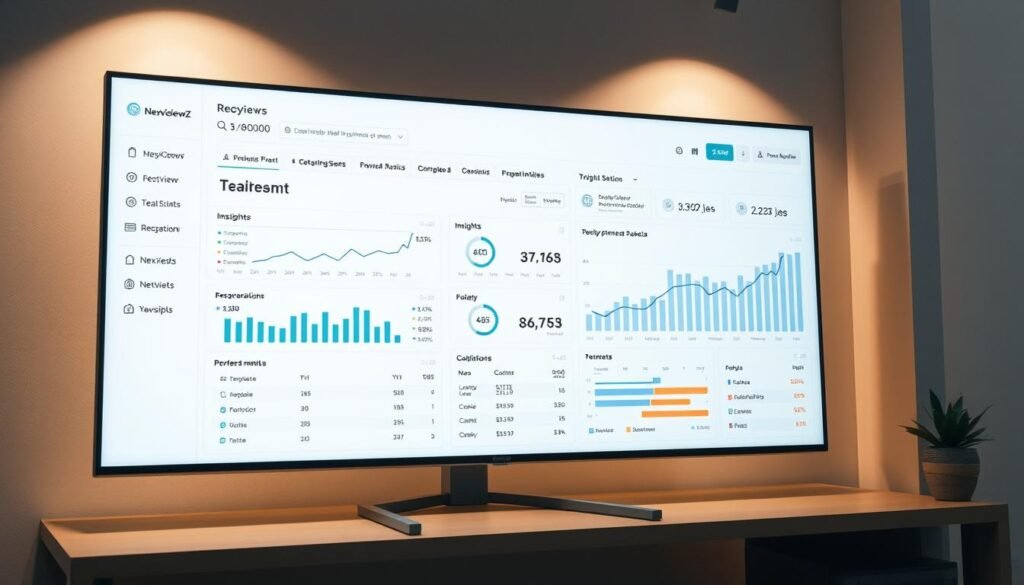
Turn live search results into an action plan that reduces research time and boosts relevance. You get practical features that speed delivery while protecting quality.
Data-driven SERP analysis and keyword research surface intent, coverage gaps, and headings you need to outrank competitors. This process uses real SERP data to guide topic choice and outline structure so your content targets user needs and ranking signals.
AI first drafts and structured briefs help create consistent outputs fast. Generate outlines, briefs, and initial writing that your team can edit. That reduces time spent on research and keeps writing aligned with your SEO process.
On-page optimization, plagiarism checker, and internal link suggestions keep content original and ready to rank. Use one-click suggestions to improve headings, entity coverage, and keyword distribution. Run audits to reclaim traffic from underperforming pages.
- Speed: faster generation and review cycles with plagiarism protection.
- Quality: optimization scoring and page-level feedback raise relevance.
- Growth: clustering and internal links build topical authority over time.
How Outranking.io compares to Moz and Ahrefs for content-focused SEO
Deciding which platform to rely on depends on whether you prioritize fast content production or deep ranking signals.
Outranking centers on a content-first workflow. You get SERP-led outlines, AI-assisted briefs and drafts, and practical on-page optimization that speeds publishing. This makes it a smart choice when your goal is consistent, scalable seo content creation.
Outranking vs Moz: content creation workflow vs authority tracking
Moz shines at authority metrics, link signals, and rank monitoring. Use Moz when you need domain-level tracking and credible link analysis to measure progress over time.
Outranking vs Ahrefs: SERP data for writing vs backlink-first research
Ahrefs leads with backlink analysis, large keyword databases, and competitive research. It helps you expand keyword lists and map competitor link profiles to grow search visibility.
When to complement Outranking with Moz or Ahrefs
Pair the writing-focused tool with Moz for authority and rank tracking, or with Ahrefs for deep backlink and keyword research. Start with a content-first approach if you publish frequently, then add one of the competitors as your KPIs shift to link growth and broader search expansion.
- Pick the tool that matches your immediate KPI: speed of content or strength of domain.
- Layer solutions only when you need extra data on backlinks, authority, or large-scale keyword research.
- Reassess quarterly to keep your stack aligned with traffic and rankings goals.
What’s included in each plan for content creation and optimization

See how plan inclusions map to real-world content workflows and team needs. This overview highlights what each tier delivers so you can match quotas and features to your publishing rhythm.
SEO documents, AI-assisted writing, and optimization score
You get a set number of SEO documents in every plan, each with AI-assisted writing and an optimization score to guide edits.
Use the score to prioritize fixes, target keywords, and improve relevance before you publish.
Briefs, clustering, and domain projects for scalable workflows
Spin up briefs that turn research into actionable outlines so articles ship faster with fewer revisions.
Clustering groups related topics and domain projects keep client or site work organized as you scale.
- Audits & checker tools: flag gaps and technical blockers pre-publish.
- Plagiarism checker/fixer: preserve originality at scale.
- Internal link suggestions: connect pages to pass authority and improve navigation.
- Integrations: Google Search Console pulls performance data into your workflow.
| Feature | Starter | Pro | Annual |
|---|---|---|---|
| Document quota | Low (monthly set) | Higher quota | Pro quota + discount |
| AI writing & generation | Included | Included, more credits | Included, best value |
| Clustering & domain projects | Limited | Full access | Full access |
| Audits, plagiarism checker | Yes | Yes (expanded) | Yes (expanded) |
Practical tip: as volume grows, upgrade tiers or use pay-as-you-go generation to handle spikes. Use suggestions and data to optimize content and hit target scores consistently.
Known limits and considerations before you buy
Before you buy, understand the practical limits that affect cost, throughput, and editorial control.
Document quotas and user seats vary by tier and directly shape your throughput. Each plan caps monthly documents; if you hit that cap, new work pauses until you upgrade or buy generation credits.
Seat counts differ too. Confirm the number of user seats before purchase so your team can collaborate without added per-seat fees.
Learning curve and reliance on AI guidance
There is a learning curve to interpreting optimization suggestions. You’ll need time to train writers and editors to balance AI prompts with your brand voice.
Over-reliance on AI reduces nuance. Keep human review in place to preserve originality and editorial standards. Use the built-in checker as a safety step, not the final sign-off.
- Trial limits: schedule focused testing windows—free trials can be short.
- Budget for growth: expect add-on costs as output scales.
- Regulated niches: verify compliance steps around checker outputs and approvals.
- Compare competitors: map features and existing tools to avoid overlap and overspend.
Plan onboarding time so your team reaches efficiency quickly. Validate optimization changes against business goals and competitive realities to get the most value from the platform.
Trial, refund, and money-back policy

Start smart: begin with the available free trial to test live workflows on a page from your website. Use the trial to run an end-to-end draft: generate an outline, create a first draft, and run the built-in checker and audits so you see real results fast.
Free trial availability and what’s included
The trial is limited but functional for hands-on testing. Validate optimization scoring, SERP-driven recommendations, plagiarism checks, and how quickly your team moves from outline to publish.
Tip: test collaboration features and document how outputs compare to your current tools and process.
30-day refund: how it works and when to use it
If you buy and it doesn’t fit, you can request a refund within 30 days. Contact billing support with your account details, a short review of issues, and screenshots of data and outputs to support your case.
Do this: keep records of optimization attempts, checker results, and publishing timelines. Policies change, so save the checkout terms and confirm current refund steps before purchase.
How to claim discounts or coupons for Outranking.io
Find active discounts and seasonal coupons straight from the official pricing page before you buy.
Follow a clear, step-by-step process so you secure the best rate and avoid surprises. Promotions change often, so verify offers live and act quickly when you see savings.
-
Step one: Check current promotions on the official pricing page
Visit the pricing page to spot seasonal coupons, limited promotions, or Annual plan savings. Do this first to avoid relying on outdated codes.
-
Step two: Apply coupon at checkout or switch to Annual for better value
Paste any promo code into the checkout promo field. If no code applies, toggle billing to Annual to see the effective monthly discount.
-
Step three: Confirm plan benefits and document limits before purchase
Verify document quotas, user seats, and included features so the plan matches your content and team needs. Don’t assume quotas will be sufficient for peak months.
-
Pro tip: Consider pay-as-you-go add-ons if offered during promos
If you expect short-term volume spikes, buy generation credits instead of upgrading permanently. This keeps monthly costs predictable.
Final checklist: recalculate totals with discounts and add-ons, save receipts, and set a reminder 25 days after purchase to confirm satisfaction while your refund window is active.
| Action | Why it matters | When to use |
|---|---|---|
| Check pricing page | Find live coupons and Annual deals | Before checkout |
| Apply promo or switch to Annual | Maximize savings on monthly cost | At checkout |
| Confirm quotas & seats | Avoid mid-cycle overages | Before purchase |
| Add pay-as-you-go credits | Cover temporary spikes without upgrading | When expected output rises |
Recommended use case for small businesses
A focused playbook helps you convert limited resources into steady organic traffic gains.
Create SEO-friendly content briefs and first drafts in less time. Build briefs in minutes and produce first drafts fast. This cuts time-to-publish for busy teams and contractors.
Create SEO-friendly content briefs and first drafts in less time
Start with a short brief that lists intent, target keyword, and suggested headings. Generate an AI first draft and refine it to match your voice.
Optimize existing pages using SERP data and on-page suggestions
Run audits to find SERP gaps. Add entities, improve descriptions, and update headings to better match search intent. This helps you optimize content and raise rankings.
- Simple workflow: brief → draft → optimize → publish → update.
- Prioritize commercial pages to accelerate traffic and lead flow.
- Standardize tasks so contractors deliver consistent quality.
- Internal links: connect new posts to older pages to spread authority.
- Track and repeat: measure keyword movement and re-optimize on a cadence.
| Action | Why it works | Fast win |
|---|---|---|
| Build brief | Focuses creation and reduces revisions | Cut drafting time by 50% |
| Target pages with commercial intent | Higher conversion and traffic potential | Quick uplift in leads |
| Apply on-page suggestions | Improves meta, headings, descriptions | Better click-through and rankings |
Document outcomes so you can justify expanding your plan as traffic and results grow. Keep a rolling calendar and plan creation two to three weeks ahead.
Results you can expect with consistent use
Regular use shortens the path from brief to publish and strengthens your site’s topic authority.
Faster publishing cadence: you’ll produce more articles as briefs, drafts, and optimization merge into a clear workflow. This reduces wasted research time and speeds up content creation.
Stronger quality signals: suggestions and data align your pages to what ranks now. That improves meta, headings, and entity coverage so search engines interpret your content as more relevant.
Better rankings and traffic over time
Rankings often rise when you close coverage gaps and follow ongoing analysis. Traffic and engagement tend to follow as readers find clearer, intent-focused writing on your website.
“Productivity gains and SERP-aligned optimization are the two changes reviewers cite most when seeing steady ranking lifts.”
- Use recurring analysis to decide refresh vs. new articles.
- Track keyword movement to attribute wins to each update.
- Build topical clusters to increase cross-article discovery.
- Report monthly so stakeholders see compounding results.
| Outcome | What to measure | Expected timeframe |
|---|---|---|
| Publishing cadence | Articles per month, time-to-publish | 1–3 months |
| Quality signals | Optimization score, CTR, dwell time | 2–4 months |
| Rankings & traffic | Keyword positions, organic sessions | 3–6 months |
| Topical authority | Cluster coverage, internal links | 6+ months |
Keep expectations realistic: consistent effort, periodic updates, and disciplined reporting drive durable results. Use generation and scoring tools to scale without losing quality.
Getting started workflow: from keyword to published article

Start by narrowing a keyword list to one clear topic and use SERP signals to pick a high-value angle. This gives you a focused start and saves time later in the creation process.
Research topics with SERP data and pick the right angle
Run targeted keyword research, then inspect live SERP results to understand intent and competitor coverage. Capture which questions, headings, and formats appear most often.
Choose an angle that fills an obvious gap and supports your topical cluster. Save those takeaways as actionable information for the brief.
Generate outline, draft, and optimize to the target score
Auto-generate a brief and an outline aligned to intent. Refine headings for clarity and user flow.
Use AI generation to produce a first draft, then edit voice and add brand expertise. Apply on-page suggestions for entities, headings, and keyword coverage until you hit the target optimization score.
Finalize with originality checks and internal links
Run the plagiarism checker and fix any originality issues immediately. Add internal links to and from related posts to improve crawl paths and session depth.
Publish, log baseline metrics in your workflow board, then monitor search performance and re-optimize when signals stall.
“A short, repeatable workflow turns research into publishable pages with predictable time per article.”
| Step | Action | Fast time estimate |
|---|---|---|
| 1 | Keyword research + SERP review | 30–60 min |
| 2 | Brief & outline generation | 15–30 min |
| 3 | AI draft + human edit | 60–120 min |
| 4 | Optimization, checks, links | 30–60 min |
- Run keyword research and review SERP data to understand intent and competitors.
- Pick the angle that fills gaps and supports your cluster; capture actionable information.
- Auto-generate a brief and outline; refine headings for clarity.
- Produce the first draft using AI generation, then edit for brand voice.
- Optimize to your target score using on-page suggestions.
- Validate originality, fix issues, add internal links, and publish.
- Log baseline metrics and monitor search performance; repeat to scale content creation.
Call to action: Start free trial or get discount on the Annual plan
Start your free trial now to validate the seo value on a live article without risk.
Prefer best value? Switch billing to the Annual plan at checkout to lock in a lower effective monthly price. Check the pricing page first to confirm any active coupon or promo.
Quick checklist before you buy:
- Confirm document limits and user seats match your production targets.
- Apply any available coupon on the pricing page for immediate savings.
- Consider pay-as-you-go credits if you expect short-term volume spikes.
Launch your first brief and draft within hours so you start seeing momentum this week. Use the tool to create a brief, generate a draft, and run checks to measure time saved and content quality.
| Action | Why it matters | When to do it |
|---|---|---|
| Start free trial | Test workflows on your site | Before purchase |
| Switch to Annual | Lower effective monthly cost | At checkout |
| Confirm quotas & seats | Avoid overages | Before purchase |
Conclusion
To finish, we summarize practical wins, limits, and the immediate actions you should take.
This review shows the platform pairs SERP analysis with AI drafting, audits, a plagiarism checker, optimization scoring, clustering, and internal linking to speed seo content creation and reduce bottlenecks.
Expect measurable gains: follow on-page suggestions, publish more articles, and track rankings and traffic as results compound.
Mind the limits—document quotas, user seats, and onboarding time matter. Use the free trial and 30-day refund to test the process on your site.
Next step: start the trial or secure an Annual discount, then contact support to confirm current promos and plan details before checkout.


