



Can a single tool truly replace scattered docs, task lists, and calendars for your small business?
You run a small team and need to move faster. Use Notion to centralize notes, tasks, and projects in one connected workspace so you reduce context switching and keep work in one place.
Three features change the way you operate: an AI workspace for writing and search, flexible databases with multi‑view calendars, and integrations that pull updates from Figma, Slack, and GitHub into your system.
Import Google Docs and PDFs and tap expert templates to build a second brain for operations, marketing, and client delivery without rebuilding from scratch.
Compared to Trello or Asana, this app consolidates more things in one place while keeping flexible pages, databases, and docs together as your business grows.
Start free trial — Notion is free to try with your team so you can get started, invite teammates, and validate workflows before upgrading. Refunds and offline limits are covered later.
Key Takeaways
- Centralize notes and projects to reduce context switching and boost productivity.
- Use AI writing and search plus flexible databases to manage projects and tasks.
- Multi‑view calendars display status, tags, and filtered views your way.
- Import existing content and connect tools like Figma, Slack, and GitHub.
- Try the free team trial to validate workflows before upgrading to Pro.
Notion for small business: what you get in the Pro plan today
Small teams win when information and action live in the same place. The Pro plan turns a scattered stack of apps into a single connected workspace that handles projects, tasks, notes, and meeting notes in one app.
Who it’s for
For teams that want an all‑in‑one system to manage projects, tasks, and content without stitching together multiple tools. It fits small businesses scaling collaboration, and it’s free for personal use and students who need a planner or notes app.
Quick look at plans
The tiers include Starter for getting going, Pro for team collaboration and advanced databases, and Annual billing to save versus monthly. You can start with a free team trial to validate workflows before you commit.
Core Pro value
- AI workspace: draft, summarize, and search across content fast.
- Flexible databases: build project and task systems with custom views and status tags.
- Multi‑view calendars & planners: visualize workload and deadlines at a glance.
Import Google Docs and PDFs and use templates to standardize SOPs, CRM, and project hubs. Connect tools like Figma, Slack, and GitHub so updates flow into your notion workspace and reduce manual work.
Privacy details and data categories are outlined in the product’s privacy policy and privacy practices. If you need a simpler alternative, some teams still prefer standalone boards or task apps, but the Pro plan replaces many of those tools in one system.
Start free trial to test Pro on your team and confirm it fits your workflows before choosing monthly or Annual billing.
How to get started and set up your Notion workspace for work

Begin with a simple home page that routes your team to projects, calendar views, and key pages fast. Sign up in the browser or install the app on Mac or Windows, then invite teammates by email so everyone can get started on day one.
Create your workspace and invite your team
Set a clear structure: a home page with links to departments, clients, and lists. Add a page for meeting notes and one for your weekly planner so information is easy to find.
Import your docs and data
Bring in Google Docs and PDFs to centralize content and reduce file hunting. Clean formatting after import, then tag pages so search and filters surface the right data.
Launch faster with templates and systems
Use certified templates and ready-made systems to spin up a project tracker, CRM, and SOP hub in minutes. Expert templates speed onboarding and keep teams aligned.
Build projects and tasks with databases
Create databases with properties like owner, priority, due date, and status. Add kanban, table, and calendar views with filters and saved views to track progress.
Connect tools and use AI for writing and search
Link Figma, Slack, and GitHub so design files, messages, and pull requests show in one system. Use AI to draft updates, summarize meeting notes, and autofill tables for fast insights.
Three SMB benefits: centralizing data, multi‑view calendars with status tags, and AI that speeds writing and search. Start free trial, invite your team, and track your first sprint this week.
Notion pricing and plans: Starter, Pro, and Annual options, plus trials and refunds
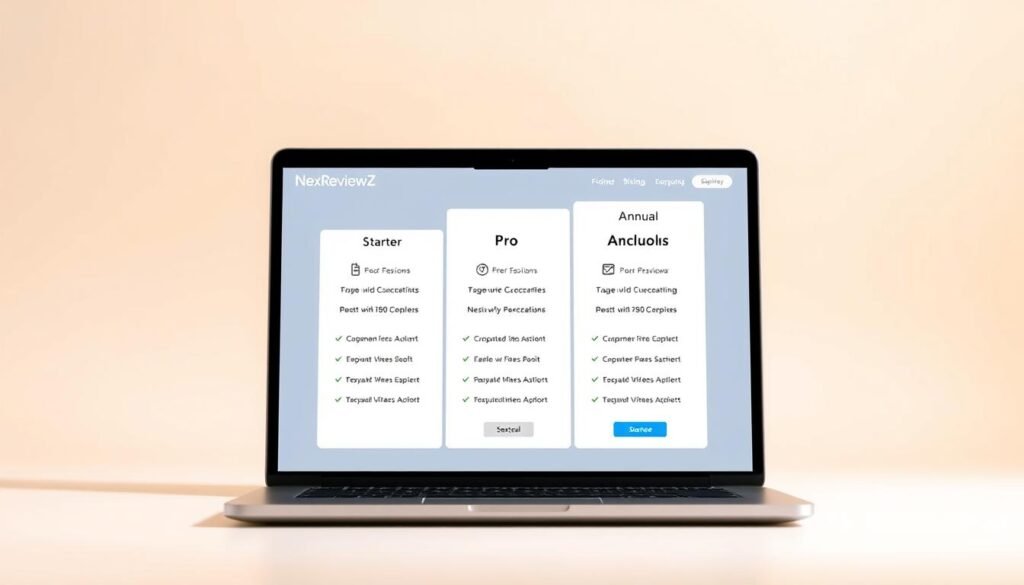
Picking the right pricing tier can save your small business time and money.
Current tiers at a glance are simple: Starter for individual use, Pro for growing teams that need a connected workspace, and Annual billing that reduces your effective monthly cost. Click the “Go to pricing” link on the official site to see live U.S. pricing, feature limits, and any seasonal offers before you buy.
Trial and refund basics
The app is free for personal use and free to try with a team so you can validate workflows. If you need a refund, review the privacy policy and billing help pages, note your purchase date, and contact support from your account.
How to claim discounts or coupons
- Visit the pricing page while signed in.
- Check for promotional banners at checkout.
- Enter any coupon code before payment.
- Compare Monthly vs Annual savings and verify the rate in billing settings.
Recommended small‑business use case
Upgrade to Pro when you need a shared, cross‑functional system for client work, standardized SOPs, and databases at scale.
| Tier | Best for | Key features | Savings tip |
|---|---|---|---|
| Starter | Individuals, initial setup | Basic pages, templates, personal use | Free or low cost for students |
| Pro | Small teams, client work | Databases, permissions, connected workspace | Annual billing lowers monthly price |
| Annual | Teams saving over time | Same Pro features, billed yearly | Check template bundles for setup discounts |
Save on setup by buying certified template bundles to cut onboarding time and cost. Do quick research on data and privacy practices before you upgrade so your security requirements match the plan.
Start free trial to get started, evaluate fit for your goals, and apply any available discount at checkout.
Notion vs Trello and Asana: key features, limits, and why it can replace more tools
Switching between multiple apps wastes time—choose a workspace that keeps notes, tasks, and calendars together.
Three SMB benefits
AI workspace: use AI to summarize notes, answer questions across your content, and draft updates so you spend less time hunting for facts.
Flexible databases: blend docs and data to build trackers, CRMs, and SOPs that grow with your projects and team.
Multi‑view calendars: switch between kanban, table, timeline, and calendar views to surface status, owners, and dates the way you need.
Quick comparison: Trello and Asana
Trello excels at simple kanban boards. It is great for visual task flows.
Asana focuses on structured project work and task rules for larger teams.
Your workspace combines those strengths with docs, pages, and a searchable second brain so you can manage projects, notes, and knowledge in one place.
Known limits to consider
Offline reliability can be inconsistent—plan for reliable internet access for heavy use.
PDF export fidelity sometimes loses complex layouts; for formal deliverables export to Markdown/HTML or share live pages with permissions.
Operational impact: centralizing information reduces duplicate work and speeds handoffs across teams.
| Tool | Best for | When to pick |
|---|---|---|
| Current workspace | All-in-one docs + projects | If you need a combined wiki, tracker, and planner |
| Trello | Simple kanban boards | When visual boards are the primary workflow |
| Asana | Structured project and task management | When task automation and reporting are key |
Start a free trial to compare this workspace against Trello and Asana in your real workflows and validate productivity gains—test exports and offline sync before full migration.
Conclusion
Make your daily planning simpler by bringing projects, pages, and calendars into one connected place. Use this app as your small‑business second brain to keep tasks, notes, and lists in a single, searchable system.
Save time with AI that drafts, summarizes, and answers questions across your data so your team spends the day executing, not hunting. Calendar views and tags align daily work to your goals.
Start free with your team today to test real workflows and any refund or trial terms. Keep known limits in mind—offline reliability and PDF exports may need workflow planning—and review the privacy policy before you buy.
Start free trial or check pricing for a discount, run a two‑week test, and measure time saved against your goals to confirm the productivity gains.


