



Can a lean SEO tool really cut your costs and speed up content that ranks?
You need clear answers before you commit. This growthbar review shows pricing tiers—Standard $48/month, Pro $99/month, Agency $199/month—and how annual billing and promos can lower effective monthly pricing, sometimes to reported rates from as low as $20.30/month.
The review previews a short comparison with Ahrefs and SEMrush so you know when lightweight tools like this fit your workflow and when to step up. You’ll see three key features for small businesses: an AI blog post generator, a Chrome extension with in-SERP metrics, and keyword research with a roadmap.
We’ll also note limits—lighter backlink analysis, no broken link building reports, and the need to fact-check AI output—and explain the trial options (5–7 days reported) plus a 30-day money-back safety net.
At the end you’ll get step-by-step discount steps and clear CTAs to Start free trial or Get discount.
Key Takeaways
- You’ll learn exact pricing, annual savings, and trial details to test risk-free.
- The AI generator and on-page targets help you create content and draft faster.
- Compare value vs competitors like Ahrefs and SEMrush to match your needs.
- Watch limits: lighter backlink data and mandatory fact-checking of AI outputs.
- Follow simple steps to activate trials, apply coupons, and switch to annual billing.
What GrowthBar does for your SEO right now
Get actionable SEO data and instant drafts so you can ship content that targets real opportunities.
You can create content fast with the AI blog post generator that builds a first draft in about two minutes. Use the paragraph generator and rewriter to refine tones. Generate meta descriptions, product descriptions, email newsletters, and sales emails without leaving the same writing tool.
Use the Chrome extension to surface in-SERP metrics and competitor data on the Google search results page. That helps you validate difficulty and spot gaps without toggling tools. Tap the keyword research and keyword roadmap to prioritize quick wins with opportunity scores.
- Turn prompts into outlines and blog post sections while auto-suggested headlines keep you on brief.
- Inspect site snapshots for authority, estimated traffic, backlinks sample, CPC, and ads.
- Track ranks and close the loop between research, writing, and performance.
| Feature | Purpose | Benefit | Best for |
|---|---|---|---|
| AI blog post generator | Create drafts | Speeds content creation | Small teams |
| Keyword roadmap | Prioritize topics | Find quick-win keywords | Local & niche brands |
| Chrome extension | In-SERP insights | Research without leaving search | Solo SEOs |
| Site inspector & rank tracker | Performance data | Validate assumptions | Growing sites |
Bottom line: This tool bundles AI writing and SEO research so you can move from keyword to published post faster, while keeping final edits and strategy under your control.
GrowthBar pricing and plans for small businesses
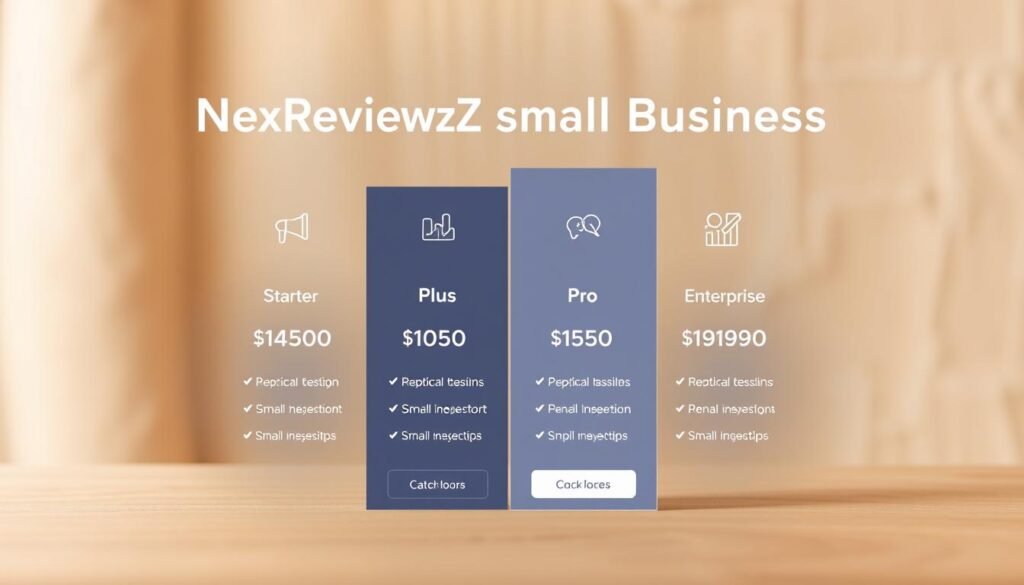
Match your content output and domain count to the monthly caps to avoid surprise upgrades.
Standard plan ($48/month) is built for solo operators. You get 25 AI blog articles or audits, 500 AI paragraph generations, unlimited AI chat, unlimited meta descriptions and keyword research, tracking for 25 keywords on one site, and 300 competitor queries per search.
Pro plan ($99/month) suits growing teams. It raises limits to 100 articles/audits, 2,000 paragraph generations, tracking for 1,000 keywords across three sites, and 1,000 competitor queries for keywords, backlinks, and ads.
Agency plan ($199/month) scales production. It includes 300 articles/audits, 5,000 paragraphs, tracking for 5,000 keywords across 25 sites, and expanded competitor query caps for deeper analysis.
- All plans include unlimited AI chat, meta generation, and keyword research so you can iterate quickly.
- Annual billing and periodic promos can lower effective pricing; some deals report rates from as low as $20.30/month.
- Start on Standard, validate ROI, then upgrade when you hit ceilings.
| Plan | Monthly Price | Articles / Paragraphs | Keyword Tracking |
|---|---|---|---|
| Standard | $48 | 25 articles / 500 paragraphs | 25 keywords (1 site) |
| Pro | $99 | 100 articles / 2,000 paragraphs | 1,000 keywords (3 sites) |
| Agency | $199 | 300 articles / 5,000 paragraphs | 5,000 keywords (25 sites) |
Bottom line: Pick the plan that matches your content and tracking needs, watch for annual discounts, and Start free trial or Get discount to lock a lower rate.
GrowthBar

The platform centralizes AI writing and essential SEO metrics so you can act on opportunities without switching tools.
GrowthBar works as both a web app and a chrome extension to give you fast, publish-ready output alongside actionable data.
The product philosophy is simple: surface vital metrics and AI assistance while trimming enterprise-only reports. That keeps your focus on work that moves traffic and revenue.
Core modules split into AI Tools and SEO Tools. AI Tools include the blog post generator, chat, paragraph tools, meta generation, and content ideas. SEO Tools include keyword research, a keyword roadmap, site inspector, and rank tracker.
- Combine the writing workspace with SEO panels to move from idea to publish in one place.
- Use the chrome extension to view competitive context in SERPs and inside WordPress.
- Create titles, meta descriptions, and section-level copy quickly so you don’t stall on the last mile.
This growthbar review covers where the product fits small teams. Start a free trial to validate a post, page, or campaign and upgrade only when caps become a bottleneck.
Key features that matter most to small businesses
Focus on speed-to-value: tools that let you pick a topic, draft a post, and hit on-page targets in one workflow.
AI blog post generator and on-page optimization targets
The generator spins a 2-minute draft so you start with real copy, not a blank page.
Drag-and-drop competitor headlines and built-in on-page targets (word count, headings, links, image count) help you match what ranks. That reduces guesswork and speeds publish cycles.
Keyword research and keyword roadmap for quick-win topics
Use keyword research to see search volume and difficulty, then let the keyword roadmap rank opportunities by estimated value, CPC, and your current position.
This lets you decide fast which topic to ship this week and which to backlog.
Chrome extension for in-SERP competitive insights
The chrome extension overlays authority, keywords, and competitor headlines inside the google search results you care about.
Work in the SERP or in-editor, generate meta descriptions, and refine H2s without switching tools.
- Turn a keyword into an outline and AI-assisted sections, then apply on-page targets to meet competitive benchmarks.
- Prioritize quick-win topics with opportunity scores and search-volume data.
- Keep writing and research inside one writing tool to reduce context switching and ship faster.
| Feature | What it does | Immediate outcome | Best for |
|---|---|---|---|
| AI blog post generator | 2-minute draft, drag-and-drop headlines | Faster drafts, consistent structure | Lean content teams |
| Keyword research & roadmap | Volume, difficulty, opportunity score | Better topic prioritization | Local & niche brands |
| Chrome extension | SERP overlays with authority and headlines | In-context validation and meta tuning | Solo SEOs & editors |
GrowthBar vs Ahrefs vs SEMrush: where it shines and where it doesn’t
Compare core capabilities to see which tool gives you the best return for everyday SEO work.
Cost and learning curve: If you want an affordable entry point that gets your team writing and publishing fast, GrowthBar undercuts many competitors on price and setup time. You’ll spend less onboarding and get immediate content velocity.
By contrast, Ahrefs and SEMrush offer deeper modules and steeper learning curves. Those suites give advanced reporting, more options, and more granular data — at higher monthly costs.
Research depth: backlinks, broken links, and advanced reports
For day-to-day keyword research and on-page content work, GrowthBar’s keyword roadmap and opportunity scoring are efficient. Use the keyword research tool to validate topics and move on.
But for heavyweight link campaigns, broken link building, and multi-domain backlink audits, Ahrefs and SEMrush remain the market leaders. Their backlink indexes and advanced reports provide more density and more knobs to tune.
- Best for small teams: fast content, clear on-page guidance, and an easy chrome extension for in-SERP context.
- Best for link-heavy campaigns: choose Ahrefs or SEMrush for deeper backlink research and multi-domain comparison.
- Practical approach: start lean to prove value, then layer in heavier tools for special projects when needed.
Known limits and caveats before you subscribe

Before you click subscribe, know the trade-offs so you set realistic expectations.
What to expect: This seo tool speeds up content work and outlines, but it trades depth for simplicity. Its backlink and site inspector data are lighter than leading suites, and there’s no dedicated broken link building workflow.
Treat traffic estimates as directional. Use your analytics or Search Console to confirm numbers before making budget or strategy decisions. AI-generated copy is a fast start, not a final draft.
- Expect lighter backlink coverage and fewer advanced link reports versus big competitors.
- Treat traffic estimates as approximations; verify with your own data sources.
- Always fact-check AI output for statistics, claims, and local details before publishing.
- If you need deep backlink gap analysis, add a supplemental research tool to your stack.
- Single-competitor comparisons are handy for quick checks but not full market mapping.
Mitigate risks by using the tool for outlines and first drafts, then layer in subject-matter review. Edit AI text to keep your brand voice consistent and to avoid over-optimizing for a single keyword.
| Known Limit | Practical Impact | How to Mitigate |
|---|---|---|
| Lighter backlink data | Limits outreach and broken-link tactics | Use an advanced backlink research tool for audits |
| Directional traffic estimates | Not reliable for precise budgeting | Cross-check with Google Analytics / Search Console |
| AI draft accuracy | Requires edits and fact-checking | Assign SME review and add authoritative sources |
| Competitor comparison scope | Single-comparator view limits market breadth | Perform occasional deep competitor audits externally |
Bottom line: You gain speed and simplicity, but you should balance the pros with realism. Use this tool to move faster on content and quick research, then supplement with deeper analysis when your strategy requires it.
Refunds, free trial, and guarantee details
Verify value quickly by running a live trial on an article or keyword project.
Create an account and start the free trial, which is commonly reported as 5–7 days depending on promotions. Use that window to test core workflows: the generator, keyword research, roadmap, and rank tracker.
Free trial access and the 30-day money-back window
Start risk-free. Many marketing materials reference a 30-day money-back guarantee. Confirm the exact refund terms on the checkout page before you purchase.
During the trial, publish at least one optimized piece of content and track early signals like indexing and engagement in your analytics. That gives you concrete data to judge value and time saved.
- Test the generator quality and publish a draft.
- Run keyword research and validate roadmap priorities.
- Use the rank tracker to watch initial movement in search results.
- Decide which plan options match your needs before you commit.
| Step | What to test | Why it matters |
|---|---|---|
| Create account & start trial | Access all core features | See the tool fit your workflow |
| Publish one optimized post | Generator + on-page targets | Measure time savings and engagement |
| Confirm refund policy | Checkout page details | Ensure risk-free evaluation |
If it’s not a fit, cancel during the trial or request a refund within the money-back window to avoid charges. Capture baseline metrics so you can attribute any post-trial lift to the experiments you ran.
How to claim a GrowthBar discount or coupon
Scoring the best discount only takes a short checklist and a few minutes.
Follow this quick path to test the tool, lock savings, and confirm value before you commit. These steps help you activate a trial, apply coupons, and choose annual billing for the best pricing options.
Step-by-step: Activating the free trial
Step 1: Go to the site and click Start free trial. Create your account with email and payment details to unlock the full features for the trial time.
Step 2: During the trial, publish one or two pieces of content to validate speed and ROI. Track results in your analytics.
Applying coupon codes at checkout
Have a coupon? Add it at checkout and verify the discount appears before confirming. If the code reduces only the first term, note renewal pricing and set a calendar reminder.
Keep screenshots of the coupon terms and the checkout page in case you need billing support later.
Switching to annual billing to maximize savings
Compare monthly vs annual on the pricing page. Annual billing often lowers the effective monthly rate significantly; promos can push effective pricing as low as about $20.30/month.
Time your purchase during promotions, then lock the rate with annual billing if you plan to scale content and tracking. Choose the plan that matches expected usage to avoid overpaying.
| Action | Why it matters | When to do it | Quick tip |
|---|---|---|---|
| Start free trial | Test workflows and content output | Before purchasing | Publish one article during trial |
| Apply coupon at checkout | Reduce upfront cost or first term | At subscription confirmation | Screenshot discount and terms |
| Switch to annual billing | Lower effective monthly pricing | When promo active and ROI confirmed | Set renewal reminder for reassessment |
Recommended use cases for small businesses
Use the tool where it amplifies your speed and keeps costs low.
Small teams win when tools let them turn a single idea into a publishable piece in one session. Prioritize quick wins that fit your capacity and local reach.
Lean content teams: Draft faster, optimize smarter
Turn ideas into outlines and publish-ready blog posts quickly. Use AI scaffolding to create outlines, generate sections, and hit on-page targets without bloated workflows.
Batch outlines, then finish sections in short sprints. Repurpose drafts into emails and landing pages to raise content ROI.
Local and niche brands: Target low-difficulty keywords
Focus on keyword research that surfaces low-competition opportunities. Target location modifiers and FAQ-style topics where you can rank with limited link building.
Track a focused set of keywords weekly and update posts that climb but stall. Ship shorter, high-quality posts fast, then expand based on performance signals.
- Prioritize topic clusters around problems your product solves.
- Use the writing tool to keep posts consistent and on brief.
- Use quick checks to decide update vs new post.
Action plan: Your first week with GrowthBar
A compact, measurable seven-day plan helps you test the generator, validate keyword choices, and publish one optimized post.
Day-by-day workflow for content, keywords, and tracking
Follow this sequence to create content quickly and collect early data that proves value.
- Day 1: Run keyword research and the roadmap. Shortlist five keywords with good opportunity scores and intent that matches your offer.
- Day 2: For the top keyword, use the generator to build an outline and a two-minute first draft. Apply on-page targets for headings, links, images, and word count.
- Day 3: Edit for accuracy and voice. Fact-check claims, add internal links, then publish the blog post and submit for indexing.
- Day 4: Use the chrome extension to inspect live SERPs. Compare competitor headings and fill topical gaps in your post.
- Day 5: Create supporting assets: meta description, a short email, and a social update to amplify the published content.
- Day 6: Monitor initial rankings and click behavior. Log rank tracker and analytics data to spot early wins or issues.
- Day 7: Repeat the flow for the next keyword. Draft a simple plan to publish one post per week for four weeks and measure movement.
Time-saving tips: Use the generator for sections and the paragraph tools for transitions. Keep a running list of updates and refresh headlines or FAQs when data shows opportunity.
Ready to commit? Start free trial now. If the workflow fits by Day 5, switch to annual billing to lock in savings and follow this plan at scale.
Conclusion
If you need fast drafts and practical SEO signals, this growthbar review shows when to act and when to upgrade.
This focused seo tool speeds content creation with AI drafting, on-page targets, a keyword roadmap, and a chrome extension that surfaces in-SERP context for google search. The pros are clear: lower cost, quick onboarding, and better publishing velocity for small teams.
Limits matter. Backlink depth and broken-link workflows are lighter than in the broader seo tools market. Fact-check AI output and add a dedicated backlink tool if heavy link work drives your strategy.
Start free trial / Get discount — trials commonly run 5–7 days and a 30-day money-back window is widely advertised, so testing is low risk. Measure time saved per article and rank movement in your first month to judge real value.


