


Can one dashboard replace a dozen logins and still boost your affiliate revenue?
You used to jump between networks, hunting for attribution and conversions. Now you can centralize affiliate data, links, and reporting in one place.
Affilimate is an affiliate reporting aggregator built to unify tracking, URL-level analysis, and heat maps so you can focus on content and performance. Starter is $49/month and Pro is $99/month, with bigger savings on annual plans. A free trial with no credit card required and a 30-day money-back guarantee lets you test risk-free.
Publishers, bloggers, and media teams saw measurable lifts in earnings after using the dashboard. Later sections will compare this platform to plugin solutions like AffiliateWP and WP Affiliate Manager.
Start free trial / Get discount
Key Takeaways
- You’ll get a quick overview of an aggregator that centralizes affiliate data and reporting.
- Pricing at a glance: Starter $49/month, Pro $99/month, annual discounts available.
- Free trial (no card) and a 30-day money-back guarantee reduce risk.
- Features include unified dashboard, URL-level content analytics, and on-page heat maps.
- Best for bloggers and publishers who want clearer attribution and faster revenue insights.
What Is Affilimate and Who Is It For?
If you manage content and affiliate links across networks, this platform pulls those signals into one actionable view.
Who it’s built for: bloggers, publishers, and small media teams that run multiple affiliate programs. The product acts like the Google Analytics of affiliate data, giving you quick insights into which pages and links drive commissions.
When it pays off: you’ll see clear ROI once traffic and content scale. Reviewers note earlier-stage sites under ~10,000 monthly pageviews, fewer than 50 posts, or under $500/month in affiliate earnings may not get immediate value.
Why creators rely on an affiliate reporting aggregator
- Consolidates affiliate data from many networks so you save time.
- Link-level tracking shows which placements convert.
- Replaces spreadsheets and repeated logins with a single dashboard.
| Site Size | When to Trial | Expected ROI Timing |
|---|---|---|
| Under 10K pageviews | Try free (no CC) | Longer term—after growth |
| 10K–50K pageviews | Good fit | 3–6 months |
| 50K+ pageviews | Recommended | Immediate |
Risk-free: start the free trial with no credit card and use the 30-day money-back guarantee to validate fit for your marketing and affiliate strategy.
Affilimate Pricing Overview: Starter, Pro, and Annual Discounts
Choose the plan that matches your site’s scale and goals. Starter and Pro target different stages of affiliate marketing growth. Each tier bundles the tracking and reporting you need to find high-performing links and earn commissions.
Starter — $49 per month
Starter at $49/month gives you essentials to consolidate affiliate networks, track links, and surface the pages that drive revenue. It’s ideal if you’re validating which pages and links produce commissions.
Pro — $99 per month
Pro at $99/month unlocks advanced analytics and scalability. You get deeper reporting and more capacity for growing websites that need faster insights to lift earnings.
Annual billing and savings
Pay yearly to lower your effective monthly cost. Annual plans usually yield the best pricing and protect continuous tracking. Check the live pricing page for exact savings and promo codes at checkout.
Notes and guarantees
Expect a 30-day money-back guarantee and a free trial with no credit card required. Plan names and pricing can change, so always verify current rates on the official site before you buy.
| Plan | Monthly Price | Best For |
|---|---|---|
| Starter | $49 | Small sites testing affiliate tracking |
| Pro | $99 | Growing sites needing deeper analytics |
| Annual (Discount) | Varies — lower effective monthly rate | Long-term tracking and cost savings |
Ready to try? Start your free trial now or lock an annual discount to secure savings and uninterrupted reporting.
Affilimate
Centralizing cross-network affiliate data turns scattered reports into clear action steps for growth.
Affilimate consolidates your affiliate data and links across networks so you can manage growth from one place.
The platform is purpose-built for affiliate marketing operations. It focuses on clarity, speed, and accuracy so you make revenue-impacting decisions faster.
- Spot winning content and high-value link placements quickly.
- Streamline reporting and reduce manual work and context switching.
- Scale with confidence using 100+ integrations and on-page heat maps.
“Seeing clicks, conversions, and commissions in one view removes guesswork and saves time.”
| Benefit | What you get | Outcome |
|---|---|---|
| Data consolidation | Cross-network clicks and earnings | Faster insights |
| Link-level clarity | URL-level performance | Better link decisions |
| Operational speed | Automated reports and heat maps | Less manual work |
Start your free trial today to see your affiliate programs, clicks, and earnings in a single view and move from data to decisions.
Key Features Small Businesses Will Actually Use
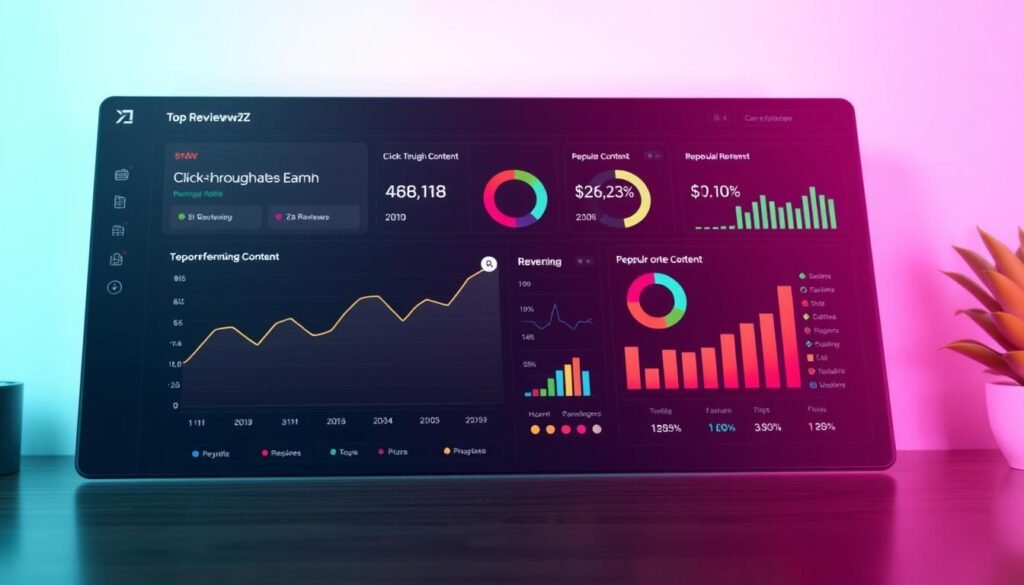
Small teams get fast wins when they can see earnings, clicks, and top pages in one clear view.
Unified dashboard for earnings, clicks, and top content
View daily and monthly earnings, clicks, and top content in a single place. This saves you time on manual reporting and helps you act on what works across your website.
Content analytics and URL-level insights to boost conversions
Content analytics surface the URLs that drive real conversions and commissions. Use those patterns to replicate winning formats across similar posts.
URL-level metrics show click-through rates and estimated commission impact so you can prioritize quick updates that raise revenue.
Heat maps to prioritize links that drive revenue
Heat maps show where visitors click and which placements convert. Red/blue visual cues mark converting clicks versus non-converting ones.
Reorder high-performing affiliate links higher on the page to lift conversions fast. Reviewers reported quick wins from simple placement changes.
- Save time: stop guessing and spend minutes on high-impact changes.
- Combine reporting, analytics, and heat maps into a weekly optimization workflow.
- For small teams, these features deliver more commissions with less complexity.
“See the clicks, act on the links, and watch commissions grow.”
Ready to test it? Start your free trial and measure results on your top posts within days.
How Affilimate Compares to AffiliateWP and WP Affiliate Manager
Comparing aggregation-first platforms to plugin-based tools helps you pick the best fit for multi-network publishing.
Data aggregation vs. plugin-centric tracking
Affilimate aggregates data across 100+ integrations, so you see clicks, link performance, and conversions from Amazon, CJ, AWIN, Partnerize, and more in one place.
Plugin tools like AffiliateWP and WP Affiliate Manager focus on tracking affiliates you run on your own WordPress store. They do not centralize external network data natively.
Reporting depth, ease of use, and scaling considerations
For bloggers monetizing with many partners, aggregation reduces manual CSVs and multiple dashboards. Heat maps and URL-level analysis point to the exact link placements that lift content performance.
If you manage an in-house affiliate program, a plugin gives control over commissions and referrals. But at scale, the aggregator saves time and uncovers cross-network insights faster.
- Best for content sites: aggregated reporting and link-level clarity.
- Best for merchants: plugin control for on-site affiliate management.
- Scaling: choose aggregation to reduce blind spots and speed decisions.
| Use Case | Aggregator | Plugin |
|---|---|---|
| Multiple external networks | Yes — unified reporting | No — limited |
| In-house affiliate program | Possible but not primary | Yes — full control |
| On-page link optimization | Yes — heat maps & URL analysis | Limited — basic tracking |
Integrations and Data Coverage Across Affiliate Networks
Connecting your revenue sources into one view makes it faster to spot which partners actually pay off. The platform supports roughly 100 integrations so you can centralize clicks, conversions, and commissions without bouncing between portals.
Flagship integrations you can connect
Top networks and direct programs are included to maximize coverage. You can link Amazon Associates, CJ, AWIN, Partnerize, and Skimlinks right away.
Popular direct programs like Booking.com, Agoda, Viator, Travelpayouts, Bluehost, ExpressVPN, Tapfiliate, and Rentalcars.com are also supported. This breadth helps reduce blind spots across affiliate networks.
Automatic imports vs. CSV uploads
Automatic integrations pull performance data regularly so trends, conversion rates, and link performance appear in your dashboard without manual effort.
When a program lacks automation, you can upload CSVs. The tool provides clear CSV templates and step-by-step instructions so you preserve link-level reporting with minimal friction.
What this means for you: automated feeds shorten time-to-insight, while CSV imports maintain coverage for niche partners. Start by connecting your top three revenue partners to see quick wins, then add the rest as your workflow stabilizes.
| Integration Type | Examples | Impact |
|---|---|---|
| Automatic | Amazon, CJ, AWIN, Partnerize | Fast insights, regular updates |
| Direct programs | Booking.com, Agoda, Viator, ExpressVPN | Broader commission coverage |
| CSV | Smaller networks or legacy partners | Manual upload, preserved link-level data |
“Aggregate your affiliate data so you know which links and networks deserve prominence on your highest-traffic pages.”
Refunds, Free Trial, and Money-Back Guarantee
Use the free trial to connect integrations and watch real data flow into a single reporting view.
30-day money-back guarantee — how it works
You’re covered for 30 days after purchase. If you buy and decide it’s not a fit, follow the vendor cancellation steps and request a refund within 30 days.
This period gives you time to validate affiliate link performance, heat maps, and URL-level reporting under real traffic.
Free trial terms and how to start today
Start with a no-credit-card free trial to verify fit. Connect your top integrations and let the platform import data.
- Test heat maps and URL analysis on high-traffic pages.
- Run quick placement changes and watch reporting for impact.
- Buy only when you’re satisfied — the 30-day guarantee reduces risk.
| Step | What to do | Why it matters |
|---|---|---|
| Sign up | Start free trial (no card) | Immediate access to dashboard reporting |
| Connect | Add major integrations | Collect link and conversion data fast |
| Test | Use heat maps and URL analysis | Find quick wins on your top posts |
| Decide | Purchase or cancel within 30 days | Full refund if not satisfied |
“Start your free trial today and evaluate the platform on your own content.”
Known Limits and Considerations Before You Buy

Before you buy, know where this dashboard delivers the fastest returns and where patience is required.
Best-fit thresholds for traffic, posts, and income
Expect the strongest ROI once you have steady traffic, more posts, and multiple partners to analyze.
If your website gets under ~10,000 monthly pageviews, has fewer than 50 posts, or earns under $500/month from affiliate income, you may see limited short-term gains.
Trial the platform, but budget for a value ramp as your site grows and diversifies its networks and links.
Historical data import and when insights appear
Historical imports help, but they have limits. The product can pull past data for a defined window, which gives context for older campaigns.
Click-level tracking and CTR reporting begin only after you activate the script and connect integrations. That means fresh clicks and link behavior are visible post-integration.
Plan a 30–60 day window to collect reliable data, especially for seasonal pages or low-traffic posts.
- Early wins often come from moving high-performing links higher on the page.
- Heat maps reveal low-converting placements you can replace quickly.
- As traffic and integrations grow, the platform’s insights compound and become clearer.
“Use the free trial and the money-back period to confirm that your current scale justifies the investment.”
| Threshold | Expectation | Action |
|---|---|---|
| <10K pageviews | Slow ROI | Trial, track short tests |
| 10K–50K pageviews | Good fit | Connect top networks, run 30–60 day tests |
| >50K pageviews | Fast insights | Scale link tests and automation |
Step-by-Step: How to Claim Affilimate Discounts or Coupons
Save money fast by following a simple checkout routine. Start with the live pricing page and note any sitewide promotions or annual billing savings. Annual plans usually yield the biggest discount on Starter and Pro tiers.
Finding current promotions and annual savings
Check the official pricing page first. Promotions change often, so verify the banner or promo area before you start checkout.
If you find a partner coupon, copy the code or save the link. Start the free trial if you want to test reporting and data flow before committing.
Applying a promo code at checkout
When you buy from inside your account, choose monthly or annual billing. Paste the promo code into the coupon field on the checkout screen.
Confirm the discount appears before submitting payment. If the code does not apply, contact support immediately to avoid a mistaken charge.
Confirming discounted pricing in your account
After purchase, open Billing or Account settings to verify the discounted pricing and renewal date.
Set a calendar reminder for renewal so you can reassess the plan as your affiliate marketing needs grow.
| Step | Action | Why it matters |
|---|---|---|
| Find | Visit pricing page & copy coupon | Gets the best published savings |
| Apply | Paste code at checkout | Ensures immediate discount |
| Confirm | Check billing page post-purchase | Verifies renewal amount and term |
Get your discount now or start the free trial to test the dashboard before you buy. This helps you confirm the platform fits your affiliate workflows with minimal risk.
Set Up in Minutes: From Signup to First Insights
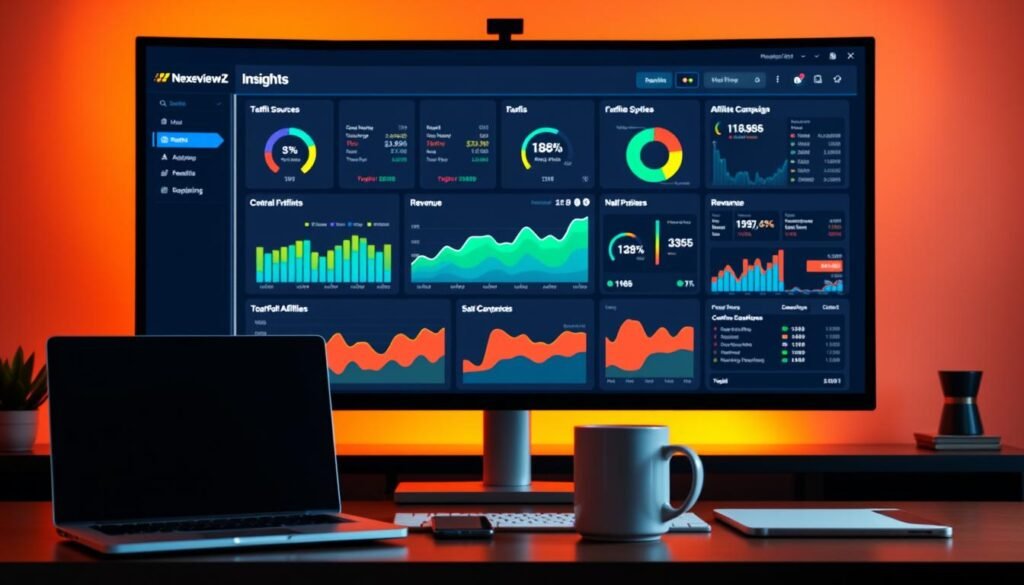
Get your account live, connect your programs, and see link-level wins in days—not weeks.
Create your account and add your sites
Sign up and add your website(s) to start centralized reporting right away. The free trial requires no credit card, so you can explore the dashboard without commitment.
Install the tracking code as instructed so visits and clicks start populating reports. This step enables URL-level analysis and makes early earnings and conversions visible.
Connect affiliate networks and validate data flow
Connect top affiliate partners first—Amazon, CJ, AWIN, Partnerize, and Skimlinks—to capture the biggest sources of commissions fast.
Validate imports by checking initial reports. If a program lacks automatic feeds, upload the provided CSV templates to preserve link-level data.
Read your first heat map and take action
Open Content Analytics and load a heat map for a high-traffic page. Red zones mark converting links; blue zones show non-converting clicks. These visuals highlight quick optimization targets.
Do one quick test: move a red (converting) link higher, simplify the CTA, or replace a blue placement. Then watch the dashboard for changes in click-through rate, conversions, and earnings over the next few days.
“Complete setup in minutes, act on heat-map insights, and measure real impact in days.”
| Step | Action | Expected Result |
|---|---|---|
| Sign up | Create account, add site | Dashboard access, tracking ready |
| Install | Add tracking code | Clicks and visitors captured |
| Connect | Link top affiliate programs | Commissions and link data import |
| Analyze | Open heat maps & URL reports | Identify conversion opportunities |
| Optimize | Move links, tweak CTAs | Improved CTR, conversions, earnings |
Start your free trial today and complete this setup in minutes to see your first insights and begin scaling link-level wins.
Recommended Use Cases for Small Businesses
Choose the right workflow and you’ll save time while turning link-level data into concrete actions.
Bloggers and content publishers optimizing top-earning posts
You should use this tool if you publish content and rely on affiliate income. URL-level analysis shows which posts earn most and which links actually convert.
Use heat maps to move converting links higher, swap weak placements, and track the effect in reporting. That makes small content updates produce measurable gains.
Ecommerce and media teams comparing affiliate platforms
Teams that run multiple sites or test partners benefit from side-by-side data. Roll up reporting across domains to see which platform and partner drives the best results for your audience.
Compare networks, align campaigns, and present concise reports to stakeholders that link a specific change to visitors, clicks, and commission movement.
- Quick wins: identify top posts, elevate converting links, repeat the format.
- Workflow: build a weekly optimization cadence tied to tracking and reporting.
- Scale: apply learnings from high performers across similar pages and sites.
- Efficiency: replace spreadsheets and manual logins to save time and reduce errors.
| Use Case | Primary Feature | Expected Outcome |
|---|---|---|
| Individual bloggers | URL-level analysis, heat maps | Higher CTR on top posts |
| Small publishers | Centralized reporting, CSV imports | Faster cross-post optimizations |
| Ecommerce/media teams | Multi-site rollups, partner comparison | Clear partner ROI and faster decisions |
Ready to validate these use cases? Start your free trial today and test how link changes affect your own visitors and account metrics.
Why Choose Affilimate Over Manual Tracking
Logging into multiple affiliate networks drains time you could use to optimize high-value posts. With the right platform, you stop repeating logins, CSV exports, and spreadsheet merges.
Save hours every week with unified tracking
One dashboard centralizes your affiliate data so you reclaim weekly hours and reduce errors. Install the script, connect networks, and automatic imports replace manual uploads.
Make faster decisions with reliable attribution and reporting
Clear reporting and URL-level analysis show which links and content drive conversions and commissions. Heat maps highlight converting placements so you act on real visitor behavior.
- Stop logging into each affiliate network and reclaim focused work time.
- Reliable attribution eliminates spreadsheet guesswork and missing commission data.
- Unified dashboard reveals which links and partners earn the most commissions.
- Small teams get enterprise-level reporting without hiring analysts.
Your experience improves today: start the free trial, connect your top networks, and make your first optimization in under an hour.
“See clicks, conversions, and commissions in one view and stop wasting time on manual tracking.”
Real-World Impact: What You Can Expect Over Time
A few tactical edits on your highest-traffic pages often deliver the fastest wins. Start by using heat maps to spot converting placements and move those links higher. Simple shifts can lift conversion rate within days.
Early wins: one reviewer reported a 31.6% affiliate income increase in three months after reordering offers and optimizing pages. Use tracking and reporting to confirm which links and networks drive commissions.
From quick changes to compounding gains
Over weeks, URL-level tracking clarifies which partner and placement sustain the best conversion and commission rate. Small gains on many pages compound into meaningful revenue as your traffic grows.
- Move high-performing links higher and remove distractions shown in heat maps.
- Run before/after reports to validate changes and build repeatable tactics.
- Use shared dashboards so your media team or creators iterate faster and stay aligned.
Put this platform to work on your top pages this week and track measurable improvements in commissions with ongoing optimization and cross-network insights.
“Use data to test placement, validate results, and scale what works.”
Conclusion
Make your decision after a short trial that proves value on your highest-traffic pages.
Affilimate centralizes affiliate reporting, URL-level analysis, heat maps, and 100+ integrations so you spend less time on logins and more time on optimization.
The pricing path is simple: Starter at $49/month, Pro at $99/month, and bigger savings with annual billing. Use the free trial (no card) and the 30-day money-back guarantee to validate fit risk-free.
For bloggers, publishers, creators, and media teams this platform acts like a dedicated Google Analytics for affiliates. Expect faster tracking, clearer reporting, and quick link-level wins when traffic and posts scale.
Start your free trial or get your annual discount today and centralize your affiliate workflow in minutes — strong.


