


Curious which plan actually fits your team’s needs and budget? This guide gives you a clear snapshot of Fireflies.ai pricing for teams and what each tier delivers.
You’ll see notes on monthly, annual, and team pricing options and a reminder to check vendor site for current rates. I won’t guess prices, but I will show what features matter.
Key benefits for small businesses: automatic meeting transcripts and summaries to save time, smart search and topic tracking to find decisions fast, and integrations with Zoom, Microsoft Teams, and Google Meet to keep workflows synced.
Security and compliance basics are included here—GDPR and SOC 2 Type 2 are standard, with SSO and HIPAA on higher tiers. Refund or money-back details may vary, so check vendor site.
For quick comparison, see Otter.ai and Notta as alternatives when you review reviews and stars in app listings to weigh strengths and weaknesses.
Key Takeaways
- You get a quick view of monthly, annual, and team pricing—always check vendor site for exact rates.
- Core features—transcripts, AI summaries, and analytics—help you stop taking notes and focus on the meeting.
- Integrations with Zoom, Teams, and Google Meet make rollout simple for distributed teams.
- Security: GDPR and SOC 2 Type 2 included; SSO/HIPAA on higher tiers—verify on the vendor site.
- Compare against Otter.ai and Notta to match features with your budget and workflow.
At-a-glance: What you get with Fireflies.ai for meetings and teams
This quick snapshot highlights the features you’ll use every meeting to save time and drive action.
AI notetaker for Google Meet, Microsoft Teams, and Zoom
The assistant joins calls as a participant to record and provide transcription and notes. After each meeting you get an emailed summary with action items and next steps.
Summaries, action items, and smart search to drive next steps
Core features include AI-generated overviews, topic trackers, speaker talk time, sentiment analysis, and Ask Fred smart search. You can push transcripts and summaries into Slack, Salesforce, and HubSpot for streamlined workflows.
“Automated summaries and searchable transcripts keep follow-ups clear and fast.”
- Deploy the assistant in Google Meet, Microsoft Teams, and Zoom to auto-capture conversations.
- Receive summaries with clear action items so nothing slips between meetings.
- Run smart search across transcripts to find exact moments, metrics, or dates.
- Integrate with Slack, Notion, Trello, Salesforce, and HubSpot to centralize insights.
| Feature | Free tier | Paid tiers |
|---|---|---|
| Join calls & transcribe | Limited sessions | Unlimited transcription on most plans |
| Summaries & action items | Basic summaries | Detailed summaries with next steps |
| Integrations | Core apps | Slack, CRM, Notion, Trello and more |
| Smart search & analytics | Search transcripts | Ask Fred, talk time, sentiment |
Pricing and plans: monthly, annual, and team options
Review the core monthly, annual, and team tiers to match seats, storage, and admin controls to your needs.
Monthly plans
You can choose monthly plans—Pro, Business, and Enterprise—tailored to seat count and features. All pricing details and seat minimums are listed on the vendor website; check vendor site before you buy.
Annual billing
Switching to annual billing may offer savings and different storage allocations. Confirm current discounts, storage limits in minutes, and any differences in transcriptions on the pricing page; check vendor site.
Team and enterprise pricing
Team and enterprise options unlock admin controls, SSO and HIPAA on higher tiers, governance, and priority support. For seat-based quotes, API access, and security details, review the official information and contract terms; check vendor site.
Free tier highlights

The free plan lets you record, transcribe, and share with limits on storage (roughly 800 minutes) and reduced AI summaries. Paid tiers add conversation intelligence, team analytics, expanded storage, and priority support.
“Confirm refund, money-back, and trial terms on the official pricing page before committing.”
- Monthly, annual, and team plans — all pricing: check vendor site.
- Start on Free, then scale storage and features as your meeting volume grows.
- Read reviews and stars on the website and app listings to confirm fit for your team and apps.
How to claim a Fireflies.ai discount or coupon
Follow a simple checklist to apply a promo so your team captures the best deal before you buy.
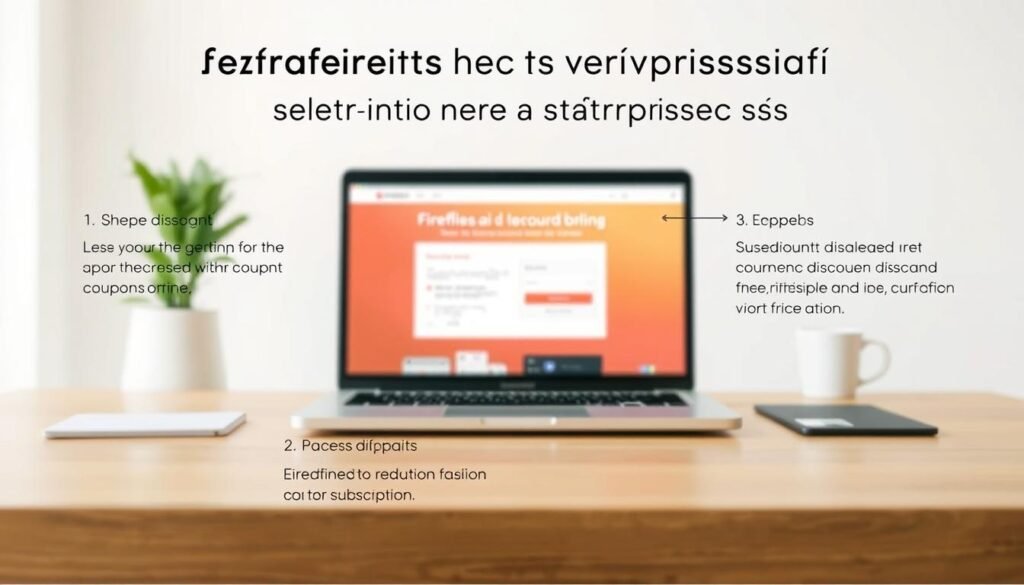
Begin on the official pricing page so you can verify any live coupons or promo fields. Confirm whether the offer applies to monthly, annual, or team billing before you choose a plan.
Step-by-step process:
- Visit the provider website pricing page and look for banners or a coupon box at checkout.
- Select monthly or annual billing and pick the plan that fits your teams and required features.
- Enter the coupon code exactly as provided and verify the discount displays in your cart.
- Confirm seat count, billing email, and company details so invoices and onboarding email arrive correctly.
- Complete checkout, then open the confirmation email to ensure the promo was applied to your purchase.
You can take screenshots of the cart with the promo applied for finance approvals. Also review renewal terms so recurring discounts or annual savings don’t catch you off guard.
If a code fails, contact support before finalizing payment. After purchase, watch your post-meeting summaries and account emails for any follow-up steps tied to enterprise features like SSO or HIPAA — verify those on the pricing page and in your confirmation email.
Top benefits for small businesses
Small teams win back hours every week when transcription and summary tasks run automatically.

Save time with unlimited transcription and AI summaries. Paid tiers provide unlimited transcription so your meeting audio becomes searchable text. AI-generated summaries include overviews, clear action items, and next steps to speed follow-up.
Capture reliable meeting notes and assign owners. Automatic notes reduce manual errors and keep action items consistent. You can assign owners, set due dates, and turn conversations into repeatable documentation for your business.
Integrate with your workflow
Push transcripts and notes into Slack, Salesforce, HubSpot, Notion, and Trello. These integrations automate handoffs and standardize customer processes so critical details don’t live only in someone’s notebook.
- You’ll save hours weekly with automated transcription and AI summaries so teams focus on customers.
- You’ll increase follow-through by assigning owners and due dates after meetings.
- You’ll improve decisions with insights like speaker talk time and sentiment from transcripts.
“Centralized, searchable notes turn meetings into a long-term knowledge asset.”
Fireflies.ai vs alternatives: Otter.ai and Notta at a glance
This side-by-side view helps you weigh collaboration, offline capture, and transcription caps for meetings.
Otter.ai
Otter.ai shines for real-time collaboration during meetings and shared notes. It is useful when you need live editing and team annotation.
Keep in mind some plans impose monthly transcription minute limits that matter for heavy meeting loads.
Notta
Notta offers an intuitive interface and offline transcription for on-the-go capture. It fits users who need offline support and simple setup.
Monthly minute caps apply, so check allowances before scaling to many meetings calls.
Where this notetaker stands out
Unlimited transcription on paid tiers and deep integrations with CRM and collaboration tools give your teams an execution edge.
You also get meeting analytics like speaker talk-time tracking, plus GDPR and SOC 2 Type 2 security; SSO and HIPAA sit on higher tiers.
“Compare use cases, tracking, and transcript limits to pick the right tool for sales calls, onboarding, and internal meetings.”
| Feature | Otter.ai | Notta | Fireflies Notetaker |
|---|---|---|---|
| Real-time collaboration | Strong | Moderate | Good |
| Offline transcription | No | Yes | Limited |
| Transcription limits | Monthly caps on plans | Monthly caps on plans | Unlimited on paid tiers |
| Integrations (CRM, Slack) | Core apps | Core apps | Broad CRM & collaboration integrations |
| Analytics & tracking | Basic | Basic | Speaker talk time, sentiment, smart search |
Setup, support, and policies you should know
Get your team recording and reviewing meetings fast with a few admin steps.
Start by linking your calendar and conferencing tools so recordings and notes appear automatically.
Connect the apps (Google Calendar, Outlook) and conferencing platforms so the bot can join scheduled meetings and capture audio. Confirm billing and recap emails are routed to your admin inbox.
Admin and security controls
Configure governance: enable GDPR and SOC 2 Type 2 protections at the account level. On higher tiers you can add SSO and HIPAA to meet stricter compliance needs.
Document internal steps so admins can approve or revoke features by department.
Refunds and support
Check the vendor website for the current refund or money-back policy before purchase. For in-product help, use in-app support and escalate via admin contacts when needed.
Support channels include in-app guides, email confirmations after purchase, and admin escalation paths.
Control the bot in Microsoft Teams
To block the notetaker bot in Microsoft Teams:
- Open Teams admin center
- Go to Teams apps > Manage apps
- Search for the app name, select it, and set Status to Block
Maintain a short approval process to unblock/re-block the bot for specific teams or projects.

“Confirm storage limits and minutes on the official site to avoid hitting caps during heavy meeting weeks.”
- You’ll track storage and minutes limits (free tier is limited—verify on the website).
- Assign who receives summaries and who owns follow-up action to standardize next steps.
- Keep an admin contact for support and policy changes so your team stays aligned.
Conclusion
a strong, clear summary helps you decide whether this notetaker fits your team. Focus on how faster decisions, fewer missed tasks, and clearer notes change daily work for your teams.
In practice: automatic summaries and searchable transcripts turn meetings into actionable insights. The assistant creates consistent summaries, transcriptions, and notes you can push into Slack and CRM tools.
Start on the vendor pricing page to confirm current rates, storage limits, and refund terms. Use the step-by-step discount process at checkout and verify the promo in your confirmation email.
You’ll scale with paid tiers for more storage, stronger controls, and expanded integrations. User sentiment is high—look for 4.8 stars in listings—and then validate fit against Otter.ai or Notta for your workflow.