

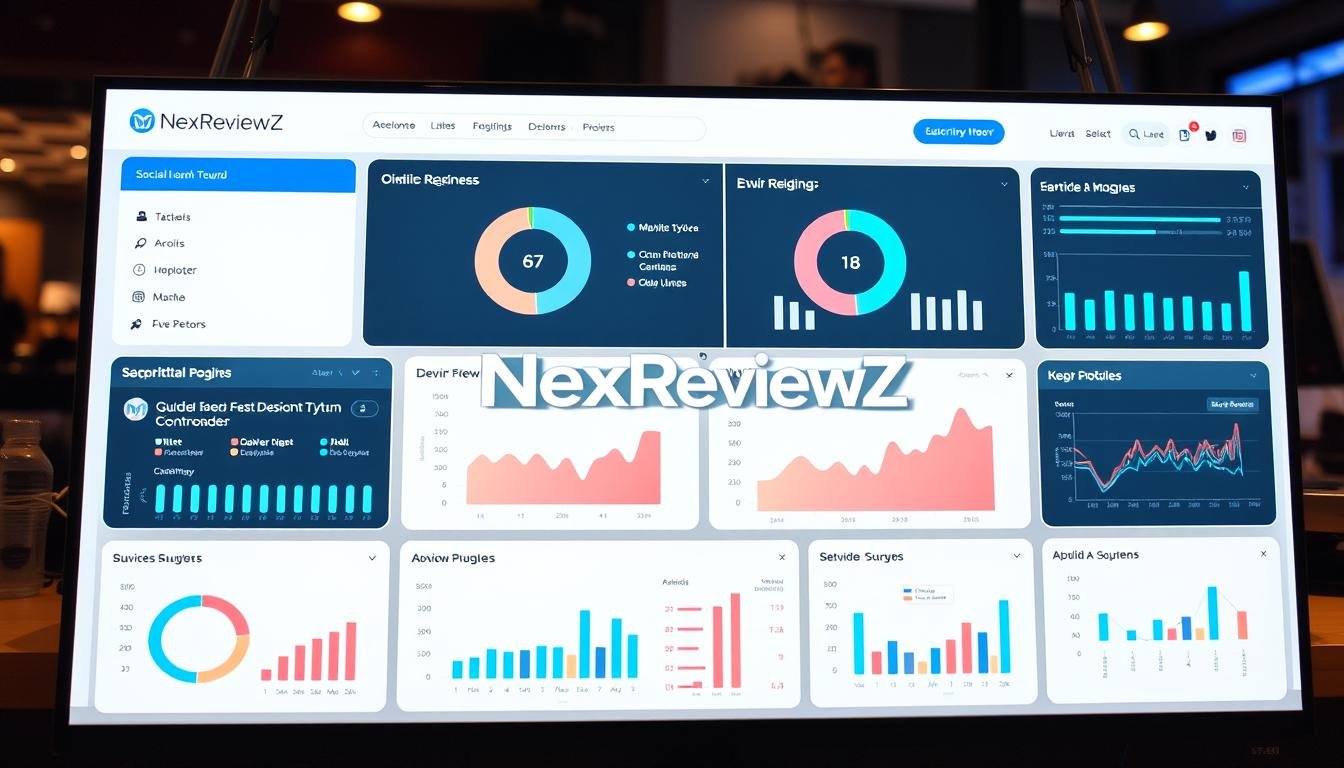

Curious how one platform can cut your content workload while growing real engagement?
Ocoya bundles AI-powered content, scheduling, and analytics into a single platform so you can test fast and act now. You get a clear pricing plan—Bronze $19, Silver $49, Gold $99, Diamond $199—and a 7-day free trial with full access. Yearly billing advertises you can save 20%.
The tool connects 30+ integrations and centralizes Facebook, Instagram, LinkedIn, X, TikTok, Pinterest, YouTube, and Google Business Profile. Automations like “On schedule,” “On RSS update,” and “On new product” turn feeds and ecommerce updates into ready-to-publish posts.
Collaboration is simple with multi-level approvals, client sign-off links, and built-in roles. You’ll also see how it stacks up to Hootsuite and Buffer, plus known limits on templates and analytics so you can choose the right fit for your social media marketing approach.
Key Takeaways
- Start a risk-free 7-day free trial to test full features.
- Transparent pricing tiers with a 20% annual savings option.
- Manage major social networks from one dashboard and automate posts.
- Collaboration tools include internal and client approvals and public links.
- Compare to Hootsuite and Buffer to match budget and goals.
Quick Verdict: Is Ocoya the Right Social Media Management Platform for You?
If speed and simplicity drive your social strategy, this platform delivers a clear answer.
You’ll benefit most if you need AI captioning, best times to post, and a single workflow to publish across major channels. It blends AI writing, a drag-and-drop editor, scheduling, and basic analytics so you move from idea to publish fast.
Three small-business wins:
- AI-powered content that cuts the time it takes to create captions and post copy.
- A visual editor with templates and brand kits for consistent design.
- Automations and an interactive calendar that keep your content pipeline full.
You can test risk-free with a 7-day free trial to validate integrations, audience response, and the workflow. Users report measurable time savings.
Compared to Hootsuite and Buffer, Ocoya stands out for AI-driven creation and ecommerce automations but may lag on legacy analytics and some niche integrations. If deep historical modeling matters, verify analytics during the trial.
Ocoya
This platform is built to centralize creative work for pros and small teams.
The service is an all-in-one social media platform that combines AI ideation, templates, and a visual editor in a single dashboard.
Use it to centralize planning and reduce manual work. You’ll find brand kits, stock media plugins like Unsplash, and an API with 30+ integrations to connect your stack.
AI agents help with caption creation and image generation so you move from idea to publish fast. Built-in approvals and roles keep process control as your team grows.
“The first platform for vibe marketing aims to speed content creation while keeping your visual identity intact.”
You get full access during a 7-day free trial to test workflows and publish across channels. If you want fewer tools and clearer outcomes, this management solution is designed for practical results.
What’s Included: AI Content Creation, Scheduling, and Analytics Across Multiple Channels
This suite bundles AI writing, visual tools, and cross-channel scheduling into one practical workflow.
AI writing assistant and caption generator for social media posts
Use the AI writing assistant to produce platform-ready captions in minutes. You can apply hashtag presets, shorten links, and pick the best times to post to boost reach.
Drag-and-drop editor with templates, stock media, and brand kits
Build visuals fast with a visual editor packed with templates, stock photos, video clips, and brand kits. Create AI images, resize assets for each network, and store reusable items in your media library to streamline content creation.
Unified dashboard for planning and publishing across platforms
Manage planning, approvals, and publishing from a single dashboard. View your calendar, shift drafts, automate recurring slots, and publish to Facebook, Instagram, LinkedIn, X, TikTok, Pinterest, YouTube, and Google Business Profile.
- Three key features for small businesses: AI captioning that saves time; a consistent editor and templates for on-brand visuals; a unified dashboard that simplifies media management and cross-channel scheduling.
Current Pricing Tiers and Best Value Savings
Compare the monthly tiers to pick the plan that fits your posting cadence and team size.
Starter: Bronze (approx. $15–$19/month)
Start here if you create solo. The Bronze tier gives core features and lower limits at the best entry price.
Who it fits: single creators, solopreneurs, and very small teams testing social media workflows.
Pro: Silver and Gold ($39–$49 and $79–$99/month)
Move to Silver as you add collaborators or product feeds. It adds more profiles, AI credits, and ecommerce tools.
Choose Gold when you need higher content volume and team collaboration tools.
Agency: Diamond ($159–$199/month)
Diamond is built for agencies and large teams. Expect many profiles, multiple workspaces, and robust allowances.
Annual Billing and Trial
Switching to annual locks in roughly a 20% savings and gives budget certainty for the year.
Every tier includes a 7-day free trial with full access so you can validate automations, analytics, and integrations before you commit.
“Use the free trial to test real publishing workflows and confirm limits won’t halt campaigns.”
| Tier | Monthly range | Best for | Media limits |
|---|---|---|---|
| Bronze | $15–$19 | Solo creators | Low |
| Silver | $39–$49 | Growing teams | Medium |
| Gold / Diamond | $79–$99 / $159–$199 | High-volume teams / Agencies | High |
- Align your selection to publishing cadence, approval needs, and profile count.
- Reassess quarterly so your plan grows with your output.
- Use the trial to confirm platform access and real-world performance before buying.
How Ocoya Compares to Hootsuite and Buffer
Picking the right tool comes down to whether you prioritize fast creative output or deep cross-tool reporting. If your day centers on producing captions, visuals, and product-driven posts, this platform tilts toward speed and automation.
Where it wins:
- AI-powered creation: Agents and caption generators cut writing time and help scale campaigns across networks.
- Automations: RSS-to-post and ecommerce triggers turn new products or blog updates into ready-to-publish content.
- Creative stack: The editor, templates, and brand kits reduce dependence on extra design tools.
Where others lead:
- Hootsuite and Buffer tend to offer broader third-party integrations and more mature analytics for complex reporting.
- If you need deep, historical analytics or niche connectors, those platforms may be a better fit.
You’ll choose this tool over Hootsuite or Buffer when AI content generation and ecommerce-triggered posts are core to your workflow. For enterprise-level analytics or specialty integrations, validate during the free trial.
“Check G2 recognitions and user reviews to gauge implementation speed and usability.”
| Strength | This Platform | Hootsuite / Buffer |
|---|---|---|
| AI content | Strong | Limited |
| Automations (RSS/product) | Strong | Moderate |
| Integrations & analytics | Basic | Advanced |
Bottom line: Match your campaigns to the tool’s strengths — favor creative speed and automation here, or pick Hootsuite/Buffer if analytics depth and broader integrations matter more to your social media marketing strategy.
Three Standout Features Small Businesses Will Love

Pick the capabilities that move your day from reactive to predictable.
Automated scheduling and best times to post
Automate scheduling so you keep a steady cadence with less manual work. Use best times data to publish when your audience is most likely to engage. Combine AI captions with scheduled slots and you reduce content assembly time dramatically.
Templates and a searchable media library
Tap ready-made templates and a central media library to build on-brand posts fast. Save styles and assets so every post stays consistent. This single repository speeds creation and supports tighter media management across campaigns.
Interactive calendar and quick approvals
Drag and drop items on the calendar to balance weekly output without re-creating content. Route drafts to stakeholders or clients for rapid sign-off and keep your team focused on growth, not busywork.
- Automate scheduling to maintain cadence.
- Publish at optimal times to boost reach.
- Standardize templates and approvals to save time.
Automation That Scales: From RSS to AI Agents
Automate routine publishing so your team focuses on strategy, not repetitive tasks. When a new article goes live, you can have a tailored post queued, captioned, and scheduled automatically. That reduces manual steps and keeps your brand voice steady across networks.
Turn blog/RSS updates into ready-to-publish posts
Connect your blog’s RSS to the platform and let AI agents write captions and create images. New content becomes platform-specific posts with UTM and link settings applied.
Recurring schedules for consistent brand presence
Set recurring slots so your brand maintains consistent presence. Build “set and forget” routines that preserve quality and give you reliable posting consistency.
Hashtag generation and repurposing workflows
Generate hashtags from presets and repurpose top posts to extend life. Combine repurposing rules with approval gates to keep each post on-brand.
Performance-aware posting to maximize engagement
- Prioritize windows with the highest engagement using performance-aware posting.
- Trigger social updates when new products arrive to automate promotional posts.
- Replicate effective automations for new clients or lines in minutes.
Social Media Integrations and Channels You Can Manage
One login gives you control over all key social profiles and the integrations that feed them.
Manage Facebook, Instagram, LinkedIn, X, TikTok, Pinterest, YouTube, and Google Business Profile from a single place. That means fewer logins and faster publishing across your main channels.
Connected tools extend what you can do. There are over 30 integrations covering social, design, and ecommerce systems. Use design plugins like Unsplash to pull media without leaving the editor.
What the integrations let you do
- Pull product data and images from ecommerce platforms to auto-create posts.
- Reuse authenticated connections so onboarding is faster for new accounts.
- Extend capability with API access to fit custom workflows and app needs.
- Keep brand messaging consistent across social media platforms and media platforms.
- Control team access levels for each profile you manage to protect accounts.
Consolidating these platforms and integrations reduces overhead and speeds scaling. You get practical access to the tools you need while keeping your content pipeline tight and predictable.
Ecommerce Power-Ups: Shopify, WooCommerce, and More
Turn product launches into publish-ready social content without copy-paste or manual uploads.
Connect Shopify or WooCommerce and let the platform detect new products, pull titles, descriptions, pricing, and select images automatically. This removes repetitive steps so you focus on strategy, not manual entry.
Auto-pull product details and images
When a new item appears in your store, the connector pulls product data and media. That data becomes the basis for captions and creative assets across your channels.
AI-powered product announcements and captions
The AI writes benefit-led announcements and suggests hashtags and link shorteners. Use these to keep each post on-brand and optimized for audience intent.
Schedule promotions across multiple social media platforms
Queue promotions to publish at peak times on all platforms simultaneously. Repurpose top-performing product posts into seasonal campaigns and keep inventory highlights fresh without extra work.
| Connector | Auto-detect | AI captions | Multi-channel scheduling |
|---|---|---|---|
| Shopify | Yes | Yes | Yes |
| WooCommerce | Yes | Yes | Yes |
| Benefits | Less manual copying | Faster creation | Coordinated marketing |
- Create consistent on-brand visuals with product templates.
- Trigger posts automatically when new items are added.
- Save your team hours per week on routine merchandising posts.
Team Collaboration and Approvals
Keep everyone aligned by assigning clear roles and routing approvals so work moves fast and predictable.
Set roles and permissions so the right team members handle creation, review, and publishing. You control who can edit media, change captions, or push content live.
Multi-level approvals include internal checks, client approval, and public share links for stakeholders who don’t need accounts. That cuts email threads and makes feedback actionable.
How the workflow saves time
Track status and comments centrally to eliminate scattered feedback. Route posts automatically to the next approver to remove bottlenecks.
- Assign roles so reviewers see only what matters to them.
- Use internal approvals to enforce quality before publishing.
- Share public links for fast client sign-off without granting full access.
- Keep everything visible on the calendar so you know what’s planned and when.
Scale with confidence: repeatable, auditable workflows keep brand integrity intact and shorten turnaround times for agencies and in-house teams.
Analytics and Reporting You Can Act On
See clear performance signals so you can turn data into action for each campaign.
Real-time metrics track reach, engagement, and follower growth so you know which content resonates with your audience. The platform normalizes cross-network numbers in one dashboard to make comparisons fair and fast.
Automated reports remove manual spreadsheets. Send scheduled summaries to stakeholders and clients with easy exports. Use these reports to document ROI and show progress.
Machine learning spots patterns in formats and topics that win. You get optimization tips that recommend next steps—best posting windows, caption tweaks, and assets to reuse.
- Track reach and engagement to see what works.
- Compare networks with normalized metrics.
- Use automated reports to keep teams aligned.
- Validate analytics during your trial to confirm decisions.
“Actionable reports help small teams move from guesswork to predictable growth.”
Known Limits and Considerations Before You Buy
Make an informed choice by weighing strengths against realistic limits.
There are clear constraints that matter for teams with complex reporting or niche workflows. Review these points so you can decide if the platform matches your needs.
Design and template scope
Expect fewer templates than you’d find in dedicated design suites. The library covers common post types, but highly specific or branded templates may be limited.
Analytics depth
The built-in analytics are useful for everyday decisions. If your team needs enterprise-level modeling, sample exports or a BI tool may be required.
Integrations and cost model
Integration coverage is growing, but some specialized third-party connectors are missing. There’s no always-free tier — only a 7-day trial to test fit before paying.
| Area | What to expect | Action |
|---|---|---|
| Templates | Basic to moderate variety | Verify library meets brand needs during trial |
| Analytics | Everyday metrics, limited depth | Export data or pair with BI for deep analysis |
| Integrations | 30+ growing list; niche gaps | Check API and connector list for critical tools |
- Map must-have features and test them in week one to avoid surprises.
- If you need niche data connectors, confirm availability before you commit.
- Weigh this platform’s creation and automation strengths against these trade-offs for your businesses and media workflows.
“Validate critical workflows during the trial so you know how the tool fits your management needs.”
Trial, Money-Back, and Refund Policy
Try the service risk-free for a week to confirm it handles your social media and ecommerce flow.
Try the 7-day free trial with full access
Start a 7-day free trial to access all core features and validate workflows before you pay. Use this window to connect channels, run real posts, and test automations, approvals, and RSS or product feeds.
Typical 30-day money-back expectations and how to request
If a 30-day money-back guarantee appears at checkout, capture the exact terms on your order screen. Policies often require proof of purchase and a request within the guarantee window.
- Keep your order confirmation and note the guarantee dates.
- Contact support with your account email and order ID to request a refund.
- Submit cancellations and refund requests in writing before the deadline.
- Export any assets or reports you want to keep prior to account changes.
Tip: If you choose annual billing for ~20% savings, verify pro-rated or full-refund rules at checkout. Use the trial to stress-test limits (profiles, credits, automations) and mark your must-haves in the first few days so you can decide confidently.
Step-by-Step: How to Claim Discounts or Coupons
A short checklist helps you lock in savings and get your social media workflows running fast.
Start here: pick the plan that matches your team and posting needs, then begin the sign-up flow to get immediate access.
Sign up for the 7-day free trial from the pricing page
Go to the pricing page and click the Try 7 days free button on the plan you want. Use the trial to validate integrations and publish actual posts.
Choose annual billing to lock in up to ~20% savings
Toggle to yearly billing at checkout to secure the advertised ~20% discount for the year. Confirm billing dates and refund rules before you complete payment.
Apply any seasonal coupon at checkout (if available)
If you have a coupon, enter it in the checkout coupon field before confirming payment details. Verify the final total and expiration of the offer.
Confirm plan, workspace, and social profiles, then activate
Create your workspace, invite collaborators, and connect your platforms and media sources. Configure brand kits, ecommerce links, RSS feeds, schedules, and approvals so posts flow smoothly.
| Step | Action | Expected result |
|---|---|---|
| Choose plan | Select Bronze/Silver/Gold and start trial | Immediate access to features |
| Billing | Switch to annual | Save ~20% for the year |
| Coupon | Apply at checkout | Lower first payment |
| Onboarding | Connect profiles & set schedules | Automated publishing of posts |
“Use the free trial to confirm integrations and publishing before the first charge.”
Recommended Use Cases for Small Businesses in the United States
If you run a small business in the U.S., these use cases show how features translate to real marketing wins.
Local retailers and DTC brands driving product launches
Connect Shopify or WooCommerce so product pages become ready-to-post items. New SKUs auto-generate captions and images, speeding launches and reducing manual work.
Outcome: faster publish times, coordinated promotions across platforms, and fewer copy-paste errors during high-volume drops.
Service providers building consistent social presence
Use recurring schedules and best-time suggestions to keep a steady presence with minimal effort. Repurpose newsletters and blogs via RSS to fill feeds without extra writing.
Outcome: a reliable online presence that supports bookings and local awareness while you focus on client work.
Agencies managing multiple clients and approvals
Create separate workspaces, assign roles, and send approval links so stakeholders sign off quickly. Centralize media and templates to keep each brand consistent across campaigns.
Outcome: shorter feedback cycles, predictable delivery, and easier scaling as you add accounts or upgrade plans.
- Use AI captions for quick A/B variations across channels to test messaging.
- Coordinate seasonal promotions to run across platforms at peak times.
- Sync calendars with stakeholders to avoid overlapping messages and track campaign performance.
Security, Reliability, and API for Advanced Workflows
Secure, high-throughput scheduling and a developer-friendly API let you automate large campaigns with confidence.
Direct social API connections reduce failure points and give faster access to new platform features. The scheduler is built on those direct links so posts move reliably at scale.
The system supports throughput up to 1,000 posts per minute, letting you handle holiday peaks and product drops without missed windows. Multi-account support means you can publish across clients or brands programmatically.
Use the RESTful API to create posts, request AI copy, and push content live from your CRM or CMS. Robust rate limits and clear endpoints make integrations stable and predictable.
Role-based access controls protect accounts and data. Apply permissions so only authorized users and apps can publish or change media and schedules.
- Export analytics to your BI tools for deeper reporting.
- Sync status and approvals via webhooks or safe polling.
- Standardize automations with reusable templates and endpoints.
- Document your stack so new team members onboard quickly and safely.
“Programmatic publishing and reliable scheduling cut manual steps and protect uptime during campaigns.”
| Capability | Benefit | Use case |
|---|---|---|
| Direct API integrations | Fewer failures, faster updates | Rapid access to new social features |
| High-throughput scheduler | Handles campaign peaks | Large product launches |
| RESTful API & webhooks | Programmatic control | CRM syncs and automated approvals |
Real-World Proof: Customer Quotes and Recognitions
Social proof helps you decide faster. Below are credible badges, partner links, and user quotes that show measurable impact on time and ROI.
Industry badges and partner integrations
Recognized by G2: Top 100 (2022), Best Usability (Fall 2022), Best Relationship (Fall 2022), Most Implementable (Fall 2022), and High Performer (Winter 2022).
Partners include TikTok, Facebook, LinkedIn, Pinterest, X (Twitter), Instagram, and OpenAI—direct links that help reliable posting across major media platforms.
What users say about time savings and ROI
“AI-driven workflows cut our content production time dramatically,”
Users report faster onboarding and implementation. G2 reviewers highlight rapid setup and consistent delivery across networks.
For small businesses, those gains mean more frequent campaigns, lower tool sprawl, and a clearer path to measurable marketing results.
- Confidence markers: G2 badges for usability, relationship, implementation, and performance.
- Scale safely: Thousands of customers use this platform daily to manage social media and media pipelines.
- Buy-in ready: Use these proof points during stakeholder reviews to speed approvals and consolidate tools.
Call to Action: Start Your Free Trial or Get Your Discount Now
Ready to validate the workflow that saves time and keeps your brand consistent?
Start free trial
Try a 7-day free trial to test real publishing, automations, and approvals with full access. Connect your social media accounts, import a product feed or RSS, and publish a scheduled post in minutes.
- Start your 7-day free trial now to test publishing and automations with full access.
- Connect channels and publish your first scheduled post within minutes.
- Import products or RSS feeds to see automation value immediately.
- Invite your team and activate approvals to standardize sign-off.
Get discount with annual billing
Choose annual billing at checkout to secure Yearly (save 20%) on the plan that fits your needs. Locking a yearly subscription reduces cost and gives budget certainty as your teams and platforms scale.
- Build your first month’s calendar with templates and AI captions fast.
- Track performance during the trial to validate results against your goals.
- Confirm the plan that fits your usage, then lock in savings for the year.
- Keep growing with integrations and the API as your needs expand.
“Click ‘Try 7 days free’ to get started and keep momentum today.”
| Action | Result | CTA |
|---|---|---|
| Start trial | Full access to publish & automate | Try 7 days free |
| Choose annual | Save ~20% on yearly billing | Yearly (save 20%) |
| Connect channels | Immediate testing across platforms | Connect & publish |
Conclusion
This platform bundles AI content creation, a visual editor, scheduling, and analytics so you can publish more with fewer tools.
In short, you get a unified workflow for social media and media management that speeds content production and keeps your brand consistent.
Start with the 7-day free trial to validate real posts, automations, and team approvals. Pick the plan that fits your output and switch to annual billing to save roughly 20%.
Compared to Hootsuite and Buffer, this service favors creation speed and ecommerce workflows over deep analytics or every niche integration. Use G2 recognitions as confidence when you present the approach social media to your team.
Next step: launch your trial today and lock in the yearly discount when you’re ready to scale across platforms.


