


Curious if you can cut your social media costs without losing features? You can compare pricing tiers, claim a Pro discount, and start testing in minutes.
You’ll see the Free, Professional ($12/mo) and Business ($23/mo) plans laid out so you know what each plan includes and what add-ons cost.
Expect clear notes on limits—like free plan caps, extra profile fees, and where analytics or a native inbox may be limited.
This section promises a short comparison with Hootsuite and Buffer, plus three small-business wins: auto-scheduling queues, bulk CSV uploads, and built-in media tools that help you save time on posting.
Finally, you’ll learn how to test risk-free with the free plan or trials, verify promo codes at checkout, and get a fast call-to-action to start a free account or grab a Pro discount today.
Key Takeaways
- See exact Free, Professional, and Business plan details so you can compare costs quickly.
- Learn where to find discounts and how annual billing lowers the price.
- Three small-business features—auto-queues, bulk CSV, media tools—boost posting speed.
- Know limits up front: free caps, extra profile/user fees, and inbox gaps.
- Try risk-free with the free plan or a paid trial and validate promo codes at checkout.
Why Publer is worth it for small businesses right now
When you automate posting, your small business keeps a steady presence while you focus on customers. This matters because consistent social media activity builds reach without extra headcount.
Faster scheduling and consistent posting across platforms
You get an intuitive drag-and-drop calendar, default times, and bulk CSV upload up to 500 items so you can batch work and save time.
Benefit: Streamline scheduling across multiple social media profiles and maintain a dependable cadence of posts.
Real-world feedback highlighting ease of use and value
Founders and marketers praise the clean calendar, auto-schedule queues, and recycling/recurring posts. You can handle approvals, monthly reports, and client review without constant context switching.
“The drag-and-drop calendar and bulk uploads changed our workflow—less manual posting, more measurable growth.”
- You repurpose evergreen content with recycling and recurring posts.
- You reduce missed posts by keeping creation, approvals, and publishing in one place.
- You benefit from built-in media tools that make content assembly faster for creators.
Publer pricing tiers and current discounts
See which tier—Free, Professional ($12/mo), or Business ($23/mo)—matches your publishing and analytics needs.
Starter / free plan highlights for new users
The Free plan lets you test the platform with up to 10 scheduled posts per account, 25 drafts, and limited storage. Use it to confirm publishing flow before you upgrade.
Pro (Professional) monthly vs annual savings
Professional starts at $12/month for three social media profiles. It unlocks unlimited scheduled posts, drafts, unlimited storage, RSS auto-posting, photo watermarks, and signatures.
Tip: Toggle annual billing on the pricing page to see instant savings and then apply a promo code at checkout if available.
Business plan value for analytics and reporting
Business begins at $23/month and adds video watermarks, competitor analysis, analytics, and downloadable PDF/CSV reports. Recycling and recurring posts arrive here too—ideal when reports matter.
Add-on costs per social profile and team member explained
| Plan | Base price | Extra profile | Extra user |
|---|---|---|---|
| Free | $0 | N/A | N/A |
| Professional | $12/mo | +$4/profile | +$2/user |
| Business | $23/mo | +$6/profile | +$3/user |
Bottom line: start free, upgrade to Professional for publishing scale, or choose Business if analytics and reports drive decisions. Always compare expected profiles and users before committing.
Publer
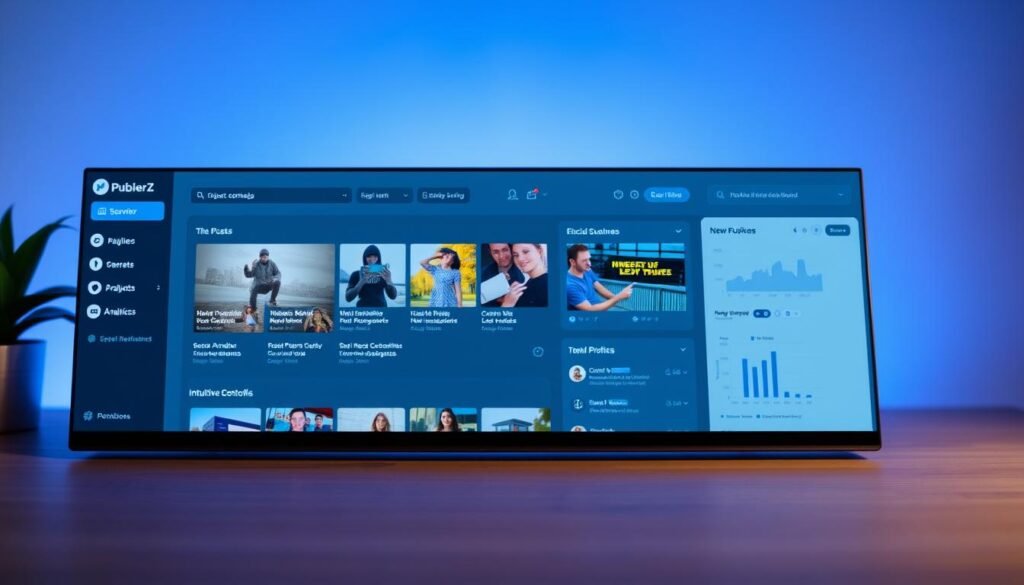
Publer bundles posting, scheduling, and team workflows into one clean dashboard for busy marketers.
You use this all-in-one tool to create, schedule, and manage posts across leading social media platforms. It supports Facebook, Instagram, TikTok, X, LinkedIn, Pinterest, YouTube, Google Business Profile, and WordPress, plus Telegram, Threads, and Mastodon.
Workspaces, a calendar view, and a media library keep assets and campaigns organized. You draft once and publish tailored variations to each platform without rebuilding content every time.
- Centralize profiles and keep brand assets separate for multiple clients or lines of business.
- Automate consistency with auto-scheduling, recycling, and recurring posts to reduce manual work.
- Track what’s queued, scheduled, and posted from one pane of glass so your team stays aligned.
Result: fewer tools, clearer process, and predictable publishing that scales as your social media presence grows.
Publer Pro features that help you save time

Save time by batching once and letting automation handle the rest. Three features do most of the heavy lifting: smart queues, bulk uploads, and an integrated media library.
Auto-scheduling, queues, recycling, and recurring posts
Automation publishes posts based on your preset times so you don’t pick dates one by one. Recycling and recurring posts keep top content live for promotions and evergreen value.
Bulk scheduling via CSV and drag-and-drop calendar
Upload up to 500 items with a CSV, then fine-tune timing on a drag-and-drop calendar. Bulk scheduling speeds up production and gives you a clear view of every scheduled post.
Built-in media library with Canva and VistaCreate integrations
The media library centralizes assets and links to Canva, VistaCreate, Unsplash, Google Drive, Dropbox, and OneDrive. Use the built-in editor for quick creation and apply watermarks or signatures to protect brand visuals.
- Keep a consistent cadence across platforms while the tool handles repetitive scheduling.
- Adjust schedules at a glance when promos or priorities change.
- Minimize errors with one workflow that manages content variations for each platform.
Top three Publer benefits for small businesses

Get broader reach, protect your brand, and share results fast. These three wins help you post more efficiently and keep stakeholders informed.
Manage more platforms including Google Business Profile and Telegram
You reach local customers and new audiences by adding Google Business Profile, Telegram, Threads, Mastodon, and WordPress to your core social feeds.
Result: one workflow for varied platforms so you don’t juggle separate tools.
Brand protection with watermarks and signatures
Apply photo watermarks on Professional and video watermarks on Business to deter misuse and keep visuals consistent. Signatures standardize author info across posts.
Downloadable reports (PDF/CSV) to share results quickly
Business includes analytics and downloadable PDF/CSV reports. Export polished summaries to clients, leadership, or your finance team in minutes.
| Benefit | Included plan | What it helps | Why it matters |
|---|---|---|---|
| More platforms | Free → Professional → Business | Wider audience reach | Consolidates posting, saves time |
| Watermarks & signatures | Professional (photos), Business (videos) | Brand protection | Reduces misuse, enforces brand rules |
| PDF/CSV reports | Business | Shareable analytics | Speeds decisions and shows ROI |
Publer vs Hootsuite and Buffer: quick comparison
Let’s contrast pricing, platform reach, and automation so you can choose the tool that saves time and money.
Pricing and plan flexibility for growing teams
publer stands out for per-profile and per-user add-ons. You pay only for what you need instead of jumping tiers like with Hootsuite or Buffer.
This approach lowers fixed costs as your team expands and keeps monthly bills predictable for agencies and small business accounts.
Supported platforms and unique automation tools
The tool covers more platforms out of the box—think Google Business Profile, Telegram, Threads, Mastodon, and WordPress—so you avoid extra subscriptions.
Automation includes auto-scheduling, recycling, recurring posts, and CSV bulk uploads to speed content operations and reduce manual posting.
- Scale affordably by adding profiles or users incrementally.
- Keep workflows simple with one calendar and a shared media library.
- Choose this when platform breadth and practical automation beat heavyweight enterprise extras.
Known limits, free trial, and refund policy
Get clear on caps and where you’ll need other tools. Start with the Free plan to test publishing basics without cost.
Free plan caps and analytics availability
The Free plan limits you to 10 scheduled posts per account and modest storage for media. Use it to verify posting flows and content formatting.
Analytics and downloadable reports are only available on the Business tier. If tracking performance matters, plan to upgrade for PDF/CSV exports and detailed analytics.
No native social inbox at present
The app does not include a native inbox for replies, so you’ll manage comments and DMs on each platform. Set expectations with your team about where engagement happens.
Trial, refund, and testing advice
Test risk-free with the Free plan or any short paid trial offered. Keep records of trial periods and billing dates to avoid unintended charges.
Note: there was no public money-back guarantee listed in our sources. Verify refund terms at checkout or contact support before purchase if a refund policy is important to your workflow.
- Start free to learn scheduling and content management.
- Upgrade to Business for analytics and reporting.
- Plan separate inbox handling for replies and mentions.
Step-by-step: how to claim a Publer Pro discount or coupon
Quick guide: follow these steps to apply a promo, reveal annual savings, and confirm add-on pricing so your final cost is accurate.
Where to find official deals and annual savings
Go to the pricing page and toggle annual billing to see instant savings versus monthly rates. Sign up for the vendor email list and check the company’s social channels for seasonal coupons.
Applying a promo code at checkout
Start the checkout flow on the Professional plan to view the base price. Enter any promo code in the promo field before you submit payment to confirm the discount is applied.
Verifying pricing for additional profiles and users
Add the exact number of extra profiles and users in the cart to show real-time totals.
- Professional: +$4 per extra profile, +$2 per extra user.
- Business: +$6 per extra profile, +$3 per extra user.
Set currency and tax to United States, verify trial terms, and check the next charge date on the summary screen. Save the confirmation and coupon details, then connect profiles right away so you get the discounted period working for you.
Recommended use cases for small businesses in the United States
Focus your marketing where U.S. customers look first: local listings, timely promos, and consistent feeds.
Local presence with Google Business updates and seasonal promos
Keep your Google Business Profile fresh by scheduling regular updates that boost visibility in Maps and Search for local customers.
Plan seasonal promos—holiday sales, tax-season offers, back-to-school—and recycle top-performing posts each year. Use recurring posts to automate holiday series so campaigns run without manual re-entry.
Agencies and creators managing multiple brands
Create separate workspaces for each client or brand to protect assets and streamline approvals. You publish media posts across Facebook, Instagram, and Google Business in one workflow to maintain consistent messaging.
Export PDF/CSV reports for clients, maintain weekly cadences for service updates, and store assets in labeled queues so posting is repeatable and fast.
| Use case | Key feature | Benefit | Recommended cadence |
|---|---|---|---|
| Local listings | Google Business updates | Higher local search visibility | 2–3 updates per week |
| Seasonal promos | Recurring/recycling posts | Year-over-year consistency | Build once, reuse annually |
| Multi-brand management | Workspaces & labeled queues | Clean separation and faster publishing | Weekly queue reviews |
| Client reporting | PDF/CSV exports | Faster client approvals and clarity | Monthly summary |
Getting started: set up Publer for quick wins this week
Within an hour you can connect profiles, import media, and queue content that starts working right away. This fast setup helps you nail early traction on social media and save time.
Connect social accounts and import media
Sign up and link your social media accounts. Import images and video from Unsplash, Google Drive, Dropbox, or OneDrive.
Integrate Canva or VistaCreate so you can create visuals without leaving the media library.
Create your posting schedule and first content queue
Use the calendar to set a weekly schedule and enable auto-schedule queues per platform.
Add 10–20 posts to queues, apply signatures or watermarks, and use hashtag suggestions to increase reach.
Create a link-in-bio page to drive clicks from Instagram to product or booking pages.
| Task | Why it matters | Estimated time |
|---|---|---|
| Connect accounts | Start publishing quickly | 10–15 min |
| Import media & templates | Faster content creation | 15–30 min |
| Build queues & calendar | Hands-off scheduling | 20–40 min |
- Invite one team member and assign a role for clear management.
- Track early results and recycle top posts to extend reach.
Ready? Start your free Publer plan now, set the schedule, and publish your first week of content.
Conclusion
Conclusion: To conclude, the right automation makes content publishing predictable and easier to scale for small teams.
You’ve seen how publer reduces manual work so you can schedule posts across platforms, protect brand media, and export reports for stakeholders.
Pricing is clear: start free, upgrade to Professional ($12/month) or Business ($23/month) and add profiles or users as needed. Note limits like free caps and no native social inbox, and that analytics live on Business.
Next step: test risk-free with the free plan or a short trial, toggle annual billing for discounts, and apply any promo at checkout. Start your free account or claim a Pro discount to save time and streamline your social media posting today.


