


Want to turn blog posts or scripts into eye-catching short videos without a studio?
You can test an AI-driven product that simplifies video creation for small teams. This platform converts text and URLs into polished videos, offers Script-to-Video, Blog-to-Video, and quick captions so you can repurpose content fast.
The U.S. plans list Starter ($23/mo), Professional ($47/mo), Team ($117/mo), and Enterprise (custom). All advertise a 14-day free trial so you can get started with low risk.
Expect core features like text-based editing, stock visuals, and multiformat export. You’ll also see where this software differs from Lumen5 and InVideo, and which limits matter—no AI presenters and tier-based voice or library access.
Read on to learn trial terms, refund guidance, coupon steps, and the best small business use cases so you can decide if this video tool fits your marketing needs.
Key Takeaways
- Try the 14-day free trial to test core features before you pay.
- Starter, Professional, and Team tiers unlock different resolution, voice, and stock access.
- Script-to-Video, Blog-to-Video, and captions speed up video creation for small business content.
- Lower tiers limit voice and visual libraries; Enterprise adds API and advanced features.
- Follow the step-by-step coupon process at checkout to get the best discount.
What is Pictory and why it matters right now
Imagine converting blog posts and scripts into polished clips without a camera or editor. This pictory video tool turns written content and URLs into short, professional videos fast. It removes the need for studios, complex editing, or hired talent.
The software uses AI to add voiceovers, captions, music, and scene selection. You export landscape, square, or portrait files for multiple platforms in one project. That saves you time and keeps your brand consistent across channels.
“You can repurpose blog posts and scripts into social clips quickly — no camera required.”
Why this matters for your business:
- You turn existing content into engaging videos without filming or a studio.
- You shorten time-to-publish with text-first creation and auto-assembly of scenes.
- You maintain brand look and export for YouTube, TikTok, and Instagram from one project.
- You test output quality risk-free with a 14-day free trial before committing.
Use the trial to validate if the output meets your audience and campaign goals. If it does, the predictable monthly plans scale from solo creators to teams and enterprises.
Pictory: AI-powered video creation from scripts, blogs, and URLs
Paste a script or link, pick a style, and an AI-driven workflow builds a draft video in minutes. This approach lets you skip cameras and studios so your small team can publish faster.
How it works in minutes without a camera or studio
Quick setup: you paste a script or blog URL, choose a template and voice, and the system assembles a first-cut in minutes.
You can swap styles, fonts, and colors to keep the output on-brand. Edit by changing the transcript instead of scrubbing timelines for faster revisions.
Who should use it: creators, marketers, and small business teams
This tool fits teams that need consistent, faceless marketing clips. You get access controls, brand kits, and collaboration for team workflows.
“Reduce production friction so small teams can create videos consistently without prior editing experience.”
Output formats and stock library at a glance
- Export in landscape, square, or portrait to match your platforms.
- Starter outputs at 720p; Professional and above support 1080p.
- Stock access scales from Storyblocks on entry plans to Getty + Storyblocks on higher tiers.
- ElevenLabs voices are available on Professional+ for more natural voiceovers.
Key features that help small businesses create videos faster
Speed and predictability matter when you run content on a budget. A handful of targeted features lets you produce more content, test faster, and keep costs down.
Script-to-Video and AI voiceovers
Turn a script into a polished clip in minutes. Paste your script, pick a voice, and the tool builds a first draft. Realistic voiceovers reduce the need for recording sessions and speed approval.
Blog-to-Video for repurposing
Paste a blog URL or a blog post and get an instant video draft. That converts long-form SEO assets into short social clips without extra writing.
Captions, transcripts, and text-based editing
Auto captions and transcripts improve accessibility and help you repurpose copy for posts and descriptions. Edit the transcript to cut media—delete a word and the corresponding clip is removed.
Highlights and fast exports
Create highlights from long recordings to make shareable snippets for social. Produce multiple aspect ratios from one project so you don’t rebuild videos for each platform.
“You can extract short clips and turn existing content into repeatable marketing assets.”
- Curated stock suggestions speed visual selection.
- One-click filler word removal and silence trimming for cleaner edits.
- Brand templates keep campaigns consistent and cut review cycles.
Pictory pricing and plans in the United States
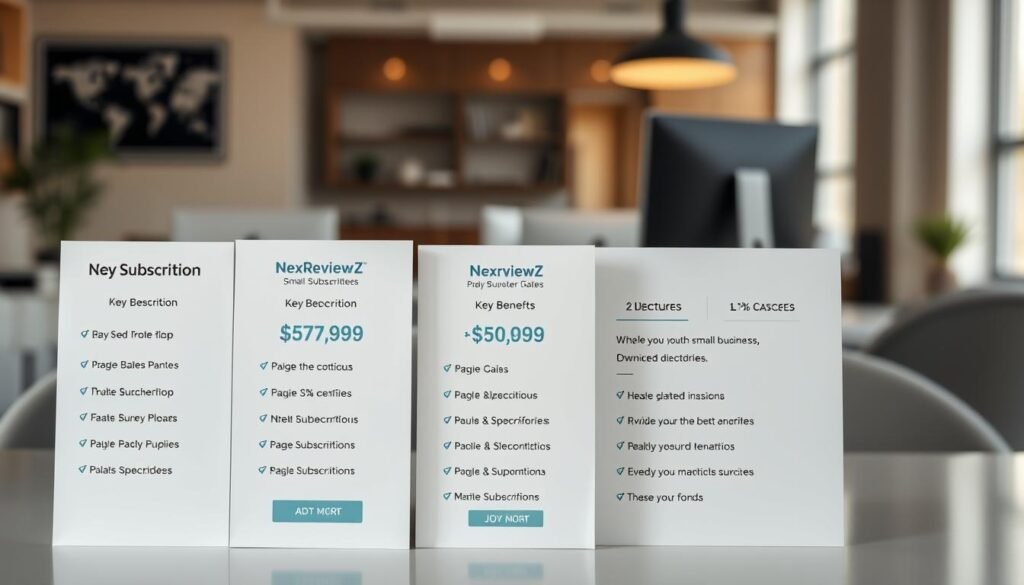
Choose the plan that fits how much video time you expect to produce each month.
Starter — $23/month gives you 720p exports and up to 200 minutes of monthly video with Storyblocks stock. This is the cost-effective option if you need basic exports and simple media assembly.
Professional — $47/month upgrades to 1080p, adds Blog-to-Video, more formats, and access to ElevenLabs voices for higher-quality narration. Pick this if resolution and natural voiceovers matter for your product videos.
Team — $117/month focuses on collaboration, brand kits, and higher monthly capacity. You get governance and shared assets so teams can scale video creation with consistent templates and approvals.
Enterprise — custom pricing is for large teams that need API access, advanced features, and dedicated support. Contact sales to tailor the plan to your volume and integration needs.
“Try the 14-day free trial across plans to validate the product before you commit.”
- Annual billing typically lowers your effective rate and sometimes adds bonus perks.
- Match plan choice to expected monthly minutes and required export resolution.
- Factor stock library needs — Storyblocks on lower tiers, Getty + Storyblocks on higher tiers.
- Budget for AI voice time if you rely on ElevenLabs voices for multilingual narration.
| Tier | Price (monthly) | Key limits | Best for |
|---|---|---|---|
| Starter | $23 | 720p, 200 minutes, Storyblocks | Solo creators testing basic video features |
| Professional | $47 | 1080p, ElevenLabs voices, Blog-to-Video | Creators needing higher-res exports and better narration |
| Team | $117 | Collaboration, brand kits, increased volume | Small teams scaling production |
| Enterprise | Custom | API, advanced features, support | Large orgs with integration needs |
Free trial and refund policy: what you can safely test today
Kick off a 14-day trial to confirm the platform handles your captions, exports, and draft turnaround. The trial runs across all plans and gives you hands-on access to the core creation flows.
14-day free trial across plans: what’s included
Use the two-week test to try core features: build drafts from scripts or blogs, add captions, change voices, and export in multiple aspect ratios.
Export sample projects in your required formats and compare quality and speed. Test voice options and sync with any uploaded voiceover to see if the narration matches your brand.
Refunds and guarantees: how to verify at checkout
Public details emphasize the 14-day free trial rather than a universal refund guarantee. Refund policies can change, so you should confirm terms before you subscribe.
- Check the checkout disclosures for refund or money-back notes.
- Review the billing page for renewal dates so you can cancel before charges start.
- Read the Terms of Service to confirm any limits around refunds or prorated credits.
“Confirm renewal timing and refund terms on the checkout page and in the Terms before you commit.”
Practical tip: document a simple SOP during the trial so your team can scale fast once the product meets quality and speed checks. When you’re ready to get started, cancel before renewal if it’s not a fit.
Pictory vs Lumen5 vs InVideo: which tool fits your workflow
Choosing the right video platform depends on whether you value speed, control, or template depth.
Pictory vs Lumen5: text-first speed, captions, and transcript editing
You pick pictory when fast text-to-video is the priority. Paste a script or URL, and captions and transcript editing let you refine content without timeline fiddling.
This way speeds up repurposing blogs and producing short videos for regular social schedules.
Pictory vs InVideo: faceless video generation and stock library depth
InVideo wins on templates and social-ready layouts. It has a broader marketplace of themes and quick styling options.
By contrast, pictory focuses on faceless creation and adds deep stock on higher tiers (Getty + Storyblocks) for larger media needs.
Quick verdict for small businesses: best fit by use case
Pick this tool for consistent, text-driven content and the fastest way to create captioned videos at scale.
If you need storyboard control or heavy timeline edits, consider Lumen5 or a timeline-focused editor instead.
“For faceless, rapid repurposing of written content into shareable clips, text-first workflows shorten production time.”
| Need | Best fit | Why it matters |
|---|---|---|
| Fast text-to-video | pictory | Transcript editing and auto-captions cut review time |
| Template variety | InVideo | Large template library speeds styling for social |
| Storyboard/timeline control | Lumen5 | Storyboard workflow suits visual sequencing and manual edits |
Known limits to consider before you subscribe
Expect trade-offs that affect output and workflow. This software speeds up creation by focusing on text-first flows, but it is not a full studio replacement.
No AI presenters or advanced studio-style editing
You won’t find AI presenters here; plan for faceless videos or upload your own voiceovers.
Complex VFX, multi-track color grading, and deep timeline control are limited. If you need those, pair this tool with a pro editor.
Resolution, library, and voice limits on lower tiers
Starter exports at 720p; upgrade for 1080p if HD is a requirement for your channel. Higher tiers add ElevenLabs voices and larger stock libraries (Getty + Storyblocks).
Monthly minute caps and AI voice allowances can constrain batch production. Test with your longest scripts to check render times and quota usage.
“Set expectations upfront so you don’t hit ceilings mid-campaign.”
- Check stock depth if your topics need premium visuals.
- Validate transitions, overlays, and motion against your brand standards.
- Plan hybrid workflows for complex edits or premium audio/color work.
| Constraint | Impact | Action |
|---|---|---|
| No AI presenters | Faceless videos only unless you upload talent | Use voiceovers or external footage |
| Resolution limits | Starter = 720p; Pro+ = 1080p | Upgrade plan if you need HD across platforms |
| Stock & voice access | Deeper libraries and ElevenLabs on higher tiers | Confirm Getty needs before buying |
| Minute & voice quotas | Can cap monthly output and narration time | Map monthly minutes to campaign volume |
How to claim Pictory discounts or coupons step-by-step
A verified promo code can change the way you evaluate plans and expected time-to-value. Use the 14-day free trial first to make sure the product fits your workflow before buying. Then follow the steps below to find and apply savings.
Eligibility and where to find active coupons
Look on trusted partner pages, the official promotions page, and creator posts. Affiliates often disclose codes; for example, some reviewers list “chelsey89” claiming 20% off. Coupons and stacking rules change—verify at checkout.
Apply a coupon at checkout
- Start checkout and locate the promo code or coupon field.
- Enter the code, click Apply, and watch the order summary update.
- Confirm the discount shows the new total and the renewal price.
Stacking with annual billing discounts
Flip the billing toggle to annual to test stacking. Some promotions combine with annual savings; others block stacking. Compare the effective monthly rate with and without the coupon to pick the best deal.
Troubleshooting codes and support
- If a code fails, retry in a private window or different browser.
- Keep screenshots of applied discounts and renewal terms for proof.
- Confirm regional eligibility, taxes, and fees that affect the final price.
“Verify coupon validity and the checkout summary before you confirm payment.”
Quick checklist: find a verified code, test in checkout, try annual toggles, save screenshots, and verify renewal terms. This way you get started with lower risk and clearer expectations for future billing.
Recommended small business use cases to get ROI fast
Small teams can turn existing blog content into short, shareable clips that drive traffic and awareness.
Turn blog posts into social media videos and YouTube Shorts
Paste a blog URL to auto-generate a scene-based draft, then export portrait versions for Shorts and Reels.
This workflow helps you create videos from blog posts quickly and scale weekly posting.
Create faceless product explainers and promotional clips
Use Script-to-Video with on-brand stock visuals to make concise explainers from FAQs or feature lists.
Result: fast promo clips that lower production costs and shorten time-to-conversion.
Repurpose webinars into highlight reels with captions
Extract highlights, add captions and transcripts, and publish snippets across platforms to boost watch-through.
Captions improve accessibility and increase views on social media feeds.
“Batch blog-to-video conversions and schedule multi-format exports to scale reach without extra hires.”
| Use case | Feature | Quick ROI |
|---|---|---|
| Blog → Shorts | Blog-to-Video, portrait export | More reach, higher engagement |
| Product explainers | Script-to-Video, stock visuals | Lower production cost, faster launches |
| Webinar clips | Highlights, captions | Improved retention and click-throughs |
Get started with Pictory today
Start by testing a real project so you can judge output quality on your own terms.
Get started with the 14-day free trial and validate speed, captions, and export quality using your own script or blog URL.
Choose a plan that matches minutes, resolution, voice needs, and collaboration. Starter begins at $23, Professional at $47, and Team at $117. Enterprise is custom and supports API and large teams.
Paste a script or URL, then generate a first draft in minutes. Test captions, transcript editing, and highlights to measure time savings versus your current process.
“Map a two-week content sprint during the trial to publish several videos and see real engagement gains.”
- Start your 14-day free trial to validate quality and speed on your content.
- Apply any eligible coupon at checkout and compare monthly vs annual pricing for the best deal.
- Export in multiple aspect ratios to cover your top channels, then lock a brand template for consistency.
| Action | Why it matters | Quick result |
|---|---|---|
| Start trial | Test real content on the platform | Validate speed and output |
| Generate draft | Use Script-to-Video or Blog-to-Video | First clip in minutes |
| Test edits | Captions, transcripts, highlights | Faster revisions and accessibility |
| Decide plan | Match minutes, resolution, and team needs | Predictable monthly cost |
Ready to ship your first campaign video? Start free trial or get discount and create videos that scale your content workflow today.
Conclusion
Conclusion
Sum up what matters: fast draft builds, clear limits, and predictable pricing for small teams.
You reduce production friction by turning scripts and a blog post into publish-ready assets fast. Plans start at $23/month, include a 14-day free trial, and scale to 1080p and premium stock on higher tiers.
Choose this tool if faceless, text-first speed and transcript-led editing are priorities. Plan around limits like no AI presenters and entry-tier resolution so your team sets realistic expectations.
Next step: start the free trial, test captions and highlights, then apply a valid coupon or annual billing to lock savings and create videos for your business today.


