



Can a single AI-powered platform really let you validate ideas and launch business pages in minutes without a developer?
You came here to quickly decide if Mixo.io is the right platform to help you launch business ideas fast in the U.S. market. This builder generates pages from a short idea description, needs no code, and captures subscribers with a built-in email waiting list.
You’ll see current pricing (freemium access, Basic $9/month, Pro $39/month), a clear free trial path, and how the service stacks up against Wix and Squarespace. Expect a short comparison on speed versus customization and a frank note on known limits like interface learning curves and design boundaries.
Inside, you’ll get three small business features that matter: AI-generated pages, built-in email capture, and integrated analytics to validate demand. You’ll also learn about refund policy, discount steps, and recommended use cases so you can act with confidence.
Ready to test it? Start free trial or Get discount now to validate your idea quickly.
Key Takeaways
- One quick test: Mixo.io builds a launch website from an idea without coding.
- Pricing: freemium, Basic $9/month, Pro $39/month; free trial available.
- Top features: AI pages, email capture, analytics for demand validation.
- Compare trade-offs: much faster than Wix/Squarespace, but less deep customization.
- Watch limits: interface learning curve, customization boundaries, refund policy details.
- Actionable next step: follow the discount steps and Start free trial to validate your idea.
Quick overview: What you get with the Mixo.io website builder right now
This quick overview highlights the platform’s present tools so you can move from idea to live page quickly.
Core package in one view: you can enter a short idea description and instantly generate website content, landing pages, and branded sections. The builder requires no coding or heavy design work, so you get a fast way launch marketing campaigns and validate ideas.
Three key features for small businesses:
- AI-generated pages and content from a brief idea to speed initial launches.
- Built-in email waiting list to capture subscribers from day one and export or sync later.
- Audience insights with Google Analytics support to measure conversions and guide next steps.
You keep control of basic design elements like sections, headlines, and images while avoiding deep coding work. Try the free trial to explore the user-friendly interface and preview pages before you commit to a paid business plan.
Mixo.io pricing and plans in the present: starter, pro, and annual options
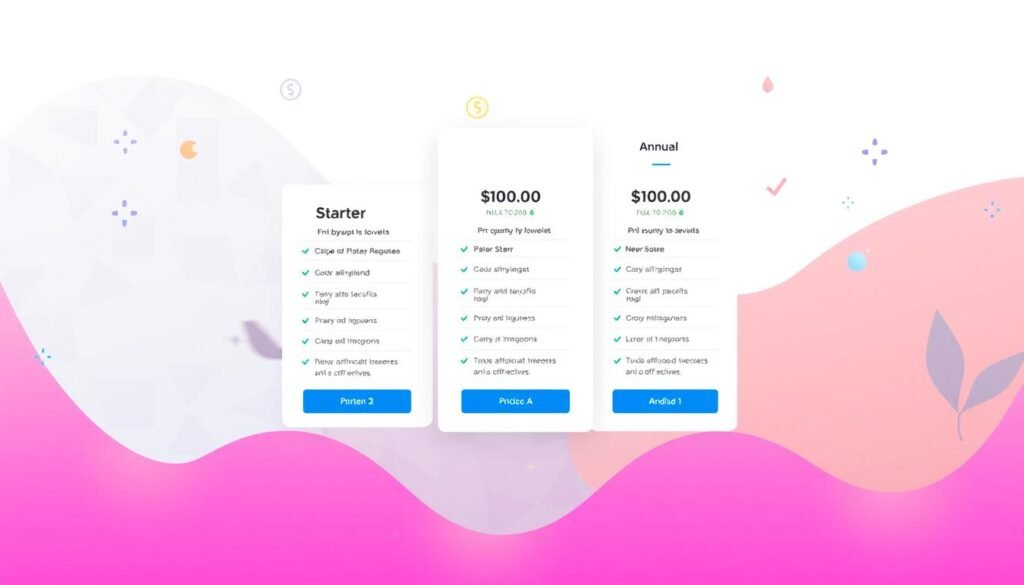
Compare the present pricing tiers to pick the plan that matches your launch speed and budget.
Starter plan — About $9/month. Designed for fast validation. You get AI-generated landing pages and list building. This option fits solo founders and very small businesses testing demand.
Pro plan — About $39/month. Adds capacity for active campaigns, higher subscriber limits, and growth features. Choose Pro when you need more pages, traffic handling, and email capture for scaling.
Annual plan. Pay yearly to save versus monthly billing. Check current site pricing for exact discounts and feature caps so your plan aligns with traffic and campaign goals.
- Free trial and freemium: Try basic features before you pay; a trial and freemium access are available.
- Risk reduce: Sources indicate a 30‑day money‑back guarantee if you’re not satisfied.
- How to claim discounts:
- Visit the official pricing page for promos or partner codes.
- Enter the coupon at checkout.
- Confirm the reduced price before completing purchase.
Real-world reviews show mixed sentiment: users praise speed-to-launch but note some interface complexity and customization cons. Start free trial or Get discount now to test the platform and confirm it fits your business needs.
Core features and benefits for small businesses using this AI website builder
This section lists the practical benefits you get when you need to move from idea to live asset quickly.
AI-generated landing pages and website content from a brief description
Generate full pages and landing pages from a brief description so you can publish in minutes without writing code or hiring a developer.
AI drafts headlines, body content, and basic structure. You can regenerate copy as your idea evolves and keep iterations aligned with customer feedback.
Built-in email waiting list to capture subscribers before launch
Activate the email list to collect early interest, segment prospects, and begin simple nurturing immediately. This captures leads while you refine offers.
Audience insights and validation tools with Google Analytics support
Connect Google Analytics to track traffic, measure which landing variations convert, and prioritize the highest-performing content. Use those tools to validate demand fast.
Recommended use cases and known limits
- Best uses: pre-launch pages, lean MVPs, and short campaigns to test ideas and seasonal offers.
- Top features for small businesses: speed of content creation, integrated email capture, and lightweight analytics.
- Known limits: customization options are narrower than full design suites, AI content can need editing for originality, and complex web development demands may exceed scope.
Practical tip: validate with this tool first, then export or rebuild on a heavier stack if your development needs grow.
Mixo.io vs Wix and Squarespace: Which platform fits your goals?

Decide whether you need broad customization or a quick way to validate offers and collect subscribers.
Wix comparison: Wix gives deep design freedom and a huge app ecosystem. If you need advanced website design, many plugins, and precise layout control, Wix is the stronger option. However, that power comes with more setup time and higher maintenance for apps and integrations.
Squarespace comparison: Squarespace focuses on polished templates and refined visual design. It suits businesses that want a premium look out of the box. You trade speed-to-market for aesthetic consistency and tighter theme-based design options.
When to choose this AI-first builder
Choose this builder when speed, simple list building, and fast validation matter most. It generates landing copy, spins up pages, and starts capturing emails in minutes.
Key trade-offs: You get rapid content generation, lean analytics, and built-in email capture. The cons include fewer customization options and occasional interface learning curves reported in reviews.
| Criteria | This AI-first builder | Wix | Squarespace |
|---|---|---|---|
| Speed to publish | High — AI pages in minutes | Medium — drag-and-drop setup | Medium — template-driven |
| Design flexibility | Low — limited customization options | High — deep design control | Medium — polished templates |
| Built-in list capture | Yes — simple email tools | Depends — apps or integrations | Depends — native forms |
| Best use | Validate offers, grow subscribers | Complex sites, custom integrations | Portfolio and brand-forward business sites |
- Quick decision: Pick Wix or Squarespace for broad customization and refined website design.
- Pick the AI-first builder for fast testing, subscriber growth, and lower setup overhead.
- Test with trials: Try each platform to see which interface and features match your workflow and budget.
Real-world signals: User reviews, adoption, and what to expect

User feedback gives a clear look at adoption trends and practical trade-offs. Read through reviews to see which features speed launches and which require patience.
What users like
Fast site launches and a built-in email capture flow are the top wins for startups and entrepreneurs. Many users report that these features cut setup time and help gather early subscribers.
Analytics and reporting also earn praise. Several reviewers call the platform a valuable tool for first campaigns and quick validation.
What users flag
Common cons center on the interface and customization limits. Some customers find the UI confusing at first, which affects ease use for non-technical teams.
Other reviews mention price-to-features questions and varied customer service experiences. Plan to test support during your trial so you know response times before a live campaign.
- Try a short pilot focusing on email capture and headline testing.
- Weigh time saved against any UI friction your team may face.
- If you need deep design or integrations, run a limited test first.
“Mixed ratings show strong adoption but expect trade-offs.”
Conclusion
Ready to test your idea fast? This platform turns a brief description into a working website in minutes so you can validate ideas and start collecting subscribers without code.
Core benefits: quick launch for pre‑launch pages and lean MVPs, built‑in list building, and simple validation that helps small businesses move from concept to data.
Pricing is straightforward: Starter at about $9/month, Pro at about $39/month, and an annual plan to save. A free trial and a 30‑day money‑back guarantee de‑risk the choice.
Know the limits: customization is narrower and complex development may need a later migration. If that fits your path, start your free trial or Get discount now to launch business tests with low risk.


