
Can a no-code chatbot truly cut your support costs and speed responses for your customers? You want clear answers before you buy. This review looks at the platform and how the bot helps support teams handle routine questions on your website and apps.
You’ll see where pricing varies by monthly, annual, and team tiers, so check the vendor site for current rates, caps, and add-ons. The builder trains on your data and deploys without code. It supports lead capture, analytics, and integrations that let users reach help across channels.
What I promise: three small-business benefits, a step-by-step on claiming a discount or coupon, a quick comparison with Crisp and Zendesk, and notes on refund and money-back policy—verify specifics on the vendor site. Read on to learn the fastest way to launch, embed, and optimize chatbots for better customer outcomes.
Key Takeaways
- At-a-glance review of support outcomes, speed, and ROI for U.S. businesses.
- Pricing tiers include free, monthly, annual, and team plans—check vendor site for details.
- Three quick benefits: faster answers, 24/7 assistance, and easy integrations.
- Step-by-step coupon/discount guidance and what to confirm at checkout.
- Short comparison with Crisp and Zendesk to help your tool choice.
- Confirm refund, data retention, and message limits on the vendor site before buying.
What Botsonic is and how it powers customer support
Discover how an AI-first, no-code approach helps your support team move faster and stay consistent.
https://www.youtube.com/watch?v=d2igis2-z2s
No-code chatbot builder owned by Writesonic
Botsonic is a visual builder that lets you create a chatbot without coding. You pick templates, tune tone, and deploy to your website in minutes. The builder speeds launch so you can focus on outcomes like faster replies and fewer repeat tickets.
AI models, training on your data, and omnichannel reach
The platform uses GPT-4 family models and LLMS to generate answers. You upload files, add URLs or sitemaps, and link drives like Google Drive or Notion for training. This keeps responses grounded in your knowledge and information.
- Choose a model tier for quality, speed, and cost.
- Deploy across web, WhatsApp, Messenger, Telegram, and service platforms.
- Escalate to agents when issues need human help, making the bot part of your support stack.
Botsonic features that matter for support teams
A practical feature set makes chatbots useful day one for small support teams.

Branding and customization let you match the chat UI to your website. Set colors, logo, placement, bot name, and the welcome message so customers see a consistent support tone.
Rich training sources include uploads (PDF, DOC, DOCX), URLs, sitemaps, and drives like Google Drive, Notion, and Confluence. This keeps answers grounded in your data and reduces hallucinations.
- Integrations with WhatsApp, Messenger, Telegram, Zendesk, Freshdesk, Slack, WordPress, Salesforce, and ActiveCampaign unify chat and ticketing.
- Lead capture forms, Captcha, and full chat history improve lead quality and agent context.
- Advanced analytics show users, sentiment, popular topics, conversions, and resolutions so you can train where it matters.
“Design features that let your team escalate to live agents or open email tickets with full context.”
Serve customers in 50+ languages, control response length and tone, and extend with APIs, Zapier, and simple agentic actions. Compliance is enterprise-grade—GDPR, SOC 2 Type II, HIPAA—with TLS 1.3 and AES-256 encryption. These tools form the practical part of a no-code support stack built for results.
Botsonic pricing and plans (monthly, annual, team)
Compare limits and flexibility so you pick the best pricing option for your support needs.
Free trial and entry options
You can start with a 7-day free trial that requires no credit card. Entry plans historically include limited messages and a single starter bot, so confirm current caps on the vendor site.
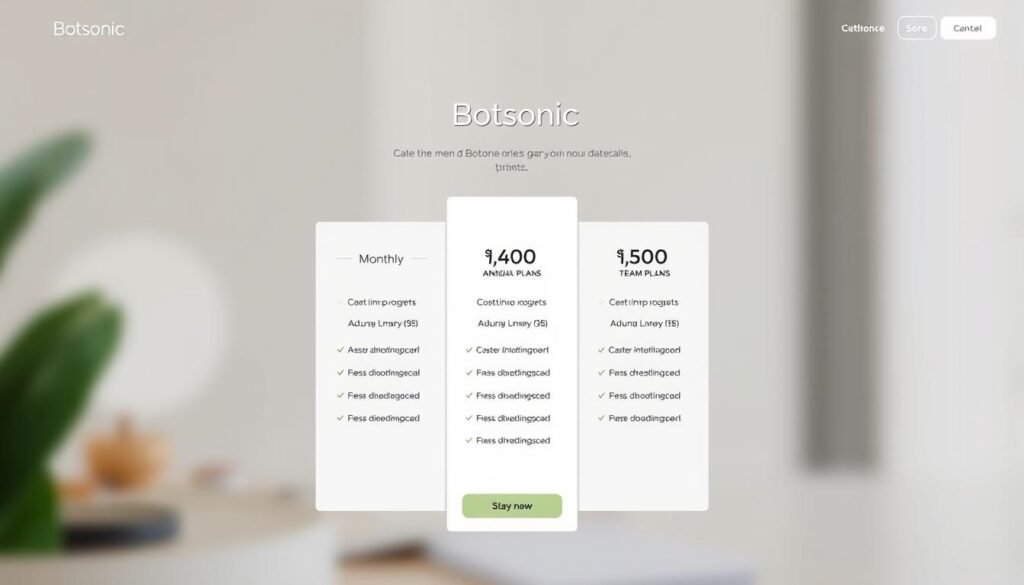
Monthly and annual pricing
Monthly plans vary by message caps, access to higher-quality models, and upload/data limits. Annual billing often reduces your effective month-to-month cost—check the vendor site for exact rates and comparisons.
Team, Business and Enterprise tiers
If you need multiple users, SLAs, SSO, or advanced integrations, request Team or Business/Enterprise tiers via sales. These options scale bots, users, and data limits for multi-brand support.
Add-ons and usage extensions
Add-ons let you buy extra messages, upload characters, additional chatbots, API access, or remove branding without switching plans. Verify which integrations and analytics are included at each level before you deploy at scale.
“Start small with a free trial, then align models and data limits to your monthly ticket volume.”
Three key Botsonic benefits for your small business
Practical gains matter when you run a small support team. These three benefits show how an AI-first no-code bot can change day-to-day operations.
Efficient support with automated answers
Reduce handle time by automating answers to common questions. The bot trains on your files and site content so replies stay accurate and on-brand.
You free agents to handle complex tickets and high-value work while routine interactions are resolved instantly.
24/7 assistance across web and popular messaging
Deliver round-the-clock coverage on your website and via WhatsApp, Messenger, and Telegram. Customers get instant responses, which boosts satisfaction and conversion.
Easy integration and no-code setup
Launch fast without developer overhead. Prebuilt integrations with Zendesk and Freshdesk plus analytics help you iterate training and spot unanswered questions.
This way you scale cost-effectively instead of adding night or weekend staff, and you keep a clear path to escalate to human agents when needed.
- Pros for businesses: consistent responses, lead capture, and measurable support gains.
- Features that matter: integrations, analytics, and agent handoff for smooth workflows.
- Users benefit: faster answers, predictable help, and better outcomes for every customer interaction.
Getting started: setup, training, and deployment workflow
Follow a simple, repeatable way to launch a support assistant that answers customers and hands off to agents when needed.
Create your account and launch a bot. Sign up, start the free trial, and click “Create a Bot.” Use the builder to name the bot, state its purpose, and pick a model that fits your plan.
Upload data and set the initial behavior. Add PDFs, DOCs, URLs, or drives to build the knowledge base. Configure a clear welcome message, FAQ entries, and form fields so users supply essential information up front.
Embed, connect, and test
- Embed the widget on your website via script or iFrame, or connect messaging and service platforms for omnichannel reach.
- Enable key tools first (Zendesk, Slack) for fastest impact and agent context.
- Simulate real chat flows in the builder and confirm agent handoff works as intended.
Iterate with analytics
Review chat transcripts, metrics, and training gaps weekly. Add new training examples and tune response length and conversational mode to match your brand.
“Launch fast, measure what matters, and iterate so your bot, agents, and data stay in lockstep.”
How to claim a Botsonic discount or coupon (step-by-step)
Use a simple flow to find, apply, and confirm coupon savings so you pay less for the plan you need.
Locate active coupons on the official website, sign up to the vendor newsletter, or check in-product banners. Seasonal campaigns and emailed promos are common sources.
Start the free trial or pick a plan
Sign up and start the free trial, or go to the pricing page and select the plan you want. Choosing the right option now saves you time at checkout.
Apply the code before payment
At checkout, paste the promo code into the promo field and verify the discounted total. Do this before you submit payment to ensure the discount applies.
Confirm billing term and finalize
Select monthly or annual billing. Annual usually reduces the effective month cost, so confirm the final month rate before you complete the purchase.
- Verify included features: message caps, starter bot limits, and model access for your plan.
- Review add-ons you may need (extra messages, API access, remove branding).
- Validate team seats, admin roles, and user permissions for your account.
- Complete payment and save confirmation with renewal terms and coupon details.
- Set a calendar reminder to review usage before renewal and keep savings aligned with growth.
| Step | Where to check | What to confirm | Why it matters |
|---|---|---|---|
| Find coupon | Website, newsletter, in-app banner | Active code and expiration | Prevents invalid or expired codes at checkout |
| Select plan | Pricing page | Starter vs team features | Ensures the plan fits user and team needs |
| Apply code | Checkout promo field | Discount reflected in total | Avoids paying full price by mistake |
| Confirm billing | Billing summary | Monthly vs annual effective month rate | Locks in long-term savings and renewal terms |
“Locate offers on the official website or newsletter, apply the code at checkout, and confirm billing to secure the best pricing.”
Crisp and Zendesk versus Botsonic: quick comparison for support
Pick the right support stack by weighing AI-driven bots against messaging and ticketing platforms.
Botsonic: AI-first no-code builder with agent handoff and analytics
Use Botsonic when you want a no-code chatbot builder that trains on your data and hands off to agents smoothly.
The platform offers multilingual support, advanced analytics, and integrations with Zendesk and Freshdesk to automate tier‑1 responses.
Crisp: multichannel messaging and shared inbox
Crisp focuses on messaging and a shared inbox for real-time customer interactions.
It works well if you need fast chat and collaboration between agents. Pair it with a chatbot if you want deeper AI-driven replies.
Zendesk: enterprise ticketing, knowledge base, and integrations
Zendesk is built for enterprise workflows—tickets, a knowledge base, and robust automation.
You can integrate a bot to handle common queries and route complex issues into Zendesk for agents to resolve.
“Choose the mix—an AI bot plus a messaging or ticketing layer—to match your ticket volume, agents, and compliance needs.”
- Pros: speed to value, stronger analytics, and lead capture across tools.
- Cons: possible model lock‑in, response latency, or limited CRM actions depending on the platform.
- Compare integrations to ensure Slack, WordPress, and Salesforce connectivity.
- Test responses quality, analytics clarity, and agent interactions before you commit.
- Measure lead capture and conversion impact to quantify ROI and confirm data handling meets your policies.
| Use case | Best fit | Key strengths | Consider |
|---|---|---|---|
| Automated tier‑1 answers | Botsonic | AI builder, analytics, agent handoff | Model access and message limits |
| Real‑time team chat | Crisp | Multichannel messaging, shared inbox | Limited native AI depth |
| Enterprise workflows | Zendesk | Ticketing, knowledge base, workflows | May need bot integration for automation |
Policies, limits, and considerations before you buy
Check legal terms, usage limits, and model access so your team avoids surprises after launch.
Refund or money-back policy — check vendor site. Before you subscribe, confirm the current refund rules and any trial guarantees on the vendor site. Policies change, so document what applies at checkout.
Model access, message limits, and data retention controls
Verify which model tiers and LLMS are available on each plan and how message caps are counted across channels each month. This affects response quality and monthly pricing.
Review data controls: encryption in transit (TLS 1.3) and at rest (AES-256), GDPR, SOC 2 Type II, and HIPAA options. Ask about custom retention, whether chat data is used for model training, and how you can export or purge information.
- Confirm analytics access (sentiment, topics, unanswered questions) at your plan level.
- Check user and admin roles, SSO/SCIM, and audit logs for governance.
- Note cons and risks—slow responses, model lock-in—and plan pilots to validate interactions before scaling.
| Area | What to check | Why it matters |
|---|---|---|
| Refunds | Current money-back terms | Avoid unexpected charges |
| Limits | Message caps per month, bots per brand | Match volume to plan |
| Data | Retention, export, training use | Meet compliance and security needs |
“Pilot real interactions and document limits so your agents and customers face fewer surprises.”
Conclusion
Wrap up your evaluation by matching features and price to the support outcomes you need. Use the free trial to confirm the no‑code builder, training on your data, and omnichannel deployment deliver the responses you expect. Insert a strong, quick pilot before wider rollout.
Focus on measurable gains. Look for improvements in first‑reply time, resolution rates, and CSAT. Verify analytics and agent handoff work for live users and that data controls meet your compliance needs.
Deploy a chatbot website widget and connect messaging channels and integrations like Zendesk or Slack. Test models and the starter plan, then scale messages, add-ons, and seats as results justify growth.
Check current pricing, message caps, and team options on the vendor site before you buy. Follow discount steps to capture savings and set a monthly review to match plan limits to usage.
After validation, treat this platform as part of your AI support strategy: augment agents, protect data, and iterate weekly using transcripts and analytics to tighten answers and reduce tickets.
FAQ
What are the pricing options for botsonic for customer support?
You can choose between free trials, monthly, annual, and team or enterprise tiers. Each plan varies by message limits, number of bots, agents, and included integrations. Check the vendor site for exact rates and add-on usage costs such as extra messages or seats.
What is botsonic and how does it power customer support?
It’s a no-code chatbot builder from Writesonic that uses AI models trained on your data to automate responses. You can deploy it across web chat, WhatsApp, Messenger, Telegram, and other messaging platforms to provide omnichannel support and capture leads.
How does the no-code chatbot builder work and can I customize branding?
You design conversational flows via a visual builder, upload logos, adjust colors, and set welcome messages without developer help. Customization includes chat widgets, greeting text, and response controls to match your brand voice.
What sources can I use to train the bot on my knowledge base?
Upload files, add URLs and sitemaps, or connect third-party drives like Google Drive and Dropbox. The platform ingests these sources to fine-tune responses and search your content during conversations.
Which messaging and service integrations are available?
You can connect popular messaging channels and help desk systems such as WhatsApp, Facebook Messenger, Telegram, Slack, WordPress, Salesforce, Zendesk, and Freshdesk to route chats and tickets to agents.
Can the bot capture leads and protect against spam?
Yes. Use lead capture forms, CAPTCHA, and chat history to collect contact details and verify users. Data flows into your CRM or ticketing system via native integrations or APIs.
What analytics and reporting does the platform provide?
Advanced analytics track users, session volume, sentiment, topics, and resolution rates. You get dashboards to monitor agent handoffs, response accuracy, and trends to optimize training and workflows.
How does human handoff and escalation work?
The bot routes complex queries to live agents or creates email tickets in integrated helpdesk tools. You can set escalation rules, define operating hours, and preserve chat context for seamless agent takeover.
Does the platform support multiple languages and response controls?
Yes. Multilingual support lets you serve customers across regions, and response controls let you restrict or prioritize sources, set confidence thresholds, and tune reply length or tone.
What developer options and automation tools are available?
Use APIs, webhooks, Zapier, and agentic actions to automate tasks like creating tickets, updating records, or triggering workflows. These tools let you integrate with CRMs, analytics, and marketing platforms.
What security and compliance standards does it meet?
The platform adheres to industry standards such as GDPR and SOC 2 Type II, and offers HIPAA-capable configurations for protected health information when enabled under appropriate contracts.
How do free trials and entry plans work in terms of limits?
Free trials typically include message caps and a limited number of bots or agents so you can evaluate features. Entry plans increase those caps and unlock more integrations; see the vendor site for current trial terms.
How do monthly and annual pricing differ?
Monthly plans give flexibility while annual subscriptions often offer lower effective cost per month. Both vary by feature set: agent seats, message limits, analytics, and support level. Confirm current pricing on the vendor site.
What’s included in team and enterprise tiers?
Team and Business/Enterprise tiers add more agents, higher usage limits, advanced analytics, single sign-on (SSO), dedicated support, and custom SLAs. Enterprise contracts can include custom integrations and on-prem or VPC options.
Are there add-ons or usage-based extensions?
Yes. You can purchase extra message packs, additional agent seats, premium integrations, or custom training services on a usage-based basis to scale with demand.
How does this solution benefit a small business?
You’ll automate common questions to reduce agent load, provide 24/7 coverage across web and messaging channels, and integrate quickly without developer overhead, improving response times and lead capture.
What is the typical setup, training, and deployment workflow?
Create an account, launch a bot, upload training documents, set welcome messages and limits, then embed the widget or connect messaging channels. Test conversations, review analytics, and iterate on the training data.
How can you claim a discount or coupon?
Find verified offers on the vendor’s site or official channels, start the free trial or select a plan, apply the promo code at checkout, and confirm the billing term before finalizing payment.
How does this compare to Crisp and Zendesk for support?
This AI-first platform focuses on no-code chatbot building with agent handoff and analytics. Crisp emphasizes multichannel messaging and shared inboxes. Zendesk delivers enterprise ticketing and knowledge base features and can integrate with the chatbot for hybrid workflows.
What policies, limits, and considerations should you check before buying?
Review refund and money-back policies, model access, message limits, data retention controls, privacy settings, and SLA terms. Confirm integration compatibility with your CRM and any compliance needs like HIPAA.