


Can one Pro plan truly speed your content pipeline and deliver measurable results this quarter?
TextCortex Pro is built for solo founders and small teams who need fast, on-brand writing without a steep learning curve. For $24.99/month you get up to 200-word generations, Toolbar tools for rewriting and expanding, ZenoChat across your browser, and Creator Suite templates that speed blog, email, and ad copy.
Pro highlights for business users include three small-business features: a cross-browser AI assistant, a readability checker with live counts, and 60+ categorized templates for website and product pages. You should know some tools stay gated on the Free plan, and outputs may need editing to avoid detectability issues with some detectors.
Compare quickly to Jasper and Writesonic: Pro gives affordable, ROI-focused results on a page or website, while Business ($79.99/month) adds longer rewrites and personas. A 30-day money-back guarantee reduces purchase risk. Claim discounts via referrals or in-app coupons, then start Pro now to test content results.
Key Takeaways
- Pro at $24.99/mo fits solo creators and small teams seeking faster content workflows.
- Core small-business features: browser assistant, readability checker, and 60+ templates.
- Limits: 200-word generations on Pro; some tools remain paywalled on Free.
- Compare with Jasper and Writesonic to match your marketing and writing pipeline.
- 30-day money-back policy and referral coupons make trying Pro low risk.
TextCortex overview: what you get today
A compact toolkit puts AI drafting, in-line editing, and templates within reach for small teams.
The core offering centers on three key features: a web-first chat assistant, a highlight toolbar, and a Creator Suite with 60+ templates. Each tool shortens the path from ideas to published page.
Core toolkit: ZenoChat, Toolbar, Creator Suite, and 60+ templates
- ZenoChat works anywhere on the web so you can ideate and draft without switching tabs, keeping your creation process in one flow.
- The Toolbar appears on highlighted text to rewrite, expand, summarize, or convert text to speech for faster editing across any website or email editor.
- Creator Suite offers 60+ categorized templates for blogging, e‑commerce, ads, website copy, and email—standardizing the writing process and saving time on repeat tasks.
Who it’s for: marketers, founders, writers, and teams
If you run a small business or lead a lean marketing team, this stack reduces manual steps. Set up Knowledge Bases and a persona to infuse brand knowledge into drafts and keep tone consistent.
| Use case | Core tool | Benefit | Best for |
|---|---|---|---|
| Idea to draft | ZenoChat | Keep workflow on your website | Content creators |
| Revise & edit | Toolbar | Rewrite, expand, TTS | Marketers & writers |
| Repeatable pages | Creator Suite | 60+ templates for fast output | Small teams |
Pricing and plans at a glance (present)

Pricing is simple: a lightweight Free tier, a hands-on Pro plan, and a feature-rich Business option. Use this snapshot to match your budget and content needs before you buy.
Starter — Free plan
What you get: 10 daily creations, access to ZenoChat, and an email writer to validate results.
Referrals can add extra daily creations so you can test workflows without spending time or money.
Pro — $24.99/month
What you get: unlimited creations, up to 200-word generations per output, a summarizer, and a tone changer.
This plan is built for a solo writer or small team that needs faster page drafts and reliable SEO support for short-form content.
Business — $79.99/month
What you get: unlimited creations, up to 300-word generations, up to 1900-word rewrites, 80+ templates, and customizable personas for brand-scale work.
Annual billing and price checks: annual billing can lower your effective monthly rate. Confirm current US pricing, taxes, and any in-app offers during checkout on the website app before you commit.
| Plan | Monthly price (US) | Key limits | Top use case |
|---|---|---|---|
| Free | $0 | 10 daily creations, ZenoChat | Try workflows, validate content |
| Pro | $24.99 | Unlimited creations, 200-word generations | Daily drafting and email writing |
| Business | $79.99 | Unlimited creations, 300-word generations, 1900-word rewrites | Brand pages, templates, personas |
If you have questions or need procurement data, contact support from the pricing page. Also verify the 30-day money-back guarantee availability at checkout to reduce risk while you test results.
Three small-business wins with TextCortex

Three practical wins help small businesses turn ideas into publishable pages faster and with less friction. You get speed, personalization, and a flexible workflow that fits how you already work.
Faster drafts for blogs, product descriptions, and emails
You’ll cut time-to-first-draft by using a browser chat to sketch ideas and a highlight Toolbar to expand sections. This combo moves scattered ideas into usable blog articles and short product descriptions in minutes.
Personalization with Knowledge Bases and personas
Load brand notes and a persona to keep tone consistent across pages. You can generate on-brand emails and refine copy so every description and campaign sounds like you.
Work-from-anywhere workflow
The Toolbar supports rewriting, expanding, and summarizing right in your CMS, email client, or social media planner. That means fewer app switches and faster stakeholder review cycles.
- Recommended use case: equip a small marketing team to produce weekly blogs, on-site copy, product pages, and email sequences with consistent voice.
- Use templates, prompt, expand, and finalize to repeat the process and deliver measurable results in less time.
TextCortex vs Jasper AI vs Writesonic: quick comparison
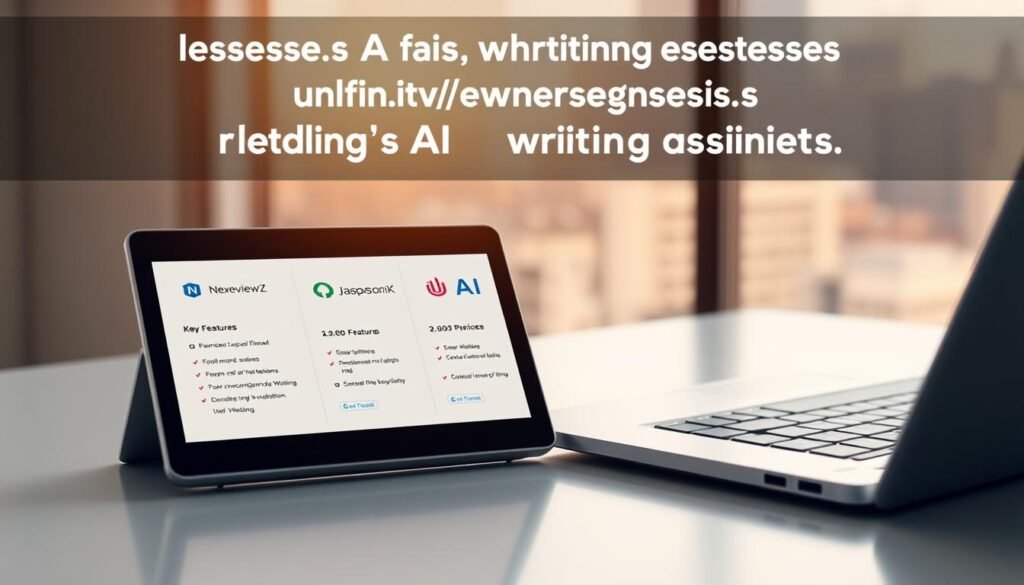
Compare three tools side-by-side to see which one fits your small team’s content and marketing workflows best.
Where this tool stands out: a browser-first workflow and an instant highlight Toolbar let you edit copy directly on any page. The Free plan gives 10 daily creations and referral boosts, so you can test blog articles and ads without immediate cost.
Personalization is strong: Knowledge Bases and personas keep tone consistent across emails, product description updates, and website pages. That means faster, on-brand results with minimal setup.
Where Jasper AI or Writesonic may fit better
Jasper often wins for long-form writing and advanced frameworks. If you need deep SEO workflows or bulk long drafts, Jasper is worth testing.
Writesonic can be stronger for keyword research tie-ins and ad variants. It may give more built-in SEO tools for campaign-focused teams.
- Pros: quick page-level edits, daily creations on Free, and easy personalization.
- Cons: shorter per-output length limits versus some competitors; you may need extra editing for originality and SEO polish.
- For multi-channel marketing, evaluate templates, keyword coverage, and collaboration features before you decide.
Limits and considerations before you upgrade
Plan upgrades around practical limits—generation caps, paywalled templates, and required human review. Know these constraints before you change plans so your content process and budget stay aligned.
Generation length caps and paywall-locked tools
Be aware of per-output caps. Pro generates up to 200 words per generation. Business increases that to 300 words, with rewrites up to 1900 words.
Many advanced templates and tools remain behind paywalls on the Free plan. Map your activity and website deliverables to the right plan before you upgrade.
AI-detection risks and the need for human editing
Good prompts drive better outputs. Vague prompts create more editing and slow down results. Strong prompts paired with human review reduce detection risk and improve on-page quality.
“Unedited AI outputs can trigger detectors like Originality.ai; revise for accuracy, tone, and brand voice.”
- Break long articles into sections to fit caps and stitch them into a coherent page.
- Use Knowledge Bases and personas to boost voice, but finalize with a writer or editor.
- For regulated pages or email activity, validate information and route questions to support when needed.
How to claim TextCortex discounts or coupons

Follow a short checklist to capture promos, boost free credits, and verify guarantees before you upgrade.
Step 1 — Start with the Free plan and referrals
Sign up on the Free plan to test the website workflow and save budgeted time. The Free plan gives 10 daily creations.
Open the referral panel in-app and share your link to increase daily credits as your activity grows.
Step 2 — Watch email and in-app offers
Subscribe to the newsletter and enable notifications. Seasonal coupons and limited-time promos often arrive by email or as banners on the pricing page.
Step 3 — Compare billing and confirm guarantees
Check monthly versus annual pricing on the checkout page. Annual billing usually lowers your effective rate.
Before you pay, confirm the 30-day money-back guarantee in the checkout details so you can test results risk-free.
Step 4 — Finalize and get help if needed
- Apply the coupon at checkout and select annual billing if it saves money.
- If terms are unclear, contact support to request information or ask about stacking discounts.
- Track early performance and use suggestions from initial projects to refine prompts and copy.
Ready to save? Click Start free trial or Get discount now at checkout to apply offers and begin measuring marketing results on your next page or email campaign.
Conclusion
For small teams that must publish regularly, a browser-first assistant speeds content creation without extra setup.
You get fast drafting via the in-tab assistant, a 60+ template Creator Suite, and personalization from Knowledge Bases and personas. These features cut time on blog content, product descriptions, pages, and ads while keeping tone on-brand.
Limits exist: per-output word caps and the need for a writer review to refine SEO and accuracy. Pair solid prompts with human editing to improve results and avoid detector issues.
Try the Free plan or Pro at $24.99/month and confirm the 30-day money-back guarantee at checkout. Start your free trial or get a discount now to test ideas this week and publish with confidence.


