


Curious whether a $0 trial can actually speed up your SEO content workflow? Start here.
Frase.io launched in Boston in 2017 and offers a clear path to test SEO-driven content planning before you buy. You can begin with a free trial that gives one search query and a hands-on look at the SEO Workflow and editor.
Pricing scales from Solo at $15/month (10 queries) to Basic $45/month (30 queries) and Team at $115/month for three users with unlimited queries. Core plans include 10,000 AI characters; add the $35/month Unlimited AI add-on to remove that cap and unlock Advanced SEO.
Small businesses value the Research/Outline builder, live SERP guidance, and integrated keyword research. Compared with Jasper and Writesonic, this writing tool focuses on SEO-first briefs and on-page optimization.
Expect to edit AI drafts, watch limits on queries and characters, and use coupons at checkout. Ready to test it? Start free trial / Get discount.
Key Takeaways
- Try the free trial at $0 to test SEO Workflow and the editor.
- Plans: Solo $15 (10 queries), Basic $45 (30 queries), Team $115 (3 users, unlimited queries).
- Add $35/month to remove the 10,000-character cap and enable Advanced SEO features.
- Top small-business features: Research/Outline builder, SEO Workflow, and live SERP context.
- Compare: Frase.io is SEO-first; Jasper and Writesonic are broader writing tools.
- Apply coupons at checkout and consider annual billing for savings. Start free trial / Get discount.
What Frase.io is and why it matters for SEO in the present market
This SEO-first platform combines live SERP analysis, competitor headings, and FAQ discovery to speed up your research and outline work. You get a single workflow that turns search data into a clear article plan before you draft.
How it blends research, outlining, and AI writing
The process starts when you create new document projects for each target keyword. The research layer pulls top Google search results, People Also Ask, Reddit, and Quora to surface real user questions. That data feeds an outline builder that captures headings and supporting sections in minutes.
The AI writing component uses SERP context to accelerate first drafts. You still control structure and voice in the editor, so the result stays on-message and optimized for search engine optimization.
Who should use it
- Small businesses and lean teams that need faster content planning and fewer outside resources.
- Freelance writers and agencies who want standardized briefs and predictable SEO results.
- Anyone focused on optimization: update existing pages, produce data-backed articles, or scale a repeatable process.
Frase.io pricing tiers and current free trial
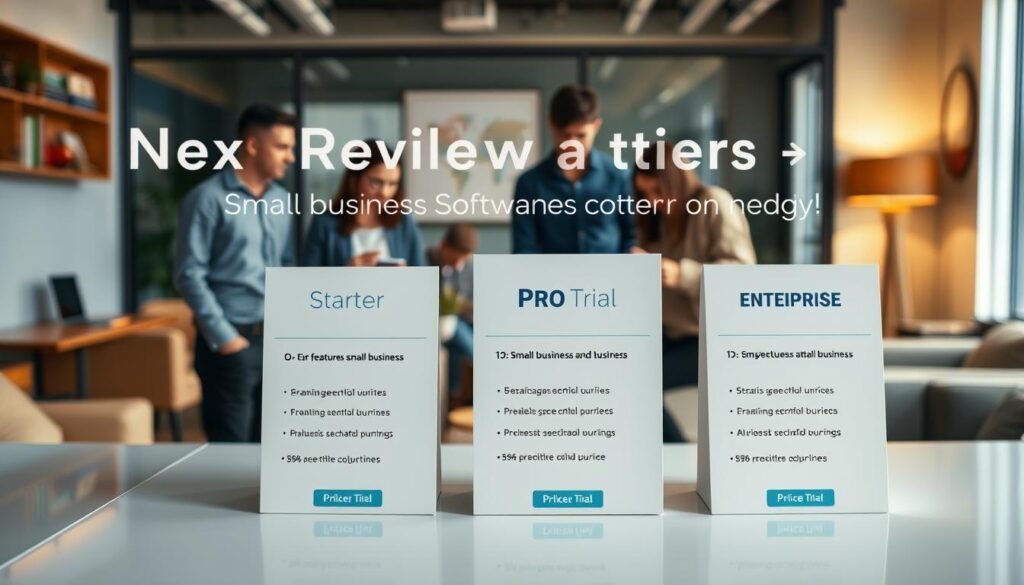
Compare plans so you can pick the right subscription for your content needs.
Free Trial: what you can do with $0 and one search query
Start with the $0 trial to validate the SEO workflow. You get one user and one search query to test research, outline, and the editor. Use that query to build an article brief and see how the tool pulls SERP context and related questions.
Solo (Starter) monthly pricing and inclusions
Solo (Starter) is $15/month. It includes one seat and 10 search queries. Expect 10,000 AI characters by default unless you add the Unlimited AI add-on.
Basic and Team plans: when to upgrade for scale
Basic runs $45/month and gives 30 queries — good for a steady blog calendar or multiple product articles. Team is $115/month, supports three users, and offers unlimited search queries for agency or in-house teams.
Annual billing considerations and typical savings
Add the $35/month Unlimited AI + Advanced SEO package to remove the 10,000-character cap and unlock backlink and multi-query optimization features. Annual billing usually lowers the effective monthly price; confirm current discounts at checkout to lock savings for the year.
- Tip: Model your monthly queries to pick Solo, Basic, or Team.
- Note: Paid plans integrate with Google Search Console to prioritize keywords and article updates.
Ready to test? Start free, then upgrade to Solo, Basic, or Team and add Unlimited AI if your content generation volume requires it.
Key features small businesses will value most

If you run a small business, three practical features turn research into publishable drafts fast. Each feature reduces steps, cuts time, and improves the chance your article ranks for target keywords.
SEO Workflow: data-backed briefs and length/headers guidance
The SEO Workflow sizes your article with data-driven word counts and header counts pulled from top-ranking pages. This prevents under- or over-writing and helps you budget writer time and publishing resources.
Research and Outline Builder: accelerate content planning
Use the research tab to import winning headings, links, stats, news, and common questions into one document. That creates a research-backed outline in minutes and streamlines handoffs to a writer.
AI Article Wizard and Editor: draft faster with SERP context
The AI Article Wizard generates section drafts using SERP inputs you approve. Edit tone and brand voice in the editor to finish faster while maintaining control over content quality.
- Insert answers from People Also Ask and forums to boost topical coverage and snippet potential.
- Apply the Advanced SEO add-on to target related keywords and uncover authority signals.
Ready to save time and create SEO-optimized content? Activate the free trial and test the SEO Workflow on your next article outline now.
Frase.io vs Jasper and Writesonic at a glance

Compare how each AI writing platform handles briefing, drafting, and SEO planning so you can pick the fastest path from idea to publish.
Speed to first draft and long-form capabilities:
Jasper often delivers a long-form first draft faster with fewer prompts. Writesonic is a solid general-purpose generator that balances speed and simplicity.
The SEO-first tool shines at briefing and outlines, so you may spend less time on research before drafting. Expect to guide AI more when you want search-optimized article structure.
SEO-focused workflow versus general-purpose AI writing:
If your priority is structured research and on-page optimization, choose the SEO workflow. For pure generation speed, the broader writing tools will feel quicker.
Total cost of ownership for a small content team:
- Centralizing research and drafting in one tool can lower TCO versus buying separate SEO tools and writing tools.
- Pairing a fast generator with the SEO brief tool is a common, effective combo if you already own one platform.
- Test each free trial to measure time saved from brief to first draft and pick the stack that fits your budget and resources.
Frase.io add-ons and integrations that boost results
Add-ons and native connections let you turn research into publish-ready content faster and with fewer tool swaps.
Unlimited AI + Advanced SEO removes the 10,000-character ceiling and adds backlink and domain authority context. For $35/month you enable full-length content generation, multi-keyword optimization, and SERP authority signals that guide your article structure.
Google Search Console and Google Docs integrations surface real performance data and let you optimize inside your drafting tool. Connect Google Search Console to prioritize topics by impressions and position. Use Google Docs to edit with Frase’s optimization suggestions without constant tab switching.
- Draft long articles without caps and combine related keywords into one high-value piece.
- Use backlink/domain authority data to pick topics with realistic ranking potential.
- Automate content actions with HubSpot and check WordPress availability for publishing.
| Add-on / Integration | Main Benefit | Actionable Outcome |
|---|---|---|
| Unlimited AI + Advanced SEO ($35/mo) | Removes character limits; adds backlink & DA data | Full article drafts, multi-query optimization, stronger topical authority |
| Google Search Console | Performance-driven topic prioritization | Plan refreshes based on impressions and ranking shifts |
| Google Docs | In-doc optimization and editing | Fewer tabs, faster revisions, smoother handoffs |
| HubSpot CRM | Automated follow-ups and content reuse | Tighter alignment between content and sales workflows |
Quick CTA: Add Unlimited AI + Advanced SEO and connect Google Search Console and Google Docs to scale your content creation and cut time-to-publish.
Known limits and practical considerations

Before you commit, understand how plan caps and quality control shape your workflow.
Search/query and document caps by plan
Plan your pipeline so queries don’t run out mid-month. Free trial: 1 query. Solo: 10 queries. Basic: 30 queries. Team: unlimited queries for three users.
Core plans include a 10,000-character AI limit per account. Add the Unlimited AI add-on to remove that ceiling for long article drafts and extended research sessions.
Quality quirks and editorial needs
AI drafts speed writing but require human review. Reviewers report paraphrasing or vague sentences that need tightening. Use a QA checklist to verify facts, numbers, links, and sources.
Run sensitive passages through plagiarism and detection checks. Add expert commentary to raise the value of your content and improve SEO outcomes.
- Document your editorial process so multiple writers stay consistent.
- Use the tool’s questions and keyword coverage to guide completeness.
- Track performance in Google Search Console and iterate based on real search data.
| Issue | What you should do | Outcome |
|---|---|---|
| Query caps | Choose a plan based on monthly research needs | Pipeline stays predictable; no mid-month stalls |
| AI character limit | Purchase Unlimited AI if you write long articles | Full-length drafts without generation interruptions |
| Quality & originality | Apply human editing and plagiarism checks | Better ranking odds and trust with readers |
Bottom line: Pick the right plan for your query volume, enable Unlimited AI when needed, and standardize human review so your articles meet optimization and editorial standards.
Frase.io
Current money-back policy and how refunds work
Refunds are not defined by a public 30‑day policy in the sources reviewed. Instead, refund requests are typically handled through customer support on a case-by-case basis.
How to minimize refund risk: Start with the free trial to validate the content, SEO, and writing features before you subscribe. Review the subscription price, billing frequency, and any promotional terms at checkout so you know what to expect.
Steps to request a refund professionally
- Contact support quickly with your account email, purchase date, and a clear reason for the request.
- Include usage data — queries used and articles produced — to make your point concise and factual.
- Cancel auto-renew in the billing portal if you don’t plan to continue, then confirm cancellation via email.
- Keep invoices and correspondence; if you bought during a promotion, note those terms which may affect eligibility.
- Ask whether proration, credits, or partial refunds apply for mid-period changes — resolution depends on plan terms and timing.
Bottom line: Use the $0 trial first, check plan terms at purchase, and contact support promptly if you need billing help.
Step-by-step: how to claim a discount or coupon
A stepwise approach helps you secure the best price and avoid wasted coupons. Start with the free trial to confirm the SEO process matches your needs before committing to any plan.
Check the free trial and promo availability
First, launch the $0 trial (one search query) and test the research and writing features. This ensures the tool helps you create content and articles the way you expect.
Then check the promotions page, in-app banners, or partner offers. Note which plans (Solo $15, Basic $45, Team $115) the coupon covers and any expiration dates.
Apply coupon at checkout and confirm plan details
At checkout, paste the coupon code into the promo field and apply it. Verify the discount shows against the correct plan and billing period.
Review inclusions: search/query limits, user seats, AI character quota, and whether Unlimited AI + Advanced SEO ($35/mo) is included before you pay.
Leverage annual billing for additional savings
Compare monthly vs annual pricing at checkout. If your content roadmap is set, annual billing can lower the effective price and save time on renewals.
- Confirm billing email, invoice details, and tax info.
- Complete purchase securely and save your coupon confirmation and invoice.
- Connect Google Search Console and start your first projects to get immediate value.
Track query usage and article output to validate ROI, and adjust your plan before renewal if needed. Start free trial / Get discount.
| Step | What to check | Outcome |
|---|---|---|
| Trial | Free $0 test (1 query) | Validate research and writing features |
| Checkout | Apply coupon; confirm plan & totals | Discount applied to correct price |
| Billing | Choose monthly or annual | Lower effective price with annual option |
Recommended use cases for small businesses
A focused plan for refreshes, briefs, and clusters helps you get measurable SEO gains fast.
Updating existing content to win SERP positions
Refresh smart, not just often. Use optimization guidance to add missing sections and relevant keywords that match the target keyword and user intent.
Pull People Also Ask and forum questions into the outline to boost topical completeness and snippet potential. Tie updates to Google Search Console data to prioritize pages close to page one.
Producing briefs and outlines for freelancers
Create standardized briefs that set header counts, word targets, and keyword coverage. That reduces back-and-forth and speeds content writing.
Include resources, required links, and questions to answer so freelancers draft confidently with fewer review cycles.
Launching topic clusters with consistent on-page SEO
Plan pillar pages and cluster articles by grouping related keywords and assigning consistent on-page elements across articles.
- Use the outline tool to enforce headers and length targets.
- Pull questions and research into each brief for better coverage.
- Track published articles and schedule iterative updates based on search data.
Next step: Start your free trial, build a brief, and share it with your writer to see faster, measurable results in content optimization and rankings.
Is Frase.io worth it compared to alternatives?
Decide by matching a platform’s strengths to the specific part of your workflow that slows you down. If research and outlines eat most of your time, pick the tool that fixes that first. If quick bulk generation matters, favor speedier writing tools instead.
When to choose Frase.io over Jasper and Writesonic
Choose this platform when your priority is search engine optimization, consistent briefs, and question-led outlines. It shines at turning SERP data into clear article plans that reduce guesswork for each writer.
If your team struggles with research, structure, or covering user questions, this tool delivers better results than general-purpose alternatives. The integrated workflow shortens the path from brief to publish and helps protect ranking intent.
When a mixed-tool stack may deliver better ROI
Combine strengths for the best return. Use Frase.io to build research-backed outlines and then run expansions in Jasper or Writesonic for speed. Bring the draft back into the SEO workspace for final optimization and fact checks.
- Example: outline in Frase.io → long-form draft in Jasper → optimize and publish from Frase.io.
- For refresh-heavy pipelines, pair Google Search Console data with the workflow to prioritize updates that move the needle.
- For non-SEO copy, prefer Writesonic or Jasper for faster creative output.
Actionable next step: Start the free trial and run a 4–6 article sprint to measure time saved and ranking impact. That short pilot reveals whether a single-tool approach or a mixed stack gives you the best ROI.
Conclusion
Measure real savings by running a short content sprint and tracking results in Search Console.
This review shows how the platform unifies research, outline building, and AI writing so you reach useful drafts faster. You can see a clear result in draft speed and reduced revision cycles for each article.
Start with the free trial to test the workflow, then pick Solo, Basic, or Team based on monthly queries and collaboration needs. Add the Unlimited AI + Advanced SEO add-on for long-form creation and multi-keyword optimization. Connect Google Search Console and Google Docs to streamline the create new document to publish process.
Expect to pair AI with human editing to keep voice, accuracy, and helpful content alignment. For small businesses, the biggest wins are data-backed briefs, consistent on-page structure, and faster turnaround on articles and refreshes.
Start free trial / Get discount.
FAQ
What is the free trial and what can you do with
What is the free trial and what can you do with
FAQ
What is the free trial and what can you do with
FAQ
What is the free trial and what can you do with $0 and one search query?
The free trial gives you a no-cost way to test core features with one search query and limited content generation. You can run keyword research, generate a brief, and see how the AI drafts a short article. Use this window to evaluate content planning, SEO recommendations, and the editor before committing to a paid plan.
What is this platform and why does it matter for SEO today?
This SEO content tool combines keyword research, SERP analysis, and content optimization to help you rank faster. It matters because it turns data from Google search and Google Search Console into actionable briefs, helping you write content that aligns with search intent and current SERP features.
How does the platform blend research, outlining, and AI writing?
The tool pulls top-ranking pages, extracts headings and questions, and suggests target keywords. It then helps you build an outline with recommended length and headers. From that outline, the AI can draft sections or full articles that match SERP context, letting you edit and optimize in one workflow.
Who should use this tool: small businesses, writers, or agencies?
You should use it if you need data-driven content fast. Small businesses get better local and niche visibility. Freelance writers speed up brief creation and drafting. Agencies scale content production while keeping SEO quality consistent across clients.
What are the main pricing tiers and what does the free trial cover?
Plans typically include a Solo/Starter tier for individual users, Basic and Team plans for growing content teams, and add-ons for unlimited AI writing or advanced SEO. The free trial covers limited use—one search query and basic generation—so you can test workflow and decide which tier fits your volume needs.
What does the Solo (Starter) monthly plan include?
The Solo plan usually includes a small allotment of documents, basic keyword and research tools, and access to the editor. It’s designed for one user who creates occasional SEO content and needs straightforward briefs and drafts without team collaboration features.
When should you upgrade from Basic to a Team plan?
Upgrade when your content volume rises, you need multiple seats, or you require collaboration, shared templates, and higher search/query limits. Team plans also reduce friction for agencies managing several clients and improve workflow control across writers and editors.
What savings can you expect with annual billing?
Annual billing commonly offers the equivalent of two months free versus monthly payments. Choose annual billing if you plan consistent content production for the year; it lowers your monthly effective cost and secures pricing stability.
Which key features will small businesses value most?
Small businesses benefit from data-backed briefs, recommended article length and headers, an outline builder to speed planning, and an AI editor that drafts using SERP context. These features help you update existing pages or launch new content that targets buyer intent efficiently.
How does the SEO workflow guide content creation?
The workflow analyzes top-ranking pages, suggests target keyword density and headings, and gives on-page optimization checks. You follow the brief to produce content aligned with search intent, then use the editor to refine and publish with higher chances of ranking.
How does the Research and Outline Builder accelerate planning?
The builder aggregates competitor headings, common questions, and keyword opportunities into an outline you can customize. That reduces time spent on manual research and ensures your content covers the topics searchers want.
What does the AI Article Wizard and Editor do?
The Article Wizard generates drafts from your outline with SERP-aware suggestions, while the editor helps you refine tone, structure, and SEO elements. Together they let you move from brief to publishable draft much faster than writing from scratch.
How does this tool compare to Jasper and Writesonic for speed and long-form content?
It focuses more on SEO research and structured briefs, which speeds time to first SERP-ready draft. Jasper and Writesonic excel at general-purpose generative speed and creative variety. Choose based on whether SEO-driven structure or broad generative power matters most to your workflow.
When should you pick an SEO-focused workflow instead of a general-purpose AI writer?
Pick the SEO-first tool when ranking and search intent drive your content strategy—like blog posts, pillar pages, or service pages. Use general-purpose AI when you need diverse copy types, ads, or creative variations that don’t require SERP alignment.
What is the total cost of ownership for a small content team?
TCO includes subscription fees, add-on costs for unlimited AI or advanced SEO, and the value of time saved by faster briefs and drafts. Factor in how many documents you create monthly, team seats, and whether annual billing or add-ons reduce per-piece costs.
What add-ons and integrations boost results?
Useful add-ons include unlimited AI writing credits and advanced SEO modules. Integrations with Google Search Console and Google Docs let you import performance data and export drafts to familiar editors, streamlining optimization and publishing.
How do Google Search Console and Google Docs integrations help?
Google Search Console data shows which pages need updates and which queries already bring impressions, guiding topic selection. Google Docs integration lets you collaborate and hand off drafts to writers who prefer that editor, speeding publication.
What are known limits and practical considerations by plan?
Plans impose search/query and document limits, with higher tiers offering more monthly queries and documents. If you hit limits often, expect to upgrade or buy add-ons. Evaluate your monthly content volume before choosing a plan.
Are there quality quirks or the need for human editing?
Yes. AI drafts can include tone mismatches, factual errors, or repetition. You should edit for brand voice, accuracy, and readability, and run plagiarism and AI-detection checks where required.
What’s the current money-back policy and how do refunds work?
Refund policies vary by vendor and plan. Typically, you get a short window to request a refund if the product doesn’t meet expectations. Check the specific terms at checkout and contact customer support for any billing disputes.
How do you claim a discount or coupon?
First, check the free trial and promotional banners on the vendor site. If you find a coupon, apply it at checkout in the promo code field and confirm total savings before finalizing. Retain the confirmation email for your records.
How can annual billing deliver extra savings when applying discounts?
Many coupons stack with annual billing, increasing your effective discount. When you choose annual, the percentage savings on monthly-equivalent cost usually amplifies the coupon value, lowering your TCO.
What are recommended use cases for small businesses?
Use it to update existing content to win SERP positions, produce briefs and outlines for freelancers, and launch topic clusters with consistent on-page SEO. These use cases deliver measurable traffic and time savings.
When should you update existing content instead of creating new articles?
Update when pages already get impressions but lack clicks or rankings. Refreshing headers, adding optimized sections, and aligning with current top-ranking content often yields faster ranking gains than starting from scratch.
When should you produce briefs and outlines for freelancers?
Produce briefs when you need consistent voice, clearer SEO targets, and faster turnaround. Giving freelancers a data-backed outline reduces revisions and keeps the final article aligned with your SEO goals.
When is this tool worth it compared to Jasper and Writesonic?
It’s worth it if your priority is structured SEO workflow, briefs, and SERP-aligned drafts. If you need diverse copy types or bulk creative content, you might prefer the alternatives or a mixed-tool stack.
When should you use a mixed-tool stack for better ROI?
Use a mixed stack when you need both SEO-focused briefs and high-volume creative generation. Combine an SEO-first platform for planning and optimization with a general-purpose AI for rapid content variations and ad copy.
and one search query?
The free trial gives you a no-cost way to test core features with one search query and limited content generation. You can run keyword research, generate a brief, and see how the AI drafts a short article. Use this window to evaluate content planning, SEO recommendations, and the editor before committing to a paid plan.What is this platform and why does it matter for SEO today?This SEO content tool combines keyword research, SERP analysis, and content optimization to help you rank faster. It matters because it turns data from Google search and Google Search Console into actionable briefs, helping you write content that aligns with search intent and current SERP features.How does the platform blend research, outlining, and AI writing?The tool pulls top-ranking pages, extracts headings and questions, and suggests target keywords. It then helps you build an outline with recommended length and headers. From that outline, the AI can draft sections or full articles that match SERP context, letting you edit and optimize in one workflow.Who should use this tool: small businesses, writers, or agencies?You should use it if you need data-driven content fast. Small businesses get better local and niche visibility. Freelance writers speed up brief creation and drafting. Agencies scale content production while keeping SEO quality consistent across clients.What are the main pricing tiers and what does the free trial cover?Plans typically include a Solo/Starter tier for individual users, Basic and Team plans for growing content teams, and add-ons for unlimited AI writing or advanced SEO. The free trial covers limited use—one search query and basic generation—so you can test workflow and decide which tier fits your volume needs.What does the Solo (Starter) monthly plan include?The Solo plan usually includes a small allotment of documents, basic keyword and research tools, and access to the editor. It’s designed for one user who creates occasional SEO content and needs straightforward briefs and drafts without team collaboration features.When should you upgrade from Basic to a Team plan?Upgrade when your content volume rises, you need multiple seats, or you require collaboration, shared templates, and higher search/query limits. Team plans also reduce friction for agencies managing several clients and improve workflow control across writers and editors.What savings can you expect with annual billing?Annual billing commonly offers the equivalent of two months free versus monthly payments. Choose annual billing if you plan consistent content production for the year; it lowers your monthly effective cost and secures pricing stability.Which key features will small businesses value most?Small businesses benefit from data-backed briefs, recommended article length and headers, an outline builder to speed planning, and an AI editor that drafts using SERP context. These features help you update existing pages or launch new content that targets buyer intent efficiently.How does the SEO workflow guide content creation?The workflow analyzes top-ranking pages, suggests target keyword density and headings, and gives on-page optimization checks. You follow the brief to produce content aligned with search intent, then use the editor to refine and publish with higher chances of ranking.How does the Research and Outline Builder accelerate planning?The builder aggregates competitor headings, common questions, and keyword opportunities into an outline you can customize. That reduces time spent on manual research and ensures your content covers the topics searchers want.What does the AI Article Wizard and Editor do?The Article Wizard generates drafts from your outline with SERP-aware suggestions, while the editor helps you refine tone, structure, and SEO elements. Together they let you move from brief to publishable draft much faster than writing from scratch.How does this tool compare to Jasper and Writesonic for speed and long-form content?It focuses more on SEO research and structured briefs, which speeds time to first SERP-ready draft. Jasper and Writesonic excel at general-purpose generative speed and creative variety. Choose based on whether SEO-driven structure or broad generative power matters most to your workflow.When should you pick an SEO-focused workflow instead of a general-purpose AI writer?Pick the SEO-first tool when ranking and search intent drive your content strategy—like blog posts, pillar pages, or service pages. Use general-purpose AI when you need diverse copy types, ads, or creative variations that don’t require SERP alignment.What is the total cost of ownership for a small content team?TCO includes subscription fees, add-on costs for unlimited AI or advanced SEO, and the value of time saved by faster briefs and drafts. Factor in how many documents you create monthly, team seats, and whether annual billing or add-ons reduce per-piece costs.What add-ons and integrations boost results?Useful add-ons include unlimited AI writing credits and advanced SEO modules. Integrations with Google Search Console and Google Docs let you import performance data and export drafts to familiar editors, streamlining optimization and publishing.How do Google Search Console and Google Docs integrations help?Google Search Console data shows which pages need updates and which queries already bring impressions, guiding topic selection. Google Docs integration lets you collaborate and hand off drafts to writers who prefer that editor, speeding publication.What are known limits and practical considerations by plan?Plans impose search/query and document limits, with higher tiers offering more monthly queries and documents. If you hit limits often, expect to upgrade or buy add-ons. Evaluate your monthly content volume before choosing a plan.Are there quality quirks or the need for human editing?Yes. AI drafts can include tone mismatches, factual errors, or repetition. You should edit for brand voice, accuracy, and readability, and run plagiarism and AI-detection checks where required.What’s the current money-back policy and how do refunds work?Refund policies vary by vendor and plan. Typically, you get a short window to request a refund if the product doesn’t meet expectations. Check the specific terms at checkout and contact customer support for any billing disputes.How do you claim a discount or coupon?First, check the free trial and promotional banners on the vendor site. If you find a coupon, apply it at checkout in the promo code field and confirm total savings before finalizing. Retain the confirmation email for your records.How can annual billing deliver extra savings when applying discounts?Many coupons stack with annual billing, increasing your effective discount. When you choose annual, the percentage savings on monthly-equivalent cost usually amplifies the coupon value, lowering your TCO.What are recommended use cases for small businesses?Use it to update existing content to win SERP positions, produce briefs and outlines for freelancers, and launch topic clusters with consistent on-page SEO. These use cases deliver measurable traffic and time savings.When should you update existing content instead of creating new articles?Update when pages already get impressions but lack clicks or rankings. Refreshing headers, adding optimized sections, and aligning with current top-ranking content often yields faster ranking gains than starting from scratch.When should you produce briefs and outlines for freelancers?Produce briefs when you need consistent voice, clearer SEO targets, and faster turnaround. Giving freelancers a data-backed outline reduces revisions and keeps the final article aligned with your SEO goals.When is this tool worth it compared to Jasper and Writesonic?It’s worth it if your priority is structured SEO workflow, briefs, and SERP-aligned drafts. If you need diverse copy types or bulk creative content, you might prefer the alternatives or a mixed-tool stack.When should you use a mixed-tool stack for better ROI?Use a mixed stack when you need both SEO-focused briefs and high-volume creative generation. Combine an SEO-first platform for planning and optimization with a general-purpose AI for rapid content variations and ad copy.
FAQ
What is the free trial and what can you do with
FAQ
What is the free trial and what can you do with $0 and one search query?
The free trial gives you a no-cost way to test core features with one search query and limited content generation. You can run keyword research, generate a brief, and see how the AI drafts a short article. Use this window to evaluate content planning, SEO recommendations, and the editor before committing to a paid plan.
What is this platform and why does it matter for SEO today?
This SEO content tool combines keyword research, SERP analysis, and content optimization to help you rank faster. It matters because it turns data from Google search and Google Search Console into actionable briefs, helping you write content that aligns with search intent and current SERP features.
How does the platform blend research, outlining, and AI writing?
The tool pulls top-ranking pages, extracts headings and questions, and suggests target keywords. It then helps you build an outline with recommended length and headers. From that outline, the AI can draft sections or full articles that match SERP context, letting you edit and optimize in one workflow.
Who should use this tool: small businesses, writers, or agencies?
You should use it if you need data-driven content fast. Small businesses get better local and niche visibility. Freelance writers speed up brief creation and drafting. Agencies scale content production while keeping SEO quality consistent across clients.
What are the main pricing tiers and what does the free trial cover?
Plans typically include a Solo/Starter tier for individual users, Basic and Team plans for growing content teams, and add-ons for unlimited AI writing or advanced SEO. The free trial covers limited use—one search query and basic generation—so you can test workflow and decide which tier fits your volume needs.
What does the Solo (Starter) monthly plan include?
The Solo plan usually includes a small allotment of documents, basic keyword and research tools, and access to the editor. It’s designed for one user who creates occasional SEO content and needs straightforward briefs and drafts without team collaboration features.
When should you upgrade from Basic to a Team plan?
Upgrade when your content volume rises, you need multiple seats, or you require collaboration, shared templates, and higher search/query limits. Team plans also reduce friction for agencies managing several clients and improve workflow control across writers and editors.
What savings can you expect with annual billing?
Annual billing commonly offers the equivalent of two months free versus monthly payments. Choose annual billing if you plan consistent content production for the year; it lowers your monthly effective cost and secures pricing stability.
Which key features will small businesses value most?
Small businesses benefit from data-backed briefs, recommended article length and headers, an outline builder to speed planning, and an AI editor that drafts using SERP context. These features help you update existing pages or launch new content that targets buyer intent efficiently.
How does the SEO workflow guide content creation?
The workflow analyzes top-ranking pages, suggests target keyword density and headings, and gives on-page optimization checks. You follow the brief to produce content aligned with search intent, then use the editor to refine and publish with higher chances of ranking.
How does the Research and Outline Builder accelerate planning?
The builder aggregates competitor headings, common questions, and keyword opportunities into an outline you can customize. That reduces time spent on manual research and ensures your content covers the topics searchers want.
What does the AI Article Wizard and Editor do?
The Article Wizard generates drafts from your outline with SERP-aware suggestions, while the editor helps you refine tone, structure, and SEO elements. Together they let you move from brief to publishable draft much faster than writing from scratch.
How does this tool compare to Jasper and Writesonic for speed and long-form content?
It focuses more on SEO research and structured briefs, which speeds time to first SERP-ready draft. Jasper and Writesonic excel at general-purpose generative speed and creative variety. Choose based on whether SEO-driven structure or broad generative power matters most to your workflow.
When should you pick an SEO-focused workflow instead of a general-purpose AI writer?
Pick the SEO-first tool when ranking and search intent drive your content strategy—like blog posts, pillar pages, or service pages. Use general-purpose AI when you need diverse copy types, ads, or creative variations that don’t require SERP alignment.
What is the total cost of ownership for a small content team?
TCO includes subscription fees, add-on costs for unlimited AI or advanced SEO, and the value of time saved by faster briefs and drafts. Factor in how many documents you create monthly, team seats, and whether annual billing or add-ons reduce per-piece costs.
What add-ons and integrations boost results?
Useful add-ons include unlimited AI writing credits and advanced SEO modules. Integrations with Google Search Console and Google Docs let you import performance data and export drafts to familiar editors, streamlining optimization and publishing.
How do Google Search Console and Google Docs integrations help?
Google Search Console data shows which pages need updates and which queries already bring impressions, guiding topic selection. Google Docs integration lets you collaborate and hand off drafts to writers who prefer that editor, speeding publication.
What are known limits and practical considerations by plan?
Plans impose search/query and document limits, with higher tiers offering more monthly queries and documents. If you hit limits often, expect to upgrade or buy add-ons. Evaluate your monthly content volume before choosing a plan.
Are there quality quirks or the need for human editing?
Yes. AI drafts can include tone mismatches, factual errors, or repetition. You should edit for brand voice, accuracy, and readability, and run plagiarism and AI-detection checks where required.
What’s the current money-back policy and how do refunds work?
Refund policies vary by vendor and plan. Typically, you get a short window to request a refund if the product doesn’t meet expectations. Check the specific terms at checkout and contact customer support for any billing disputes.
How do you claim a discount or coupon?
First, check the free trial and promotional banners on the vendor site. If you find a coupon, apply it at checkout in the promo code field and confirm total savings before finalizing. Retain the confirmation email for your records.
How can annual billing deliver extra savings when applying discounts?
Many coupons stack with annual billing, increasing your effective discount. When you choose annual, the percentage savings on monthly-equivalent cost usually amplifies the coupon value, lowering your TCO.
What are recommended use cases for small businesses?
Use it to update existing content to win SERP positions, produce briefs and outlines for freelancers, and launch topic clusters with consistent on-page SEO. These use cases deliver measurable traffic and time savings.
When should you update existing content instead of creating new articles?
Update when pages already get impressions but lack clicks or rankings. Refreshing headers, adding optimized sections, and aligning with current top-ranking content often yields faster ranking gains than starting from scratch.
When should you produce briefs and outlines for freelancers?
Produce briefs when you need consistent voice, clearer SEO targets, and faster turnaround. Giving freelancers a data-backed outline reduces revisions and keeps the final article aligned with your SEO goals.
When is this tool worth it compared to Jasper and Writesonic?
It’s worth it if your priority is structured SEO workflow, briefs, and SERP-aligned drafts. If you need diverse copy types or bulk creative content, you might prefer the alternatives or a mixed-tool stack.
When should you use a mixed-tool stack for better ROI?
Use a mixed stack when you need both SEO-focused briefs and high-volume creative generation. Combine an SEO-first platform for planning and optimization with a general-purpose AI for rapid content variations and ad copy.
and one search query?
FAQ
What is the free trial and what can you do with $0 and one search query?
The free trial gives you a no-cost way to test core features with one search query and limited content generation. You can run keyword research, generate a brief, and see how the AI drafts a short article. Use this window to evaluate content planning, SEO recommendations, and the editor before committing to a paid plan.
What is this platform and why does it matter for SEO today?
This SEO content tool combines keyword research, SERP analysis, and content optimization to help you rank faster. It matters because it turns data from Google search and Google Search Console into actionable briefs, helping you write content that aligns with search intent and current SERP features.
How does the platform blend research, outlining, and AI writing?
The tool pulls top-ranking pages, extracts headings and questions, and suggests target keywords. It then helps you build an outline with recommended length and headers. From that outline, the AI can draft sections or full articles that match SERP context, letting you edit and optimize in one workflow.
Who should use this tool: small businesses, writers, or agencies?
You should use it if you need data-driven content fast. Small businesses get better local and niche visibility. Freelance writers speed up brief creation and drafting. Agencies scale content production while keeping SEO quality consistent across clients.
What are the main pricing tiers and what does the free trial cover?
Plans typically include a Solo/Starter tier for individual users, Basic and Team plans for growing content teams, and add-ons for unlimited AI writing or advanced SEO. The free trial covers limited use—one search query and basic generation—so you can test workflow and decide which tier fits your volume needs.
What does the Solo (Starter) monthly plan include?
The Solo plan usually includes a small allotment of documents, basic keyword and research tools, and access to the editor. It’s designed for one user who creates occasional SEO content and needs straightforward briefs and drafts without team collaboration features.
When should you upgrade from Basic to a Team plan?
Upgrade when your content volume rises, you need multiple seats, or you require collaboration, shared templates, and higher search/query limits. Team plans also reduce friction for agencies managing several clients and improve workflow control across writers and editors.
What savings can you expect with annual billing?
Annual billing commonly offers the equivalent of two months free versus monthly payments. Choose annual billing if you plan consistent content production for the year; it lowers your monthly effective cost and secures pricing stability.
Which key features will small businesses value most?
Small businesses benefit from data-backed briefs, recommended article length and headers, an outline builder to speed planning, and an AI editor that drafts using SERP context. These features help you update existing pages or launch new content that targets buyer intent efficiently.
How does the SEO workflow guide content creation?
The workflow analyzes top-ranking pages, suggests target keyword density and headings, and gives on-page optimization checks. You follow the brief to produce content aligned with search intent, then use the editor to refine and publish with higher chances of ranking.
How does the Research and Outline Builder accelerate planning?
The builder aggregates competitor headings, common questions, and keyword opportunities into an outline you can customize. That reduces time spent on manual research and ensures your content covers the topics searchers want.
What does the AI Article Wizard and Editor do?
The Article Wizard generates drafts from your outline with SERP-aware suggestions, while the editor helps you refine tone, structure, and SEO elements. Together they let you move from brief to publishable draft much faster than writing from scratch.
How does this tool compare to Jasper and Writesonic for speed and long-form content?
It focuses more on SEO research and structured briefs, which speeds time to first SERP-ready draft. Jasper and Writesonic excel at general-purpose generative speed and creative variety. Choose based on whether SEO-driven structure or broad generative power matters most to your workflow.
When should you pick an SEO-focused workflow instead of a general-purpose AI writer?
Pick the SEO-first tool when ranking and search intent drive your content strategy—like blog posts, pillar pages, or service pages. Use general-purpose AI when you need diverse copy types, ads, or creative variations that don’t require SERP alignment.
What is the total cost of ownership for a small content team?
TCO includes subscription fees, add-on costs for unlimited AI or advanced SEO, and the value of time saved by faster briefs and drafts. Factor in how many documents you create monthly, team seats, and whether annual billing or add-ons reduce per-piece costs.
What add-ons and integrations boost results?
Useful add-ons include unlimited AI writing credits and advanced SEO modules. Integrations with Google Search Console and Google Docs let you import performance data and export drafts to familiar editors, streamlining optimization and publishing.
How do Google Search Console and Google Docs integrations help?
Google Search Console data shows which pages need updates and which queries already bring impressions, guiding topic selection. Google Docs integration lets you collaborate and hand off drafts to writers who prefer that editor, speeding publication.
What are known limits and practical considerations by plan?
Plans impose search/query and document limits, with higher tiers offering more monthly queries and documents. If you hit limits often, expect to upgrade or buy add-ons. Evaluate your monthly content volume before choosing a plan.
Are there quality quirks or the need for human editing?
Yes. AI drafts can include tone mismatches, factual errors, or repetition. You should edit for brand voice, accuracy, and readability, and run plagiarism and AI-detection checks where required.
What’s the current money-back policy and how do refunds work?
Refund policies vary by vendor and plan. Typically, you get a short window to request a refund if the product doesn’t meet expectations. Check the specific terms at checkout and contact customer support for any billing disputes.
How do you claim a discount or coupon?
First, check the free trial and promotional banners on the vendor site. If you find a coupon, apply it at checkout in the promo code field and confirm total savings before finalizing. Retain the confirmation email for your records.
How can annual billing deliver extra savings when applying discounts?
Many coupons stack with annual billing, increasing your effective discount. When you choose annual, the percentage savings on monthly-equivalent cost usually amplifies the coupon value, lowering your TCO.
What are recommended use cases for small businesses?
Use it to update existing content to win SERP positions, produce briefs and outlines for freelancers, and launch topic clusters with consistent on-page SEO. These use cases deliver measurable traffic and time savings.
When should you update existing content instead of creating new articles?
Update when pages already get impressions but lack clicks or rankings. Refreshing headers, adding optimized sections, and aligning with current top-ranking content often yields faster ranking gains than starting from scratch.
When should you produce briefs and outlines for freelancers?
Produce briefs when you need consistent voice, clearer SEO targets, and faster turnaround. Giving freelancers a data-backed outline reduces revisions and keeps the final article aligned with your SEO goals.
When is this tool worth it compared to Jasper and Writesonic?
It’s worth it if your priority is structured SEO workflow, briefs, and SERP-aligned drafts. If you need diverse copy types or bulk creative content, you might prefer the alternatives or a mixed-tool stack.
When should you use a mixed-tool stack for better ROI?
Use a mixed stack when you need both SEO-focused briefs and high-volume creative generation. Combine an SEO-first platform for planning and optimization with a general-purpose AI for rapid content variations and ad copy.
and one search query?
The free trial gives you a no-cost way to test core features with one search query and limited content generation. You can run keyword research, generate a brief, and see how the AI drafts a short article. Use this window to evaluate content planning, SEO recommendations, and the editor before committing to a paid plan.
What is this platform and why does it matter for SEO today?
This SEO content tool combines keyword research, SERP analysis, and content optimization to help you rank faster. It matters because it turns data from Google search and Google Search Console into actionable briefs, helping you write content that aligns with search intent and current SERP features.
How does the platform blend research, outlining, and AI writing?
The tool pulls top-ranking pages, extracts headings and questions, and suggests target keywords. It then helps you build an outline with recommended length and headers. From that outline, the AI can draft sections or full articles that match SERP context, letting you edit and optimize in one workflow.
Who should use this tool: small businesses, writers, or agencies?
You should use it if you need data-driven content fast. Small businesses get better local and niche visibility. Freelance writers speed up brief creation and drafting. Agencies scale content production while keeping SEO quality consistent across clients.
What are the main pricing tiers and what does the free trial cover?
Plans typically include a Solo/Starter tier for individual users, Basic and Team plans for growing content teams, and add-ons for unlimited AI writing or advanced SEO. The free trial covers limited use—one search query and basic generation—so you can test workflow and decide which tier fits your volume needs.
What does the Solo (Starter) monthly plan include?
The Solo plan usually includes a small allotment of documents, basic keyword and research tools, and access to the editor. It’s designed for one user who creates occasional SEO content and needs straightforward briefs and drafts without team collaboration features.
When should you upgrade from Basic to a Team plan?
Upgrade when your content volume rises, you need multiple seats, or you require collaboration, shared templates, and higher search/query limits. Team plans also reduce friction for agencies managing several clients and improve workflow control across writers and editors.
What savings can you expect with annual billing?
Annual billing commonly offers the equivalent of two months free versus monthly payments. Choose annual billing if you plan consistent content production for the year; it lowers your monthly effective cost and secures pricing stability.
Which key features will small businesses value most?
Small businesses benefit from data-backed briefs, recommended article length and headers, an outline builder to speed planning, and an AI editor that drafts using SERP context. These features help you update existing pages or launch new content that targets buyer intent efficiently.
How does the SEO workflow guide content creation?
The workflow analyzes top-ranking pages, suggests target keyword density and headings, and gives on-page optimization checks. You follow the brief to produce content aligned with search intent, then use the editor to refine and publish with higher chances of ranking.
How does the Research and Outline Builder accelerate planning?
The builder aggregates competitor headings, common questions, and keyword opportunities into an outline you can customize. That reduces time spent on manual research and ensures your content covers the topics searchers want.
What does the AI Article Wizard and Editor do?
The Article Wizard generates drafts from your outline with SERP-aware suggestions, while the editor helps you refine tone, structure, and SEO elements. Together they let you move from brief to publishable draft much faster than writing from scratch.
How does this tool compare to Jasper and Writesonic for speed and long-form content?
It focuses more on SEO research and structured briefs, which speeds time to first SERP-ready draft. Jasper and Writesonic excel at general-purpose generative speed and creative variety. Choose based on whether SEO-driven structure or broad generative power matters most to your workflow.
When should you pick an SEO-focused workflow instead of a general-purpose AI writer?
Pick the SEO-first tool when ranking and search intent drive your content strategy—like blog posts, pillar pages, or service pages. Use general-purpose AI when you need diverse copy types, ads, or creative variations that don’t require SERP alignment.
What is the total cost of ownership for a small content team?
TCO includes subscription fees, add-on costs for unlimited AI or advanced SEO, and the value of time saved by faster briefs and drafts. Factor in how many documents you create monthly, team seats, and whether annual billing or add-ons reduce per-piece costs.
What add-ons and integrations boost results?
Useful add-ons include unlimited AI writing credits and advanced SEO modules. Integrations with Google Search Console and Google Docs let you import performance data and export drafts to familiar editors, streamlining optimization and publishing.
How do Google Search Console and Google Docs integrations help?
Google Search Console data shows which pages need updates and which queries already bring impressions, guiding topic selection. Google Docs integration lets you collaborate and hand off drafts to writers who prefer that editor, speeding publication.
What are known limits and practical considerations by plan?
Plans impose search/query and document limits, with higher tiers offering more monthly queries and documents. If you hit limits often, expect to upgrade or buy add-ons. Evaluate your monthly content volume before choosing a plan.
Are there quality quirks or the need for human editing?
Yes. AI drafts can include tone mismatches, factual errors, or repetition. You should edit for brand voice, accuracy, and readability, and run plagiarism and AI-detection checks where required.
What’s the current money-back policy and how do refunds work?
Refund policies vary by vendor and plan. Typically, you get a short window to request a refund if the product doesn’t meet expectations. Check the specific terms at checkout and contact customer support for any billing disputes.
How do you claim a discount or coupon?
First, check the free trial and promotional banners on the vendor site. If you find a coupon, apply it at checkout in the promo code field and confirm total savings before finalizing. Retain the confirmation email for your records.
How can annual billing deliver extra savings when applying discounts?
Many coupons stack with annual billing, increasing your effective discount. When you choose annual, the percentage savings on monthly-equivalent cost usually amplifies the coupon value, lowering your TCO.
What are recommended use cases for small businesses?
Use it to update existing content to win SERP positions, produce briefs and outlines for freelancers, and launch topic clusters with consistent on-page SEO. These use cases deliver measurable traffic and time savings.
When should you update existing content instead of creating new articles?
Update when pages already get impressions but lack clicks or rankings. Refreshing headers, adding optimized sections, and aligning with current top-ranking content often yields faster ranking gains than starting from scratch.
When should you produce briefs and outlines for freelancers?
Produce briefs when you need consistent voice, clearer SEO targets, and faster turnaround. Giving freelancers a data-backed outline reduces revisions and keeps the final article aligned with your SEO goals.
When is this tool worth it compared to Jasper and Writesonic?
It’s worth it if your priority is structured SEO workflow, briefs, and SERP-aligned drafts. If you need diverse copy types or bulk creative content, you might prefer the alternatives or a mixed-tool stack.
When should you use a mixed-tool stack for better ROI?
Use a mixed stack when you need both SEO-focused briefs and high-volume creative generation. Combine an SEO-first platform for planning and optimization with a general-purpose AI for rapid content variations and ad copy.


