

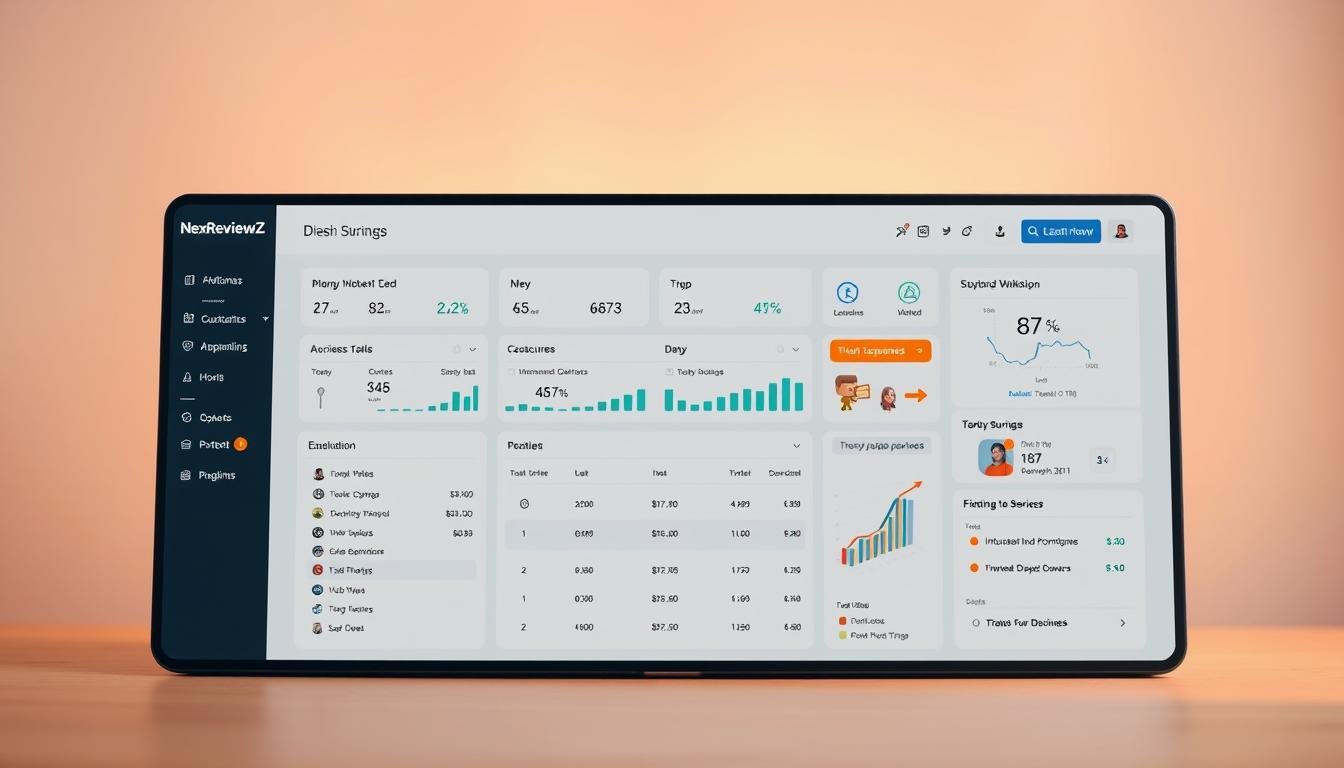

Question: Could a single plugin actually cut hours of affiliate work and boost your site income this month?
You’re looking at a tool that packages clean product displays, centralized link updates, and an Opportunities engine designed for small businesses. The lasso plugin starts at $39/month for one site, moves to $99/month for up to three sites, and offers a $299/month Portfolio plan for ten sites and custom integrations.
There’s no free trial, but you can try the services risk-free with a 14-day money-back guarantee. Noted perks include elegant displays, click tracking, and imports from popular tools. Known limits are an initial learning curve and slow uninstall/migration on large sites.
Compare this on-site plugin approach with ShareASale or Refersion for networks and tracking. To lock in savings, claim partner coupons or annual checkout discounts during signup and enable early-adopter Performance analytics pricing if you track revenue under the free tier.
Key Takeaways
- Plans start at $39/month; 14-day money-back guarantee lets you test risk-free.
- Three small-business features: link cloaking, conversion product boxes, Opportunities engine.
- Compare plugin on-site optimization versus networks like ShareASale and Refersion.
- Known limits: learning curve and time-consuming migration on large sites.
- Claim discounts at checkout and consider early-adopter Performance pricing.
- Recommended for product reviews and roundup pages to monetize faster.
What is GetLasso and why it matters for affiliate marketing
Imagine managing every affiliate link and product display from a single place that was designed by people who do affiliate marketing daily.
At-a-glance: WordPress affiliate marketing plugin built by affiliates
GetLasso is a WordPress marketing plugin created by affiliate marketers to simplify how you handle links, products, and monetized content on your site.
It centralizes affiliate links so you update a destination once and those changes propagate across your content. That cuts manual edits and prevents missed revenue from broken links.
How Lasso streamlines link management and product displays
The tool delivers elegant product boxes and comparison tables that make your content look professional and increase click-throughs.
Its Opportunities engine scans your site to find mentions you haven’t monetized yet, turning existing content into potential revenue with minimal effort.
- Centralized link management: keep link destinations in one dashboard and maintain link hygiene.
- High-converting displays: product boxes and tables that build trust and lift clicks.
- Opportunities engine: scans content to reveal easy monetization wins.
| Feature | Benefit for small teams | Typical result |
|---|---|---|
| Centralized links | One update propagates site-wide | Fewer broken links, faster fixes |
| Product displays & tables | Clean presentation for reviews | Higher CTRs and trust |
| Opportunities engine | Automated monetization suggestions | More affiliate placements from existing content |
GetLasso pricing and current deals in the United States
Deciding on the right plan comes down to how many sites you run and which features you need most.
Essential (Starter): $39 per month — best if you run a single site and want core link management, product displays, and Opportunities scanning.
Advanced (Pro): $99 per month — covers up to three websites and includes free staging licenses for safe testing before you publish changes.
Portfolio: $299 per month — for up to ten sites, with custom integrations and higher-tier support for agency workflows.
“Annual billing reduces your effective cost — lock in discounts during checkout to maximize ROI.”
The vendor does not offer a free trial, but you get a 14-day money-back guarantee to evaluate the product risk-free.
| Tier | Monthly price | Key perks |
|---|---|---|
| Essential | $39 / month | 1 site, displays, link management |
| Advanced | $99 / month | Up to 3 websites, staging licenses |
| Portfolio | $299 / month | Up to 10 sites, custom integrations |
Performance analytics pricing is separate: free up to $1,000 tracked revenue, then tiered paid plans as revenue grows.
Note: Amazon Associates reporting inside Performance is paused for compliance, but the plugin’s Amazon product data workflows and SiteStripe import still work to rescue image links.
- Annual billing lowers the overall cost — select it at checkout to secure savings.
- Higher tiers add priority support and integrations; choose based on total websites and team needs.
- Compare this on-site tool to network programs if you need broad affiliate network access; this plugin focuses on on-site conversion and link health.
GetLasso Performance analytics pricing
Track revenue from multiple partners in a single place and stop toggling between dashboards.
Pricing is simple: start free up to $1,000 in tracked revenue. If you exceed that, it’s only $19 per month for up to $5,000. After that, costs scale at $3 per extra $1,000 so you keep predictable billing as you grow.
The dashboard consolidates revenue and links from major programs and network partners. Integrations include Amazon, Impact, ShareASale, CJ, Awin, Avantlink, Partnerstack, Partnerize, Refersion, and Skimlinks.
This tool is plugin-based rather than JavaScript. That makes it more resilient to ad-blockers and often yields fuller data for affiliates and marketing teams.
- Actionable insights: EPC and publisher-level views to prioritize pages and partners.
- Limits: no Google Analytics goals/custom events yet; Amazon reporting is paused for compliance.
- Early adopter: lock in current pricing to save as new triggers and features roll out.
| Tier | Monthly tracked revenue | Price |
|---|---|---|
| Free | Up to $1,000 | $0 |
| Starter | Up to $5,000 | $19 |
| Scale | Each additional $1,000 | $3 |
Three key GetLasso features small businesses will actually use
If your goal is to cut manual work and boost conversions, focus on three practical features that save time and scale with your site.
Centralized link management and cloaking to keep branding clean
Centralize affiliate links so a single update changes every instance across your website. That reduces errors and frees time spent hunting broken links.
Cloaking turns long tracking URLs into on-brand slugs users trust and click.
High-converting product displays and comparison tables
Use clean product boxes and side-by-side tables to present products clearly. Templates load fast and increase click rates without a designer.
Opportunities engine to uncover monetization gaps
The Opportunities engine scans pages against 9,100+ programs to find brands you mention but don’t monetize yet.
Imports from tools you already use—Pretty Links, ThirstyAffiliates, AAWP, and Simple URLs—usually complete in minutes, so you can consolidate without starting over.
- Save time: one dashboard for link updates and click tracking.
- Stay consistent: cloaking and governance keep link slugs uniform.
- Find wins fast: Opportunities reveal easy monetization gaps and priority links to fix.
GetLasso vs ShareASale vs Refersion: quick comparison
Deciding how to stack tools matters: networks handle tracking and payouts, while on-site tools lift conversions.
Where the lasso plugin fits: it focuses on on-site optimization. You get clean product displays, centralized link health, and a way to manage links across your site. This is about presentation and maintenance, not payments or partner onboarding.
ShareASale — network access and payouts
ShareASale connects you to affiliate programs and handles tracking and payouts. Use it to find merchants and manage commissions. It does not build product boxes or centralize link slugs on your pages.
Refersion — merchant tracking platform
Refersion serves merchants who run affiliate programs. It’s focused on program management and merchant reporting. It’s not built to improve how publisher content displays products or updates links site-wide.
- Practical stack: keep your networks for tracking (ShareASale) and add the marketing plugin to improve on-site conversions.
- Use Performance: aggregate revenue across networks but rely on each network for attribution and payouts.
- Benchmark ROI: compare clicks and earnings before and after adding the plugin to see real impact.
| Tool | Primary role | Best for |
|---|---|---|
| GetLasso | On-site optimization and link management | Publishers wanting better displays and link health |
| ShareASale | Affiliate network: tracking & payouts | Affiliates seeking programs and commission management |
| Refersion | Merchant-focused affiliate tracking | Brands running their own affiliate programs |
GetLasso
Place well-designed displays at natural decision points in your posts to guide readers toward affiliate links.
Main keyword alignment and on-page SEO opportunities
Start by mapping pages where the main keyword “affiliate marketing plugin” should appear—typically review pages, comparisons, and high-traffic posts. Place product displays above the fold and again near conclusions to catch readers at two decision moments.
Use the centralized dashboard to standardize link destinations so every post references the same up-to-date URLs. Connect click tracking to your analytics to measure which placements perform best.
- Structure internal links and comparison tables to build topical authority while encouraging qualified clicks.
- Add schema-friendly tables where helpful to boost clarity and click propensity without stuffing keywords.
- Mine Opportunities suggestions to expand content and refresh older posts with optimized displays and updated links.
| Action | Why it works | Quick tip |
|---|---|---|
| Display placement | Improves CTR | Above fold + near CTA |
| Standardized links | Prevents broken URLs | Manage via dashboard |
| Content refresh | Reclaims traffic | Swap legacy links for new displays |
Amazon Associates and SiteStripe link rescue with GetLasso
If you host legacy Amazon image links, a one-click import can fix broken images and restore revenue fast.
Amazon removed SiteStripe “Image” and “Text+Image” generation on Dec 1, 2023; those image links stopped working Dec 31, 2023. That left many pages with missing visuals and lost clicks.
One-click import for legacy SiteStripe image links
You’ll quickly rescue legacy SiteStripe image links with a single import that repairs broken links and restores images at scale. The process converts each recovered placement into an affiliate link so you don’t lose earnings on popular pages.
No-API Amazon integration for titles, images, and prices
Paste any Amazon URL and the no-API integration pulls product title, images, and price without API keys. The tool refreshes Amazon data every 24 hours to keep pages current and compliant.
- Save time by importing thousands of Amazon listings in minutes.
- Standardize amazon associates placements with clean templates.
- Control locale-specific variants and pair imports with link health monitoring.
Real results and social proof from active users

Publishers report clear uplift in engagement after swapping static links for structured product displays and comparison tables.
Measured wins: multiple publishers say clicks and affiliate sales rose after adding comparison tables to key posts. One long-time customer reports a 50–75% increase in affiliate revenue after a site-wide rollout.
Increased clicks and revenue after deploying displays and tables
Sites that prioritized product-first placement saw fast gains in CTR and conversions. Daily revenue emails from the performance dashboard helped teams spot wins and act quickly.
Customer support highlights and rapid fixes
Trustpilot reviews praise fast, human support—many mention Caitlin by name for timely, useful help. Users note billing issues and refunds were handled promptly when needed.
- You’ll see concrete examples of publishers boosting clicks and money on top posts.
- Responsive support saves time and reduces downtime on critical pages.
- Clear dashboards and daily reports keep performance front of mind for small teams.
- Anecdotal results show consistent styling and fresh data increase trust and clicks.
“Support helped us fix a display bug same day and revenue recovered within 48 hours.”
| Proof point | Impact | Why it matters |
|---|---|---|
| 50–75% revenue lift | Higher monthly earnings | Shows upside for content-heavy sites |
| Daily performance emails | Faster prioritization | Helps teams reallocate time to top posts |
| Human support (Trustpilot) | Quick fixes | Reduces lost clicks and lost money |
Known limits and considerations before you buy
Be candid about what to expect so you avoid surprises in the first weeks.
You should plan your first two weeks so you can test core displays on your highest-traffic pages and judge results within the refund window.
No free trial; 14-day money-back window: there’s no trial period, but you can validate fit using the 14-day guarantee. Use that time to measure early performance and decide whether the cost justifies the gains.
Initial learning curve: the dashboard and table customization take some setup time. Budget a few hours to learn templates and create your first product boxes. Expect the first week to be configuration work and the second week to be testing live placements.
Uninstall and migration: removing or moving many displays on a large website can be time-consuming. Plan migrations or ask support for guidance if you have hundreds of placements to update.
- Prioritize high-impact posts during the refund window to test ROI quickly.
- Track early metrics so you can request a refund if results don’t meet expectations.
- Note Performance limitations: it does not support GA goal/custom event tracking and Amazon reporting is paused; core affiliate displays and link management keep working.
- Keep a change log and use support channels proactively to reduce friction.
“Plan around setup time and use the 14-day guarantee to validate the tool on your busiest pages.”
Refund and money-back policy

A clear 14-day money-back window gives you time to validate performance before committing long-term.
You can try the core services for 14 days and decide if the plugin earns its place in your toolkit. There is no free trial, so the 14-day guarantee is your safety net.
To request a refund, email support from the account email used at signup. Users report timely responses and successful cancellations when they contact support within the window.
Refunds are processed within the billing month cycle after support verifies your request. Always ask for written confirmation so your accounting records show the status and amount returned.
Use the window to test priority posts, gather before/after metrics, and judge whether the tool moves the needle on your affiliate and marketing goals.
How to request a refund
| Step | Action | What to expect |
|---|---|---|
| 1 | Email support from your account email | Support confirms receipt and begins verification |
| 2 | Provide order details and reason | Faster processing with clear info |
| 3 | Get written confirmation of cancellation | Record for your books and peace of mind |
| 4 | Refund processed within billing month | Funds returned and subscription stopped |
- Test top pages first, then decide within 14 days whether to keep the account.
- Confirm the refund in writing so you have clear documentation.
Step-by-step: how to claim discounts or coupons on GetLasso
Follow a simple checklist so you lock in verified savings and avoid surprises at renewal.
Find official promotions and partner offers
Start by checking the vendor’s promotions page and trusted partner sites for verified coupon codes. Use only official partner links or pages that clearly show the coupon terms to avoid expired or invalid codes.
Lock in annual savings at checkout
Select annual billing during checkout to lower your effective month cost and secure a better rate for the year. Confirm the plan level matches your site needs before applying any coupon so the discount applies to the correct tier.
Early adopter pricing for Performance analytics
Enroll in Performance now to capture early adopter pricing: free up to $1,000 tracked revenue, then $19 up to $5,000 and $3 per additional $1,000. This rate is currently the lowest available and saves money as your programs scale.
- Verify billing frequency, renewal date, and coupon expiration before you pay.
- Prioritize deploying displays on your top-earning pages first to show ROI fast.
- Keep your affiliates and networks in one place so Performance works for you when ready.
- Track clicks and incremental revenue against the discounted cost to validate the purchase.
- Document the total savings in your budget and revisit plan fit as your site or team grows.
“Locking annual billing and early Performance pricing reduces monthly costs and simplifies scaling.”
Setup walkthrough: from purchase to live product boxes
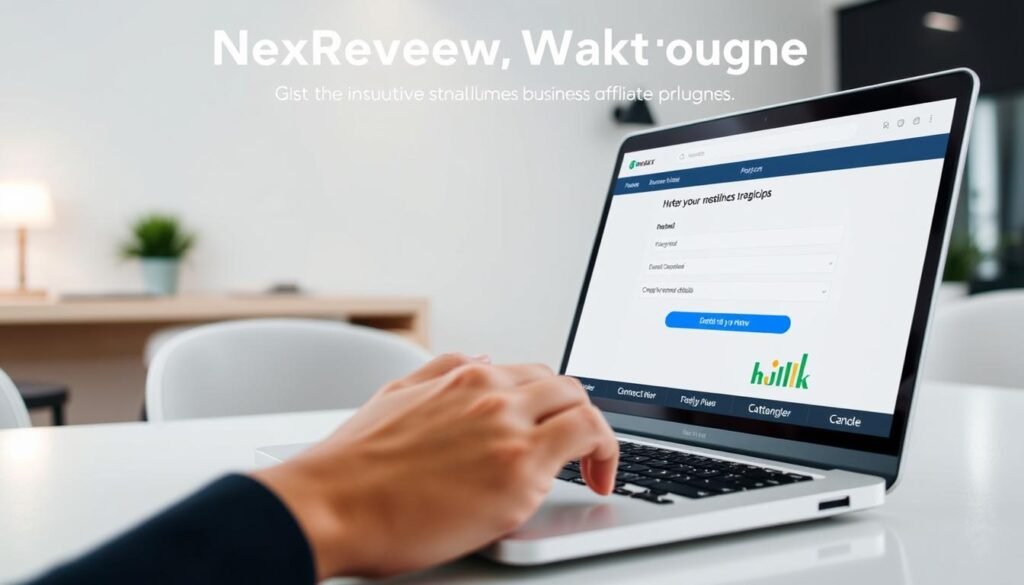
Quick-start the plugin and deploy your first product displays with a focused, repeatable setup.
Install and activate the plugin on WordPress
After purchase, download the plugin ZIP. Upload it via WordPress › Add Plugins and activate it from the cactus icon menu.
Open the dashboard and follow the on-screen setup prompts to connect basic settings and click tracking.
Import links from Pretty Links, ThirstyAffiliates, AAWP, and Simple URLs
Use the import tool to pull links from tools you already use. Imports usually finish in minutes and consolidate links into one place.
Pro tip: standardize names and categories during import so editors find links quickly without duplication.
Create your first display box, table, and cloaked link
Pick a template, paste an Amazon URL to auto-pull title, images, and price, and build a product box or comparison table.
Enable cloaking for key URLs to keep slugs short and on-brand, then place the display on a high-traffic review page to measure impact.
- Enable link health checks and click tracking from day one.
- Document an SOP so teammates add new products the same way.
- Schedule weekly reviews to refresh out-of-stock items and swap offers.
Recommended use cases for small businesses
Put conversion-first placements where readers make buying decisions.
Review blogs and roundup posts that need conversion-optimized displays
Place clean product boxes and comparison tables on review posts and roundups to lift clicks quickly.
Use a repeatable review template that pairs a table, pros/cons, and a clear CTA so each post converts the same way.
Niche sites aggregating multiple affiliate networks in one dashboard
Consolidate programs from Amazon, Impact, ShareASale, CJ, and Awin to see revenue and prioritize effort in one place.
Use the Opportunities engine to find unmonetized mentions and add monetized links fast, keeping the site current.
- Prioritize product review posts and roundups for immediate CTR gains.
- Use comparison tables to simplify choices and guide readers to the right products.
- Standardize how your team builds each display so pages look consistent and trustworthy.
- Swap offers quickly for seasonal posts and keep links updated from a single source of truth.
Advanced capabilities that can boost revenue
Advanced telemetry shows which pages earn money and which need a fresh push.
Click tracking integrates with Google Analytics so you can see which placements drive the most clicks. That data helps you focus content updates where they’ll pay off fastest.
Link health scans identify broken or out-of-stock items and flag them for fast fixes. Fixing those issues protects revenue and improves the reader experience.
Performance EPC insights across networks
The Performance feature aggregates revenue from Amazon, Impact, ShareASale, CJ, and Awin plus other partners. Use EPC trends to double down on high-performing affiliate programs and partners.
- You’ll track top pages and prioritize updates that raise conversions.
- You’ll get alerts for link breakages and stale offers to reduce lost clicks.
- You’ll compare EPCs across networks one place and act on real signals.
- You’ll tag assets to streamline reporting across multiple websites.
| Capability | Why it matters | Quick action |
|---|---|---|
| Click tracking | Shows page impact | Refresh top posts |
| Link health | Protects revenue | Repair broken links |
| EPC insights | Prioritizes partners | Shift offers to winners |
Note: Amazon reporting in Performance is paused; other networks continue to feed meaningful, actionable data. Use the lasso data as part of regular editorial planning so optimization is routine, not a one-off project.
Call to action: start risk-free and get your discount
Lock in savings now and test high-impact pages under a 14-day money-back guarantee to see measurable results this month.
Start risk-free: you have 14 days to deploy a display on a priority post and judge the impact on clicks and conversions. There’s no free trial, but the guarantee protects your purchase.
Save at checkout: choose annual billing to reduce your effective cost per month and keep the same core features while paying less over the year.
Early Performance pricing: secure the current early-adopter rates for analytics now so you scale insights affordably as tracked revenue grows.
- Start risk-free today with the 14-day money-back guarantee and measure results this month.
- Lock in annual savings for the plugin at checkout to pay less for the same features.
- Secure early adopter pricing on Performance and use lasso to add your first display and table within hours.
- Centralize links to reduce maintenance and keep your website monetization steady.
- Pick the plan that fits now and upgrade only when the numbers justify it; support is available if you need help.
| Action | Benefit | Quick next step |
|---|---|---|
| Deploy on top page | Fast test of ROI | Add one table/display |
| Choose annual billing | Lower cost per month | Select annual at checkout |
| Enable Performance | Consolidated affiliate revenue | Activate early-adopter plan |
“Start small, measure quickly, and use the guarantee to decide with confidence.”
Conclusion
, In short, the right plugin puts your product displays, links, and revenue signals in one predictable place.
You’ll leave with a practical plan to improve affiliate marketing by using cleaner displays and centralized link management. Deploy on high-impact pages first to measure lift in affiliate links clicks and earnings.
Be realistic about the learning curve, uninstall time on large sites, and current Performance limits like paused Amazon reporting and no GA goal support. Use the 14-day money-back guarantee to de-risk your test.
Final step, act now to lock in discounts and early-adopter pricing. If the numbers add up, keep the service; if not, use the refund window and move on confidently.
FAQ
What is the getlasso affiliate plugin deal?
What is GetLasso and why does it matter for affiliate marketing?
How does GetLasso streamline link management and product displays?
What are the main pricing tiers in the United States?
How do annual billing options work and how can you lock in savings?
What does GetLasso Performance analytics cost?
FAQ
What is the getlasso affiliate plugin deal?
The deal refers to current pricing and promotions for the getlasso affiliate plugin, including monthly and annual billing tiers, performance analytics offers, and any partner discounts that reduce the published rates.
What is GetLasso and why does it matter for affiliate marketing?
GetLasso is a WordPress affiliate marketing plugin built by affiliates to simplify link management, create high-converting product displays, and centralize affiliate programs in one place so you can monetize content more efficiently.
How does GetLasso streamline link management and product displays?
It centralizes affiliate links, offers cloaking to keep branding clean, auto-imports legacy Amazon SiteStripe image links, and provides easy-to-insert display boxes and comparison tables that improve conversion and save time.
What are the main pricing tiers in the United States?
Pricing commonly includes Starter (Essential) at /month for one site, Pro (Advanced) at /month for up to three sites with staging licenses, and Portfolio at 9/month for up to ten sites with custom integrations. Annual billing often reduces cost.
How do annual billing options work and how can you lock in savings?
Choose annual billing at checkout to receive a discounted effective monthly rate. Look for promotional coupons or partner offers to stack savings when available.
What does GetLasso Performance analytics cost?
Performance analytics has a free tier up to about
FAQ
What is the getlasso affiliate plugin deal?
The deal refers to current pricing and promotions for the getlasso affiliate plugin, including monthly and annual billing tiers, performance analytics offers, and any partner discounts that reduce the published rates.
What is GetLasso and why does it matter for affiliate marketing?
GetLasso is a WordPress affiliate marketing plugin built by affiliates to simplify link management, create high-converting product displays, and centralize affiliate programs in one place so you can monetize content more efficiently.
How does GetLasso streamline link management and product displays?
It centralizes affiliate links, offers cloaking to keep branding clean, auto-imports legacy Amazon SiteStripe image links, and provides easy-to-insert display boxes and comparison tables that improve conversion and save time.
What are the main pricing tiers in the United States?
Pricing commonly includes Starter (Essential) at $39/month for one site, Pro (Advanced) at $99/month for up to three sites with staging licenses, and Portfolio at $299/month for up to ten sites with custom integrations. Annual billing often reduces cost.
How do annual billing options work and how can you lock in savings?
Choose annual billing at checkout to receive a discounted effective monthly rate. Look for promotional coupons or partner offers to stack savings when available.
What does GetLasso Performance analytics cost?
Performance analytics has a free tier up to about $1,000 tracked revenue. Paid plans start around $19/month covering up to $5,000 tracked, with incremental fees (for example, roughly $3 per additional $1,000) beyond that.
Which GetLasso features will small businesses actually use?
Small businesses benefit most from centralized affiliate link management and cloaking, high-converting product displays and comparison tables, and the Opportunities engine that finds monetization gaps across your site.
How does GetLasso compare to ShareASale and Refersion?
GetLasso focuses on on-site optimization—link health, displays, and monetization. ShareASale is an affiliate network providing merchant programs and tracking. Refersion is merchant-focused tracking/affiliate management. Use GetLasso alongside networks for best results.
Can GetLasso help with Amazon Associates and SiteStripe link rescue?
Yes. GetLasso offers one-click import for legacy SiteStripe image links and a no-API method to pull titles, images, and prices into displays so you can rescue and standardize Amazon links without complex API setup.
What results can you expect after deploying GetLasso displays and tables?
Users commonly report increased clicks and revenue after implementing optimized displays and comparison tables. Results vary by traffic and niche, but on-site conversion improvements are the typical benefit.
What support and customer service does GetLasso provide?
GetLasso offers customer support through its dashboard and help channels. Support highlights include rapid fixes for common issues and guidance on display setup, link imports, and analytics troubleshooting.
Are there limits or considerations before you buy?
Key considerations: no free trial though there is a 14-day money-back window; an initial learning curve for the dashboard and table customization; uninstall or migration can be time-consuming on large sites; and performance analytics has some reporting limitations like GA goal tracking not supported.
How does the 14-day refund and money-back policy work?
You can request a refund within 14 days of purchase if unsatisfied. Follow the official cancellation and refund instructions in the billing or support area of your account to initiate the process.
How do you claim discounts or coupons for GetLasso?
Find official promotions on the vendor website, partner blogs, or affiliate partner pages. Apply coupon codes at checkout and choose annual billing to maximize savings. Some partner offers include early-adopter pricing for Performance analytics.
How do you set up GetLasso from purchase to live product boxes?
Install and activate the plugin on WordPress, import links from Pretty Links, ThirstyAffiliates, AAWP, and Simple URLs, then create your first display box, table, and cloaked link following the guided setup in the dashboard.
What are recommended use cases for small businesses?
Use it for review blogs, roundup posts, and niche sites that aggregate multiple affiliate networks in one dashboard. It’s designed to boost conversions for content-driven affiliate publishers.
What advanced capabilities can boost revenue further?
Advanced features include click tracking, link health alerts, and performance EPC insights across Amazon, Impact, ShareASale, CJ, and Awin to help you prioritize updates and improve monetization.
,000 tracked revenue. Paid plans start around /month covering up to ,000 tracked, with incremental fees (for example, roughly per additional
FAQ
What is the getlasso affiliate plugin deal?
The deal refers to current pricing and promotions for the getlasso affiliate plugin, including monthly and annual billing tiers, performance analytics offers, and any partner discounts that reduce the published rates.
What is GetLasso and why does it matter for affiliate marketing?
GetLasso is a WordPress affiliate marketing plugin built by affiliates to simplify link management, create high-converting product displays, and centralize affiliate programs in one place so you can monetize content more efficiently.
How does GetLasso streamline link management and product displays?
It centralizes affiliate links, offers cloaking to keep branding clean, auto-imports legacy Amazon SiteStripe image links, and provides easy-to-insert display boxes and comparison tables that improve conversion and save time.
What are the main pricing tiers in the United States?
Pricing commonly includes Starter (Essential) at $39/month for one site, Pro (Advanced) at $99/month for up to three sites with staging licenses, and Portfolio at $299/month for up to ten sites with custom integrations. Annual billing often reduces cost.
How do annual billing options work and how can you lock in savings?
Choose annual billing at checkout to receive a discounted effective monthly rate. Look for promotional coupons or partner offers to stack savings when available.
What does GetLasso Performance analytics cost?
Performance analytics has a free tier up to about $1,000 tracked revenue. Paid plans start around $19/month covering up to $5,000 tracked, with incremental fees (for example, roughly $3 per additional $1,000) beyond that.
Which GetLasso features will small businesses actually use?
Small businesses benefit most from centralized affiliate link management and cloaking, high-converting product displays and comparison tables, and the Opportunities engine that finds monetization gaps across your site.
How does GetLasso compare to ShareASale and Refersion?
GetLasso focuses on on-site optimization—link health, displays, and monetization. ShareASale is an affiliate network providing merchant programs and tracking. Refersion is merchant-focused tracking/affiliate management. Use GetLasso alongside networks for best results.
Can GetLasso help with Amazon Associates and SiteStripe link rescue?
Yes. GetLasso offers one-click import for legacy SiteStripe image links and a no-API method to pull titles, images, and prices into displays so you can rescue and standardize Amazon links without complex API setup.
What results can you expect after deploying GetLasso displays and tables?
Users commonly report increased clicks and revenue after implementing optimized displays and comparison tables. Results vary by traffic and niche, but on-site conversion improvements are the typical benefit.
What support and customer service does GetLasso provide?
GetLasso offers customer support through its dashboard and help channels. Support highlights include rapid fixes for common issues and guidance on display setup, link imports, and analytics troubleshooting.
Are there limits or considerations before you buy?
Key considerations: no free trial though there is a 14-day money-back window; an initial learning curve for the dashboard and table customization; uninstall or migration can be time-consuming on large sites; and performance analytics has some reporting limitations like GA goal tracking not supported.
How does the 14-day refund and money-back policy work?
You can request a refund within 14 days of purchase if unsatisfied. Follow the official cancellation and refund instructions in the billing or support area of your account to initiate the process.
How do you claim discounts or coupons for GetLasso?
Find official promotions on the vendor website, partner blogs, or affiliate partner pages. Apply coupon codes at checkout and choose annual billing to maximize savings. Some partner offers include early-adopter pricing for Performance analytics.
How do you set up GetLasso from purchase to live product boxes?
Install and activate the plugin on WordPress, import links from Pretty Links, ThirstyAffiliates, AAWP, and Simple URLs, then create your first display box, table, and cloaked link following the guided setup in the dashboard.
What are recommended use cases for small businesses?
Use it for review blogs, roundup posts, and niche sites that aggregate multiple affiliate networks in one dashboard. It’s designed to boost conversions for content-driven affiliate publishers.
What advanced capabilities can boost revenue further?
Advanced features include click tracking, link health alerts, and performance EPC insights across Amazon, Impact, ShareASale, CJ, and Awin to help you prioritize updates and improve monetization.
,000) beyond that.
Which GetLasso features will small businesses actually use?
Small businesses benefit most from centralized affiliate link management and cloaking, high-converting product displays and comparison tables, and the Opportunities engine that finds monetization gaps across your site.
How does GetLasso compare to ShareASale and Refersion?
GetLasso focuses on on-site optimization—link health, displays, and monetization. ShareASale is an affiliate network providing merchant programs and tracking. Refersion is merchant-focused tracking/affiliate management. Use GetLasso alongside networks for best results.
Can GetLasso help with Amazon Associates and SiteStripe link rescue?
Yes. GetLasso offers one-click import for legacy SiteStripe image links and a no-API method to pull titles, images, and prices into displays so you can rescue and standardize Amazon links without complex API setup.
What results can you expect after deploying GetLasso displays and tables?
Users commonly report increased clicks and revenue after implementing optimized displays and comparison tables. Results vary by traffic and niche, but on-site conversion improvements are the typical benefit.
What support and customer service does GetLasso provide?
GetLasso offers customer support through its dashboard and help channels. Support highlights include rapid fixes for common issues and guidance on display setup, link imports, and analytics troubleshooting.
Are there limits or considerations before you buy?
Key considerations: no free trial though there is a 14-day money-back window; an initial learning curve for the dashboard and table customization; uninstall or migration can be time-consuming on large sites; and performance analytics has some reporting limitations like GA goal tracking not supported.
How does the 14-day refund and money-back policy work?
You can request a refund within 14 days of purchase if unsatisfied. Follow the official cancellation and refund instructions in the billing or support area of your account to initiate the process.
How do you claim discounts or coupons for GetLasso?
Find official promotions on the vendor website, partner blogs, or affiliate partner pages. Apply coupon codes at checkout and choose annual billing to maximize savings. Some partner offers include early-adopter pricing for Performance analytics.
How do you set up GetLasso from purchase to live product boxes?
Install and activate the plugin on WordPress, import links from Pretty Links, ThirstyAffiliates, AAWP, and Simple URLs, then create your first display box, table, and cloaked link following the guided setup in the dashboard.
What are recommended use cases for small businesses?
Use it for review blogs, roundup posts, and niche sites that aggregate multiple affiliate networks in one dashboard. It’s designed to boost conversions for content-driven affiliate publishers.
What advanced capabilities can boost revenue further?
Advanced features include click tracking, link health alerts, and performance EPC insights across Amazon, Impact, ShareASale, CJ, and Awin to help you prioritize updates and improve monetization.
FAQ
What is the getlasso affiliate plugin deal?
The deal refers to current pricing and promotions for the getlasso affiliate plugin, including monthly and annual billing tiers, performance analytics offers, and any partner discounts that reduce the published rates.
What is GetLasso and why does it matter for affiliate marketing?
GetLasso is a WordPress affiliate marketing plugin built by affiliates to simplify link management, create high-converting product displays, and centralize affiliate programs in one place so you can monetize content more efficiently.
How does GetLasso streamline link management and product displays?
It centralizes affiliate links, offers cloaking to keep branding clean, auto-imports legacy Amazon SiteStripe image links, and provides easy-to-insert display boxes and comparison tables that improve conversion and save time.
What are the main pricing tiers in the United States?
Pricing commonly includes Starter (Essential) at /month for one site, Pro (Advanced) at /month for up to three sites with staging licenses, and Portfolio at 9/month for up to ten sites with custom integrations. Annual billing often reduces cost.
How do annual billing options work and how can you lock in savings?
Choose annual billing at checkout to receive a discounted effective monthly rate. Look for promotional coupons or partner offers to stack savings when available.
What does GetLasso Performance analytics cost?
Performance analytics has a free tier up to about
FAQ
What is the getlasso affiliate plugin deal?
The deal refers to current pricing and promotions for the getlasso affiliate plugin, including monthly and annual billing tiers, performance analytics offers, and any partner discounts that reduce the published rates.
What is GetLasso and why does it matter for affiliate marketing?
GetLasso is a WordPress affiliate marketing plugin built by affiliates to simplify link management, create high-converting product displays, and centralize affiliate programs in one place so you can monetize content more efficiently.
How does GetLasso streamline link management and product displays?
It centralizes affiliate links, offers cloaking to keep branding clean, auto-imports legacy Amazon SiteStripe image links, and provides easy-to-insert display boxes and comparison tables that improve conversion and save time.
What are the main pricing tiers in the United States?
Pricing commonly includes Starter (Essential) at $39/month for one site, Pro (Advanced) at $99/month for up to three sites with staging licenses, and Portfolio at $299/month for up to ten sites with custom integrations. Annual billing often reduces cost.
How do annual billing options work and how can you lock in savings?
Choose annual billing at checkout to receive a discounted effective monthly rate. Look for promotional coupons or partner offers to stack savings when available.
What does GetLasso Performance analytics cost?
Performance analytics has a free tier up to about $1,000 tracked revenue. Paid plans start around $19/month covering up to $5,000 tracked, with incremental fees (for example, roughly $3 per additional $1,000) beyond that.
Which GetLasso features will small businesses actually use?
Small businesses benefit most from centralized affiliate link management and cloaking, high-converting product displays and comparison tables, and the Opportunities engine that finds monetization gaps across your site.
How does GetLasso compare to ShareASale and Refersion?
GetLasso focuses on on-site optimization—link health, displays, and monetization. ShareASale is an affiliate network providing merchant programs and tracking. Refersion is merchant-focused tracking/affiliate management. Use GetLasso alongside networks for best results.
Can GetLasso help with Amazon Associates and SiteStripe link rescue?
Yes. GetLasso offers one-click import for legacy SiteStripe image links and a no-API method to pull titles, images, and prices into displays so you can rescue and standardize Amazon links without complex API setup.
What results can you expect after deploying GetLasso displays and tables?
Users commonly report increased clicks and revenue after implementing optimized displays and comparison tables. Results vary by traffic and niche, but on-site conversion improvements are the typical benefit.
What support and customer service does GetLasso provide?
GetLasso offers customer support through its dashboard and help channels. Support highlights include rapid fixes for common issues and guidance on display setup, link imports, and analytics troubleshooting.
Are there limits or considerations before you buy?
Key considerations: no free trial though there is a 14-day money-back window; an initial learning curve for the dashboard and table customization; uninstall or migration can be time-consuming on large sites; and performance analytics has some reporting limitations like GA goal tracking not supported.
How does the 14-day refund and money-back policy work?
You can request a refund within 14 days of purchase if unsatisfied. Follow the official cancellation and refund instructions in the billing or support area of your account to initiate the process.
How do you claim discounts or coupons for GetLasso?
Find official promotions on the vendor website, partner blogs, or affiliate partner pages. Apply coupon codes at checkout and choose annual billing to maximize savings. Some partner offers include early-adopter pricing for Performance analytics.
How do you set up GetLasso from purchase to live product boxes?
Install and activate the plugin on WordPress, import links from Pretty Links, ThirstyAffiliates, AAWP, and Simple URLs, then create your first display box, table, and cloaked link following the guided setup in the dashboard.
What are recommended use cases for small businesses?
Use it for review blogs, roundup posts, and niche sites that aggregate multiple affiliate networks in one dashboard. It’s designed to boost conversions for content-driven affiliate publishers.
What advanced capabilities can boost revenue further?
Advanced features include click tracking, link health alerts, and performance EPC insights across Amazon, Impact, ShareASale, CJ, and Awin to help you prioritize updates and improve monetization.
,000 tracked revenue. Paid plans start around /month covering up to ,000 tracked, with incremental fees (for example, roughly per additional
FAQ
What is the getlasso affiliate plugin deal?
The deal refers to current pricing and promotions for the getlasso affiliate plugin, including monthly and annual billing tiers, performance analytics offers, and any partner discounts that reduce the published rates.
What is GetLasso and why does it matter for affiliate marketing?
GetLasso is a WordPress affiliate marketing plugin built by affiliates to simplify link management, create high-converting product displays, and centralize affiliate programs in one place so you can monetize content more efficiently.
How does GetLasso streamline link management and product displays?
It centralizes affiliate links, offers cloaking to keep branding clean, auto-imports legacy Amazon SiteStripe image links, and provides easy-to-insert display boxes and comparison tables that improve conversion and save time.
What are the main pricing tiers in the United States?
Pricing commonly includes Starter (Essential) at $39/month for one site, Pro (Advanced) at $99/month for up to three sites with staging licenses, and Portfolio at $299/month for up to ten sites with custom integrations. Annual billing often reduces cost.
How do annual billing options work and how can you lock in savings?
Choose annual billing at checkout to receive a discounted effective monthly rate. Look for promotional coupons or partner offers to stack savings when available.
What does GetLasso Performance analytics cost?
Performance analytics has a free tier up to about $1,000 tracked revenue. Paid plans start around $19/month covering up to $5,000 tracked, with incremental fees (for example, roughly $3 per additional $1,000) beyond that.
Which GetLasso features will small businesses actually use?
Small businesses benefit most from centralized affiliate link management and cloaking, high-converting product displays and comparison tables, and the Opportunities engine that finds monetization gaps across your site.
How does GetLasso compare to ShareASale and Refersion?
GetLasso focuses on on-site optimization—link health, displays, and monetization. ShareASale is an affiliate network providing merchant programs and tracking. Refersion is merchant-focused tracking/affiliate management. Use GetLasso alongside networks for best results.
Can GetLasso help with Amazon Associates and SiteStripe link rescue?
Yes. GetLasso offers one-click import for legacy SiteStripe image links and a no-API method to pull titles, images, and prices into displays so you can rescue and standardize Amazon links without complex API setup.
What results can you expect after deploying GetLasso displays and tables?
Users commonly report increased clicks and revenue after implementing optimized displays and comparison tables. Results vary by traffic and niche, but on-site conversion improvements are the typical benefit.
What support and customer service does GetLasso provide?
GetLasso offers customer support through its dashboard and help channels. Support highlights include rapid fixes for common issues and guidance on display setup, link imports, and analytics troubleshooting.
Are there limits or considerations before you buy?
Key considerations: no free trial though there is a 14-day money-back window; an initial learning curve for the dashboard and table customization; uninstall or migration can be time-consuming on large sites; and performance analytics has some reporting limitations like GA goal tracking not supported.
How does the 14-day refund and money-back policy work?
You can request a refund within 14 days of purchase if unsatisfied. Follow the official cancellation and refund instructions in the billing or support area of your account to initiate the process.
How do you claim discounts or coupons for GetLasso?
Find official promotions on the vendor website, partner blogs, or affiliate partner pages. Apply coupon codes at checkout and choose annual billing to maximize savings. Some partner offers include early-adopter pricing for Performance analytics.
How do you set up GetLasso from purchase to live product boxes?
Install and activate the plugin on WordPress, import links from Pretty Links, ThirstyAffiliates, AAWP, and Simple URLs, then create your first display box, table, and cloaked link following the guided setup in the dashboard.
What are recommended use cases for small businesses?
Use it for review blogs, roundup posts, and niche sites that aggregate multiple affiliate networks in one dashboard. It’s designed to boost conversions for content-driven affiliate publishers.
What advanced capabilities can boost revenue further?
Advanced features include click tracking, link health alerts, and performance EPC insights across Amazon, Impact, ShareASale, CJ, and Awin to help you prioritize updates and improve monetization.
,000) beyond that.
Which GetLasso features will small businesses actually use?
Small businesses benefit most from centralized affiliate link management and cloaking, high-converting product displays and comparison tables, and the Opportunities engine that finds monetization gaps across your site.
How does GetLasso compare to ShareASale and Refersion?
GetLasso focuses on on-site optimization—link health, displays, and monetization. ShareASale is an affiliate network providing merchant programs and tracking. Refersion is merchant-focused tracking/affiliate management. Use GetLasso alongside networks for best results.
Can GetLasso help with Amazon Associates and SiteStripe link rescue?
Yes. GetLasso offers one-click import for legacy SiteStripe image links and a no-API method to pull titles, images, and prices into displays so you can rescue and standardize Amazon links without complex API setup.
What results can you expect after deploying GetLasso displays and tables?
Users commonly report increased clicks and revenue after implementing optimized displays and comparison tables. Results vary by traffic and niche, but on-site conversion improvements are the typical benefit.
What support and customer service does GetLasso provide?
GetLasso offers customer support through its dashboard and help channels. Support highlights include rapid fixes for common issues and guidance on display setup, link imports, and analytics troubleshooting.
Are there limits or considerations before you buy?
Key considerations: no free trial though there is a 14-day money-back window; an initial learning curve for the dashboard and table customization; uninstall or migration can be time-consuming on large sites; and performance analytics has some reporting limitations like GA goal tracking not supported.
How does the 14-day refund and money-back policy work?
You can request a refund within 14 days of purchase if unsatisfied. Follow the official cancellation and refund instructions in the billing or support area of your account to initiate the process.
How do you claim discounts or coupons for GetLasso?
Find official promotions on the vendor website, partner blogs, or affiliate partner pages. Apply coupon codes at checkout and choose annual billing to maximize savings. Some partner offers include early-adopter pricing for Performance analytics.
How do you set up GetLasso from purchase to live product boxes?
Install and activate the plugin on WordPress, import links from Pretty Links, ThirstyAffiliates, AAWP, and Simple URLs, then create your first display box, table, and cloaked link following the guided setup in the dashboard.
What are recommended use cases for small businesses?
Use it for review blogs, roundup posts, and niche sites that aggregate multiple affiliate networks in one dashboard. It’s designed to boost conversions for content-driven affiliate publishers.
What advanced capabilities can boost revenue further?
Advanced features include click tracking, link health alerts, and performance EPC insights across Amazon, Impact, ShareASale, CJ, and Awin to help you prioritize updates and improve monetization.
FAQ
What is the getlasso affiliate plugin deal?
The deal refers to current pricing and promotions for the getlasso affiliate plugin, including monthly and annual billing tiers, performance analytics offers, and any partner discounts that reduce the published rates.
What is GetLasso and why does it matter for affiliate marketing?
GetLasso is a WordPress affiliate marketing plugin built by affiliates to simplify link management, create high-converting product displays, and centralize affiliate programs in one place so you can monetize content more efficiently.
How does GetLasso streamline link management and product displays?
It centralizes affiliate links, offers cloaking to keep branding clean, auto-imports legacy Amazon SiteStripe image links, and provides easy-to-insert display boxes and comparison tables that improve conversion and save time.
What are the main pricing tiers in the United States?
Pricing commonly includes Starter (Essential) at /month for one site, Pro (Advanced) at /month for up to three sites with staging licenses, and Portfolio at 9/month for up to ten sites with custom integrations. Annual billing often reduces cost.
How do annual billing options work and how can you lock in savings?
Choose annual billing at checkout to receive a discounted effective monthly rate. Look for promotional coupons or partner offers to stack savings when available.
What does GetLasso Performance analytics cost?
Performance analytics has a free tier up to about
FAQ
What is the getlasso affiliate plugin deal?
The deal refers to current pricing and promotions for the getlasso affiliate plugin, including monthly and annual billing tiers, performance analytics offers, and any partner discounts that reduce the published rates.
What is GetLasso and why does it matter for affiliate marketing?
GetLasso is a WordPress affiliate marketing plugin built by affiliates to simplify link management, create high-converting product displays, and centralize affiliate programs in one place so you can monetize content more efficiently.
How does GetLasso streamline link management and product displays?
It centralizes affiliate links, offers cloaking to keep branding clean, auto-imports legacy Amazon SiteStripe image links, and provides easy-to-insert display boxes and comparison tables that improve conversion and save time.
What are the main pricing tiers in the United States?
Pricing commonly includes Starter (Essential) at $39/month for one site, Pro (Advanced) at $99/month for up to three sites with staging licenses, and Portfolio at $299/month for up to ten sites with custom integrations. Annual billing often reduces cost.
How do annual billing options work and how can you lock in savings?
Choose annual billing at checkout to receive a discounted effective monthly rate. Look for promotional coupons or partner offers to stack savings when available.
What does GetLasso Performance analytics cost?
Performance analytics has a free tier up to about $1,000 tracked revenue. Paid plans start around $19/month covering up to $5,000 tracked, with incremental fees (for example, roughly $3 per additional $1,000) beyond that.
Which GetLasso features will small businesses actually use?
Small businesses benefit most from centralized affiliate link management and cloaking, high-converting product displays and comparison tables, and the Opportunities engine that finds monetization gaps across your site.
How does GetLasso compare to ShareASale and Refersion?
GetLasso focuses on on-site optimization—link health, displays, and monetization. ShareASale is an affiliate network providing merchant programs and tracking. Refersion is merchant-focused tracking/affiliate management. Use GetLasso alongside networks for best results.
Can GetLasso help with Amazon Associates and SiteStripe link rescue?
Yes. GetLasso offers one-click import for legacy SiteStripe image links and a no-API method to pull titles, images, and prices into displays so you can rescue and standardize Amazon links without complex API setup.
What results can you expect after deploying GetLasso displays and tables?
Users commonly report increased clicks and revenue after implementing optimized displays and comparison tables. Results vary by traffic and niche, but on-site conversion improvements are the typical benefit.
What support and customer service does GetLasso provide?
GetLasso offers customer support through its dashboard and help channels. Support highlights include rapid fixes for common issues and guidance on display setup, link imports, and analytics troubleshooting.
Are there limits or considerations before you buy?
Key considerations: no free trial though there is a 14-day money-back window; an initial learning curve for the dashboard and table customization; uninstall or migration can be time-consuming on large sites; and performance analytics has some reporting limitations like GA goal tracking not supported.
How does the 14-day refund and money-back policy work?
You can request a refund within 14 days of purchase if unsatisfied. Follow the official cancellation and refund instructions in the billing or support area of your account to initiate the process.
How do you claim discounts or coupons for GetLasso?
Find official promotions on the vendor website, partner blogs, or affiliate partner pages. Apply coupon codes at checkout and choose annual billing to maximize savings. Some partner offers include early-adopter pricing for Performance analytics.
How do you set up GetLasso from purchase to live product boxes?
Install and activate the plugin on WordPress, import links from Pretty Links, ThirstyAffiliates, AAWP, and Simple URLs, then create your first display box, table, and cloaked link following the guided setup in the dashboard.
What are recommended use cases for small businesses?
Use it for review blogs, roundup posts, and niche sites that aggregate multiple affiliate networks in one dashboard. It’s designed to boost conversions for content-driven affiliate publishers.
What advanced capabilities can boost revenue further?
Advanced features include click tracking, link health alerts, and performance EPC insights across Amazon, Impact, ShareASale, CJ, and Awin to help you prioritize updates and improve monetization.
,000 tracked revenue. Paid plans start around /month covering up to ,000 tracked, with incremental fees (for example, roughly per additional
FAQ
What is the getlasso affiliate plugin deal?
The deal refers to current pricing and promotions for the getlasso affiliate plugin, including monthly and annual billing tiers, performance analytics offers, and any partner discounts that reduce the published rates.
What is GetLasso and why does it matter for affiliate marketing?
GetLasso is a WordPress affiliate marketing plugin built by affiliates to simplify link management, create high-converting product displays, and centralize affiliate programs in one place so you can monetize content more efficiently.
How does GetLasso streamline link management and product displays?
It centralizes affiliate links, offers cloaking to keep branding clean, auto-imports legacy Amazon SiteStripe image links, and provides easy-to-insert display boxes and comparison tables that improve conversion and save time.
What are the main pricing tiers in the United States?
Pricing commonly includes Starter (Essential) at $39/month for one site, Pro (Advanced) at $99/month for up to three sites with staging licenses, and Portfolio at $299/month for up to ten sites with custom integrations. Annual billing often reduces cost.
How do annual billing options work and how can you lock in savings?
Choose annual billing at checkout to receive a discounted effective monthly rate. Look for promotional coupons or partner offers to stack savings when available.
What does GetLasso Performance analytics cost?
Performance analytics has a free tier up to about $1,000 tracked revenue. Paid plans start around $19/month covering up to $5,000 tracked, with incremental fees (for example, roughly $3 per additional $1,000) beyond that.
Which GetLasso features will small businesses actually use?
Small businesses benefit most from centralized affiliate link management and cloaking, high-converting product displays and comparison tables, and the Opportunities engine that finds monetization gaps across your site.
How does GetLasso compare to ShareASale and Refersion?
GetLasso focuses on on-site optimization—link health, displays, and monetization. ShareASale is an affiliate network providing merchant programs and tracking. Refersion is merchant-focused tracking/affiliate management. Use GetLasso alongside networks for best results.
Can GetLasso help with Amazon Associates and SiteStripe link rescue?
Yes. GetLasso offers one-click import for legacy SiteStripe image links and a no-API method to pull titles, images, and prices into displays so you can rescue and standardize Amazon links without complex API setup.
What results can you expect after deploying GetLasso displays and tables?
Users commonly report increased clicks and revenue after implementing optimized displays and comparison tables. Results vary by traffic and niche, but on-site conversion improvements are the typical benefit.
What support and customer service does GetLasso provide?
GetLasso offers customer support through its dashboard and help channels. Support highlights include rapid fixes for common issues and guidance on display setup, link imports, and analytics troubleshooting.
Are there limits or considerations before you buy?
Key considerations: no free trial though there is a 14-day money-back window; an initial learning curve for the dashboard and table customization; uninstall or migration can be time-consuming on large sites; and performance analytics has some reporting limitations like GA goal tracking not supported.
How does the 14-day refund and money-back policy work?
You can request a refund within 14 days of purchase if unsatisfied. Follow the official cancellation and refund instructions in the billing or support area of your account to initiate the process.
How do you claim discounts or coupons for GetLasso?
Find official promotions on the vendor website, partner blogs, or affiliate partner pages. Apply coupon codes at checkout and choose annual billing to maximize savings. Some partner offers include early-adopter pricing for Performance analytics.
How do you set up GetLasso from purchase to live product boxes?
Install and activate the plugin on WordPress, import links from Pretty Links, ThirstyAffiliates, AAWP, and Simple URLs, then create your first display box, table, and cloaked link following the guided setup in the dashboard.
What are recommended use cases for small businesses?
Use it for review blogs, roundup posts, and niche sites that aggregate multiple affiliate networks in one dashboard. It’s designed to boost conversions for content-driven affiliate publishers.
What advanced capabilities can boost revenue further?
Advanced features include click tracking, link health alerts, and performance EPC insights across Amazon, Impact, ShareASale, CJ, and Awin to help you prioritize updates and improve monetization.
,000) beyond that.
Which GetLasso features will small businesses actually use?
Small businesses benefit most from centralized affiliate link management and cloaking, high-converting product displays and comparison tables, and the Opportunities engine that finds monetization gaps across your site.
How does GetLasso compare to ShareASale and Refersion?
GetLasso focuses on on-site optimization—link health, displays, and monetization. ShareASale is an affiliate network providing merchant programs and tracking. Refersion is merchant-focused tracking/affiliate management. Use GetLasso alongside networks for best results.
Can GetLasso help with Amazon Associates and SiteStripe link rescue?
Yes. GetLasso offers one-click import for legacy SiteStripe image links and a no-API method to pull titles, images, and prices into displays so you can rescue and standardize Amazon links without complex API setup.
What results can you expect after deploying GetLasso displays and tables?
Users commonly report increased clicks and revenue after implementing optimized displays and comparison tables. Results vary by traffic and niche, but on-site conversion improvements are the typical benefit.
What support and customer service does GetLasso provide?
GetLasso offers customer support through its dashboard and help channels. Support highlights include rapid fixes for common issues and guidance on display setup, link imports, and analytics troubleshooting.
Are there limits or considerations before you buy?
Key considerations: no free trial though there is a 14-day money-back window; an initial learning curve for the dashboard and table customization; uninstall or migration can be time-consuming on large sites; and performance analytics has some reporting limitations like GA goal tracking not supported.
How does the 14-day refund and money-back policy work?
You can request a refund within 14 days of purchase if unsatisfied. Follow the official cancellation and refund instructions in the billing or support area of your account to initiate the process.
How do you claim discounts or coupons for GetLasso?
Find official promotions on the vendor website, partner blogs, or affiliate partner pages. Apply coupon codes at checkout and choose annual billing to maximize savings. Some partner offers include early-adopter pricing for Performance analytics.
How do you set up GetLasso from purchase to live product boxes?
Install and activate the plugin on WordPress, import links from Pretty Links, ThirstyAffiliates, AAWP, and Simple URLs, then create your first display box, table, and cloaked link following the guided setup in the dashboard.
What are recommended use cases for small businesses?
Use it for review blogs, roundup posts, and niche sites that aggregate multiple affiliate networks in one dashboard. It’s designed to boost conversions for content-driven affiliate publishers.
What advanced capabilities can boost revenue further?
Advanced features include click tracking, link health alerts, and performance EPC insights across Amazon, Impact, ShareASale, CJ, and Awin to help you prioritize updates and improve monetization.
FAQ
What is the getlasso affiliate plugin deal?
The deal refers to current pricing and promotions for the getlasso affiliate plugin, including monthly and annual billing tiers, performance analytics offers, and any partner discounts that reduce the published rates.
What is GetLasso and why does it matter for affiliate marketing?
GetLasso is a WordPress affiliate marketing plugin built by affiliates to simplify link management, create high-converting product displays, and centralize affiliate programs in one place so you can monetize content more efficiently.
How does GetLasso streamline link management and product displays?
It centralizes affiliate links, offers cloaking to keep branding clean, auto-imports legacy Amazon SiteStripe image links, and provides easy-to-insert display boxes and comparison tables that improve conversion and save time.
What are the main pricing tiers in the United States?
Pricing commonly includes Starter (Essential) at /month for one site, Pro (Advanced) at /month for up to three sites with staging licenses, and Portfolio at 9/month for up to ten sites with custom integrations. Annual billing often reduces cost.
How do annual billing options work and how can you lock in savings?
Choose annual billing at checkout to receive a discounted effective monthly rate. Look for promotional coupons or partner offers to stack savings when available.
What does GetLasso Performance analytics cost?
Performance analytics has a free tier up to about
FAQ
What is the getlasso affiliate plugin deal?
The deal refers to current pricing and promotions for the getlasso affiliate plugin, including monthly and annual billing tiers, performance analytics offers, and any partner discounts that reduce the published rates.
What is GetLasso and why does it matter for affiliate marketing?
GetLasso is a WordPress affiliate marketing plugin built by affiliates to simplify link management, create high-converting product displays, and centralize affiliate programs in one place so you can monetize content more efficiently.
How does GetLasso streamline link management and product displays?
It centralizes affiliate links, offers cloaking to keep branding clean, auto-imports legacy Amazon SiteStripe image links, and provides easy-to-insert display boxes and comparison tables that improve conversion and save time.
What are the main pricing tiers in the United States?
Pricing commonly includes Starter (Essential) at $39/month for one site, Pro (Advanced) at $99/month for up to three sites with staging licenses, and Portfolio at $299/month for up to ten sites with custom integrations. Annual billing often reduces cost.
How do annual billing options work and how can you lock in savings?
Choose annual billing at checkout to receive a discounted effective monthly rate. Look for promotional coupons or partner offers to stack savings when available.
What does GetLasso Performance analytics cost?
Performance analytics has a free tier up to about $1,000 tracked revenue. Paid plans start around $19/month covering up to $5,000 tracked, with incremental fees (for example, roughly $3 per additional $1,000) beyond that.
Which GetLasso features will small businesses actually use?
Small businesses benefit most from centralized affiliate link management and cloaking, high-converting product displays and comparison tables, and the Opportunities engine that finds monetization gaps across your site.
How does GetLasso compare to ShareASale and Refersion?
GetLasso focuses on on-site optimization—link health, displays, and monetization. ShareASale is an affiliate network providing merchant programs and tracking. Refersion is merchant-focused tracking/affiliate management. Use GetLasso alongside networks for best results.
Can GetLasso help with Amazon Associates and SiteStripe link rescue?
Yes. GetLasso offers one-click import for legacy SiteStripe image links and a no-API method to pull titles, images, and prices into displays so you can rescue and standardize Amazon links without complex API setup.
What results can you expect after deploying GetLasso displays and tables?
Users commonly report increased clicks and revenue after implementing optimized displays and comparison tables. Results vary by traffic and niche, but on-site conversion improvements are the typical benefit.
What support and customer service does GetLasso provide?
GetLasso offers customer support through its dashboard and help channels. Support highlights include rapid fixes for common issues and guidance on display setup, link imports, and analytics troubleshooting.
Are there limits or considerations before you buy?
Key considerations: no free trial though there is a 14-day money-back window; an initial learning curve for the dashboard and table customization; uninstall or migration can be time-consuming on large sites; and performance analytics has some reporting limitations like GA goal tracking not supported.
How does the 14-day refund and money-back policy work?
You can request a refund within 14 days of purchase if unsatisfied. Follow the official cancellation and refund instructions in the billing or support area of your account to initiate the process.
How do you claim discounts or coupons for GetLasso?
Find official promotions on the vendor website, partner blogs, or affiliate partner pages. Apply coupon codes at checkout and choose annual billing to maximize savings. Some partner offers include early-adopter pricing for Performance analytics.
How do you set up GetLasso from purchase to live product boxes?
Install and activate the plugin on WordPress, import links from Pretty Links, ThirstyAffiliates, AAWP, and Simple URLs, then create your first display box, table, and cloaked link following the guided setup in the dashboard.
What are recommended use cases for small businesses?
Use it for review blogs, roundup posts, and niche sites that aggregate multiple affiliate networks in one dashboard. It’s designed to boost conversions for content-driven affiliate publishers.
What advanced capabilities can boost revenue further?
Advanced features include click tracking, link health alerts, and performance EPC insights across Amazon, Impact, ShareASale, CJ, and Awin to help you prioritize updates and improve monetization.
,000 tracked revenue. Paid plans start around /month covering up to ,000 tracked, with incremental fees (for example, roughly per additional
FAQ
What is the getlasso affiliate plugin deal?
The deal refers to current pricing and promotions for the getlasso affiliate plugin, including monthly and annual billing tiers, performance analytics offers, and any partner discounts that reduce the published rates.
What is GetLasso and why does it matter for affiliate marketing?
GetLasso is a WordPress affiliate marketing plugin built by affiliates to simplify link management, create high-converting product displays, and centralize affiliate programs in one place so you can monetize content more efficiently.
How does GetLasso streamline link management and product displays?
It centralizes affiliate links, offers cloaking to keep branding clean, auto-imports legacy Amazon SiteStripe image links, and provides easy-to-insert display boxes and comparison tables that improve conversion and save time.
What are the main pricing tiers in the United States?
Pricing commonly includes Starter (Essential) at $39/month for one site, Pro (Advanced) at $99/month for up to three sites with staging licenses, and Portfolio at $299/month for up to ten sites with custom integrations. Annual billing often reduces cost.
How do annual billing options work and how can you lock in savings?
Choose annual billing at checkout to receive a discounted effective monthly rate. Look for promotional coupons or partner offers to stack savings when available.
What does GetLasso Performance analytics cost?
Performance analytics has a free tier up to about $1,000 tracked revenue. Paid plans start around $19/month covering up to $5,000 tracked, with incremental fees (for example, roughly $3 per additional $1,000) beyond that.
Which GetLasso features will small businesses actually use?
Small businesses benefit most from centralized affiliate link management and cloaking, high-converting product displays and comparison tables, and the Opportunities engine that finds monetization gaps across your site.
How does GetLasso compare to ShareASale and Refersion?
GetLasso focuses on on-site optimization—link health, displays, and monetization. ShareASale is an affiliate network providing merchant programs and tracking. Refersion is merchant-focused tracking/affiliate management. Use GetLasso alongside networks for best results.
Can GetLasso help with Amazon Associates and SiteStripe link rescue?
Yes. GetLasso offers one-click import for legacy SiteStripe image links and a no-API method to pull titles, images, and prices into displays so you can rescue and standardize Amazon links without complex API setup.
What results can you expect after deploying GetLasso displays and tables?
Users commonly report increased clicks and revenue after implementing optimized displays and comparison tables. Results vary by traffic and niche, but on-site conversion improvements are the typical benefit.
What support and customer service does GetLasso provide?
GetLasso offers customer support through its dashboard and help channels. Support highlights include rapid fixes for common issues and guidance on display setup, link imports, and analytics troubleshooting.
Are there limits or considerations before you buy?
Key considerations: no free trial though there is a 14-day money-back window; an initial learning curve for the dashboard and table customization; uninstall or migration can be time-consuming on large sites; and performance analytics has some reporting limitations like GA goal tracking not supported.
How does the 14-day refund and money-back policy work?
You can request a refund within 14 days of purchase if unsatisfied. Follow the official cancellation and refund instructions in the billing or support area of your account to initiate the process.
How do you claim discounts or coupons for GetLasso?
Find official promotions on the vendor website, partner blogs, or affiliate partner pages. Apply coupon codes at checkout and choose annual billing to maximize savings. Some partner offers include early-adopter pricing for Performance analytics.
How do you set up GetLasso from purchase to live product boxes?
Install and activate the plugin on WordPress, import links from Pretty Links, ThirstyAffiliates, AAWP, and Simple URLs, then create your first display box, table, and cloaked link following the guided setup in the dashboard.
What are recommended use cases for small businesses?
Use it for review blogs, roundup posts, and niche sites that aggregate multiple affiliate networks in one dashboard. It’s designed to boost conversions for content-driven affiliate publishers.
What advanced capabilities can boost revenue further?
Advanced features include click tracking, link health alerts, and performance EPC insights across Amazon, Impact, ShareASale, CJ, and Awin to help you prioritize updates and improve monetization.
,000) beyond that.
Which GetLasso features will small businesses actually use?
Small businesses benefit most from centralized affiliate link management and cloaking, high-converting product displays and comparison tables, and the Opportunities engine that finds monetization gaps across your site.
How does GetLasso compare to ShareASale and Refersion?
GetLasso focuses on on-site optimization—link health, displays, and monetization. ShareASale is an affiliate network providing merchant programs and tracking. Refersion is merchant-focused tracking/affiliate management. Use GetLasso alongside networks for best results.
Can GetLasso help with Amazon Associates and SiteStripe link rescue?
Yes. GetLasso offers one-click import for legacy SiteStripe image links and a no-API method to pull titles, images, and prices into displays so you can rescue and standardize Amazon links without complex API setup.
What results can you expect after deploying GetLasso displays and tables?
Users commonly report increased clicks and revenue after implementing optimized displays and comparison tables. Results vary by traffic and niche, but on-site conversion improvements are the typical benefit.
What support and customer service does GetLasso provide?
GetLasso offers customer support through its dashboard and help channels. Support highlights include rapid fixes for common issues and guidance on display setup, link imports, and analytics troubleshooting.
Are there limits or considerations before you buy?
Key considerations: no free trial though there is a 14-day money-back window; an initial learning curve for the dashboard and table customization; uninstall or migration can be time-consuming on large sites; and performance analytics has some reporting limitations like GA goal tracking not supported.
How does the 14-day refund and money-back policy work?
You can request a refund within 14 days of purchase if unsatisfied. Follow the official cancellation and refund instructions in the billing or support area of your account to initiate the process.
How do you claim discounts or coupons for GetLasso?
Find official promotions on the vendor website, partner blogs, or affiliate partner pages. Apply coupon codes at checkout and choose annual billing to maximize savings. Some partner offers include early-adopter pricing for Performance analytics.
How do you set up GetLasso from purchase to live product boxes?
Install and activate the plugin on WordPress, import links from Pretty Links, ThirstyAffiliates, AAWP, and Simple URLs, then create your first display box, table, and cloaked link following the guided setup in the dashboard.
What are recommended use cases for small businesses?
Use it for review blogs, roundup posts, and niche sites that aggregate multiple affiliate networks in one dashboard. It’s designed to boost conversions for content-driven affiliate publishers.
What advanced capabilities can boost revenue further?
Advanced features include click tracking, link health alerts, and performance EPC insights across Amazon, Impact, ShareASale, CJ, and Awin to help you prioritize updates and improve monetization.


