


Looking to cut costs on your email marketing without losing powerful automation and easy use?
You can test a full-featured platform for 30 days with no credit card, see Pro plans start near $9/month (about $7/month billed annually), and lock in up to a 30% annual discount when you act early.
The platform offers unlimited email sends on Pro tiers, drag-and-drop editors for emails and landing pages, 115+ templates, and ready-made automation like welcome and cart abandonment workflows that help small businesses scale fast.
Expect CSA-certified deliverability, AI writing help, 80+ integrations (plus Zapier for Shopify), A/B testing for two variants, GDPR compliance, and 24/7 live chat support to get you unstuck.
In this guide you’ll get a clear Moosend plan discount path, a pricing snapshot, competitor comparisons, limits to plan for, refund and trial terms, and a step-by-step walkthrough so you can Start free trial or Get discount with confidence.
Key Takeaways
- Start with a 30-day free trial—no credit card required—to test email features and automation.
- Pro plans start around $9/month; annual billing can reduce that to about $7/month and grant up to 30% off.
- Core SMB features: automation workflows, drag-and-drop landing page builder, and robust reporting.
- Known limits: no native SMS, A/B testing capped at two variants, and Shopify via Zapier only.
- Transparent refund and money-back options reduce risk while you trial email campaigns.
- Clear CTAs guide you to Start free trial or Get discount and claim savings quickly.
Moosend overview for the present day
For present-day SMBs, this email service balances powerful automation with a fast, no-friction onboarding path.
Why this platform stands out: You get a refreshed workflow editor, a campaign creation wizard, and 115+ templates that cut design time. Drag-and-drop editors cover emails, landing pages, and forms so you move quickly without design tools.
Why Moosend stands out among email marketing platforms
The primary advantage is value: core features live in the main plan so you don’t hunt for add-ons. Segmentation uses 33 filter criteria and tags to target audiences precisely.
Built-in spam tests, CSA certification, and guidance to set SPF/DKIM help protect inbox placement from day one.
What you can expect in your first 30 days
You can import contacts quickly, build a newsletter, and launch basic automation without advanced training. The AI writer and campaign wizard speed copy and setup.
Support comes via a robust knowledge base and live chat during trial hours. Test templates, automation, and analytics first to validate fit with your stack.
| Day | Focus | Quick win |
|---|---|---|
| 1–3 | Import and verify | Contacts + SPF/DKIM |
| 4–10 | Design campaign | Use templates + AI copy |
| 11–20 | Launch automation | Welcome series or cart flow |
| 21–30 | Measure & refine | Spam tests + web tracking |
Transparent pricing tiers and how plans start
You’ll find clear tiers and real numbers so you can pick an email plan that matches your subscriber list and budget.
Starter snapshot and contacts unlimited sending policy
Starter Pro entry: 500 contacts for $9/month (about $7/month billed annually). Every Pro tier includes contacts unlimited sending—so you can send unlimited emails to that contact band without per-send fees.
Pro plan details and landing page access
Key Pro price points: 1,000 contacts $16/month ($13 annually); 2,000 $24/month ($19 annually); 5,000 $48/month ($38 annually).
Landing page builder and form tools are included on Pro, so you don’t need extra tools to publish landing pages and capture leads.
Annual savings and effects on your starting month
Choose annual billing to lock in up to ~30% off; savings apply in your starting month when you switch to yearly. The 30-day free trial requires no credit card so you can test before choosing paid plans.
“Switch to annual billing at checkout to see the exact discount applied before you confirm.”
| Contacts | Monthly | Annual (approx) | Unlimited sends | Landing pages |
|---|---|---|---|---|
| 500 | $9 | $7 | Yes | Pro builder |
| 1,000 | $16 | $13 | Yes | Pro builder |
| 2,000 | $24 | $19 | Yes | Pro builder |
| 5,000 | $48 | $38 | Yes | Pro builder |
For transactional emails or a dedicated IP, consider Moosend+ or Enterprise add-ons. If you have seasonal peaks, email credits (for example, 350k for $350) provide flexibility without upgrading a monthly paid plan.
How to claim a Moosend plan discount step by step
A few clear steps will get you the annual savings and let you verify pricing before you run marketing campaigns.
Start the free trial (no credit card)
Create your account and begin the 30-day free trial. You won’t need a credit card, so you can test email features and automation risk-free.
Apply annual billing to unlock up to 30% off
In Billing, toggle to annual billing to preview the discounted total for your contact tier. This often reduces the monthly equivalent by ~30% and can apply in your starting month.
Where to add coupons and a moosend offer at checkout
At checkout, look for the coupon or moosend offer field. Enter any promo code there to stack with the annual rate when eligible.
Confirm pricing before you send campaigns
Use live chat to confirm final totals, effective dates, and whether discounts apply immediately. Verify your domain and set SPF/DKIM before sending emails so deliverability is in place.
- Save a PDF of your checkout summary and invoice for accounting.
- If a coupon fails, retry in a fresh session or ask support to honor the moosend offer and document the chat.
- Compare monthly vs annual if you think you’ll need flexible billing.
| Step | Action | Where | Why |
|---|---|---|---|
| 1 | Start 30-day free trial | Sign-up page | Test email marketing without a credit card |
| 2 | Switch to annual billing | Billing settings | Unlock up to ~30% savings |
| 3 | Enter coupon or code | Checkout promo field | Stack offers when allowed |
| 4 | Confirm with support | Live chat | Validate totals and starting month pricing |
Three Moosend features small businesses benefit from most

You’ll find three features that deliver the most immediate returns: automation, a unified page builder, and robust reporting.
Automation workflows that save time on marketing campaigns
Ready-made automation workflows — welcome, cart abandonment, and win-back — keep campaigns running 24/7 so you don’t send each email manually.
Use custom fields and dynamic content to personalize emails and raise engagement. Automated triggers react to behavior and keep revenue steady with minimal effort.
Drag-and-drop page builder for landing pages and forms
The drop editor works the same for emails, landing pages, and forms, so your team learns one tool once.
38+ landing page templates and 6+ form types (inline, popup, floating bar/box, full-screen) speed lead generation without extra design tools.
Reporting and Google Analytics tracking for clear ROI
Reporting shows click heatmaps, device and browser breakdowns, and geo data so you can connect emails and landing pages to outcomes.
Connect Google Analytics and Facebook Pixel to attribute conversions and measure funnel performance end-to-end.
“These features work together to prove ROI quickly and free up your time for strategy.”
- Save reusable content blocks to keep brand consistency.
- Pre-built templates shorten setup time so you focus on offers.
- Tracking pixels and analytics tie marketing campaigns to real results.
| Feature | Benefit | Quick win |
|---|---|---|
| Automation workflows | 24/7 campaigns, personalization via custom fields | Welcome series live in hours |
| Drag-and-drop page builder | Fast landing pages & forms, unified editor | Capture leads with a template in one session |
| Reporting & tracking | Heatmaps, device/geo, Google Analytics integration | Attribute conversions to specific emails |
Using Moosend: From first email campaign to automation
Get from your first email campaign to running automation workflows in a few focused steps. Start by choosing a template and building with the drop editor. The editor uses helper grids and lets you pull images from Unsplash or GIPHY so design is fast and consistent.
Designing emails with the drop editor and A/B testing
Pick a template, align blocks with helper grids, and switch between code, history, and comments modes for collaboration. Preview both mobile and desktop before you send.
Set up A/B testing to compare two subject lines, sender names, or content variants. Tests are limited to two variants, so define your winning criteria up front and schedule a clear test window.
Building automation workflows for welcome and cart abandonment
Use ready-made automation recipes to start a welcome sequence on subscription or a cart abandonment flow when a shopper leaves items behind.
Include scheduled delays, dynamic product modules, and logic branches that split on opens or clicks. Merge paths later to keep journeys manageable.
- Run a spam test and validate links to protect deliverability.
- Add UTM parameters so email marketing traffic appears correctly in Google Analytics.
- Monitor open, click, and conversion metrics in the automation UI and iterate quickly.
- Save headers, footers, and product grids as reusable blocks to speed future builds.
End goal: live emails and automation workflows that recover carts, welcome new subscribers, and feed measurable results into your marketing stack.
Moosend vs Mailchimp: Pricing and features comparison
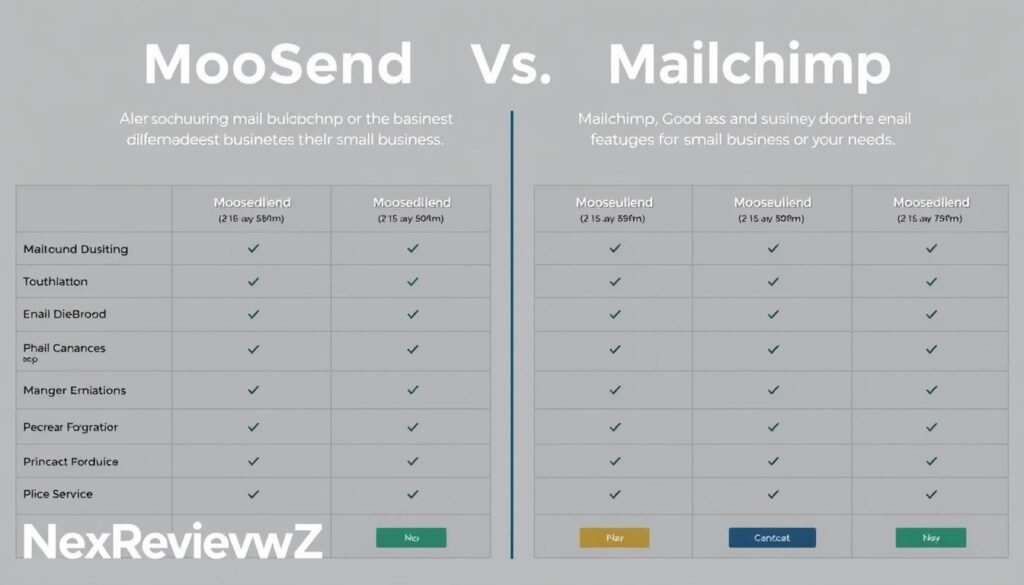
For small teams focused on value, contrast pricing, feature access, and editor usability before you commit.
Entry pricing: Moosend Pro starts around $9/month for 500 contacts with unlimited sends. Mailchimp typically costs more for comparable tiers and may restrict send volume or push add-ons to match core functionality.
One review found Moosend ~43% cheaper than Mailchimp for similar usage.
“Moosend was reported 43% cheaper than Mailchimp in one review.”
Feature access: The cheaper plan includes automation, landing pages, and analytics so you won’t hunt for upsells. Both platforms offer 115–130+ templates and a/b testing, but Moosend caps tests at two variants.
Usability favors a consistent editor across emails, landing pages, and forms. Mailchimp offers a broader app directory and marketplace if you’ll need deep native integrations.
| Factor | Moosend | Mailchimp |
|---|---|---|
| Entry price | $9/500 contacts | Higher for similar plan |
| Unlimited sends | Yes | Often limited |
| A/B testing | 2 variants | More options |
- Choose Moosend if you want lower cost, unlimited sends, and fast automation.
- Choose Mailchimp if you need a larger integrations marketplace and an ongoing free plan for tiny lists.
Moosend vs Constant Contact: Ease of use and value
Small teams often choose the tool that reduces setup time and keeps monthly bills predictable.
You will find the main contrast in editor simplicity and pricing structure. One option uses a unified drag-and-drop editor and pre-built automation recipes. That approach shortens the learning curve and speeds campaign setup.
Value matters. The automation-first plan includes unlimited sends on Pro tiers, so your monthly cost stays predictable as your list grows. Constant Contact can feel pricier when you add event or niche tools.
“Pick the platform that gets your first automated series live in hours, not days.”
Support and self-help: live chat plus a knowledge base lets you self-serve quickly. Constant Contact adds phone support at higher tiers, which may matter if you prefer direct customer support.
- Faster deploy: consistent editor across emails, landing pages, and forms.
- Predictable billing: unlimited sends help control cost as volume rises.
- Integrations: essentials via Zapier vs a different native app set on Constant Contact.
| Factor | Ease of use | Value | Support |
|---|---|---|---|
| Editor | Unified drag-and-drop | Speeds campaign builds | Live chat + knowledge base |
| Pricing | Pro tiers with unlimited sends | Predictable monthly cost | Tiered phone support on competitor |
| Best fit | Email-first teams | Automation-led small businesses | Teams that ’ll need event or add-on ecosystems |
Tie-breaker: choose this platform for automation-led value and fast setup. Choose Constant Contact if you ’ll need its legacy add-ons or specific event tools.
Refunds, free trial, and money-back guarantee

Start with a clear, low-risk way to test email marketing before you commit to a paid plan.
30-day free trial terms: You get a 30-day free trial with no credit card required. During the trial you can use the email editor, automation workflows, landing pages, forms, reporting, and integrations so you can test end-to-end workflows.
What the trial includes and what to test
Use the trial to verify deliverability, UTM tracking, and automation logic. Test templates, signup forms, and reporting so you see how the tools connect to results.
Before the trial ends, switch billing to monthly or annual and apply any discounts at checkout. Confirm final totals in Billing and save a PDF of your invoice for records.
30-day money-back policy and how to request it
If you purchase and need a refund, you have a 30-day money-back window. Contact customer support via live chat or email support and include your account details and purchase invoice.
- Open live chat or send an email with your invoice attached.
- Ask for a refund within 30 days and keep the chat transcript.
- Export templates, lists, and reports before cancellation to retain assets.
The knowledge base has step-by-step guides for subscription changes, plan upgrades, and cancellations. If you need extra time, ask support—sometimes short extensions are possible based on account status.
“Document your request and keep chat transcripts; this speeds resolution if billing adjustments are required.”
Bottom line: trying and buying is low-risk. Use the trial to validate your email marketing setup and rely on customer support channels to handle refunds quickly.
Known limits to consider before you choose a paid plan
Assess a few platform limits so your launch and growth plans stay predictable.
SMS marketing and Shopify integration gaps
No native SMS marketing is included on core plans. If omnichannel messaging matters, pair the account with an external SMS provider or an email sms partner via Zapier.
Shopify does not have a native connector here. You’ll need Zapier or a third‑party connector to sync orders, customers, and carts.
A/B testing limits and enterprise needs
A/B testing is limited to two variants. If you run multivariate experiments, plan multiple rounds or use a dedicated testing tool.
Transactional emails, like order confirmations and password resets, are not bundled. Consider moosend enterprise or the Moosend+ add-on for those use cases.
“Plan workarounds for missing ecommerce connectors and SMS before you launch campaigns.”
- Use Zapier or API hooks to bridge missing integrations and keep core email marketing flows intact.
- Verify sample sizes for A/B tests so results reach statistical confidence.
- If you ’ll need deep CRM or real‑time product feeds, evaluate an enterprise path.
| Gap | Impact | Workaround |
|---|---|---|
| No native SMS | Limits omnichannel reach | Connect SMS provider via Zapier/API |
| No native Shopify app | Extra sync steps for ecommerce | Use Zapier or third‑party connector |
| A/B testing = 2 variants | Restricts multivariate testing | Run staged tests or external tools |
Bottom line: prioritize core email features and automation you actually use. Mitigate gaps with integrations so your plan fits the roadmap and avoids surprises after purchase.
Recommended use cases for small businesses
Practical scenarios help you focus the toolset where it delivers the most value.
Newsletters and lead generation with landing pages
Run a steady newsletter cadence using templates and the editor to keep readers engaged. Test subject lines and send times to improve open rates over weeks.
For lead generation, publish a landing page and deploy popups or floating bars to capture emails. Use custom fields to auto-tag contacts by source so you segment and follow up faster.
Simple ecommerce promotions and browse/cart abandonment
Recover revenue with minimal setup. Use browse and cart abandonment automation to nudge shoppers back to checkout. Tie promotions to limited-time offers and measure results with web tracking.
Keep promotions short, use dynamic content to surface relevant products, and trigger follow-ups on clicks or visits to lift conversion rates.
Service businesses nurturing with automation and segmentation
Nurture leads with targeted sequences. Build educational email series that split by interest or lifecycle stage using segmentation (33 criteria available) and dynamic content.
Trigger consult invites or demo requests based on opens, clicks, or page visits. Reuse proven blocks, test one element at a time, and name campaigns with UTM parameters to track performance accurately.
- Announce launches, offers, and updates via email marketing and measure conversions with tracking.
- Combine forms, landing pages, and dynamic content so each segment sees tailored benefits.
- Keep copy short and benefit-led; focus on one clear CTA per email.
Deliverability, spam tests, and analytics you’ll need
Deliverability is the backbone of any email program. Set sender authentication (SPF/DKIM) first so your domain can build a positive reputation.
Run spam and live inbox tests before each send. These checks catch blacklists, HTML errors, and sending-domain misconfigurations so your campaigns land where they should.
Track performance with real-time dashboards and heatmaps to see where subscribers click. Connect Google Analytics and use consistent UTM tags for full attribution.
Segment by device and location, schedule sends around engagement patterns, and export shareable reports so the team knows what works. The knowledge base includes step-by-step DNS and deliverability guides you’ll need when setting up.
“Authenticate, test, and measure — that trio protects your inbox placement and proves ROI.”
- Keep lists clean with suppression rules and sunset automations.
- Use built-in spam tools and live inbox checks to validate design and deliverability.
- Monitor device/geo trends to tailor creative and timing for better results.
| Check | Why it matters | Where to run it |
|---|---|---|
| SPF / DKIM | Protects domain reputation and inbox placement | DNS settings; follow knowledge base steps |
| Spam & live inbox tests | Catches HTML issues and blacklists before send | Built-in spam tester and inbox previews |
| Analytics & heatmaps | Shows clicks, device, and geo breakdowns for attribution | Real-time dashboards + Google Analytics |
Integrations, API, and connecting your marketing tools

Connect your marketing stack so site behavior, CRM data, and ad performance power smarter email campaigns.
Core integrations: The platform offers 80+ native connectors plus WordPress and Drupal plugins. Install the WordPress plugin to embed forms and host landing pages on your domain for brand continuity.
Zapier, CRM, and website tracking setup
Use Zapier when a native link isn’t available. Zapier ties your CRM and ecommerce stack to the email engine so orders, contacts, and events flow without custom code.
You’ll connect site tracking to record visits, product views, and purchases for behavior-based targeting. Configure Google Analytics and Facebook Pixel to unify reporting across ads, site, and email marketing.
API use cases: The API supports campaign management, subscriber imports, segmentation, and transactional emails via add-ons. Use it to trigger automations from app events and sync custom fields at scale.
- Map data with consistent field names so segmentation and personalization stay accurate.
- Document data flows and test on a sandbox list before going live.
- Enable double opt-in and GDPR controls in forms to keep compliance across systems.
“Moosend works well as the email engine in a lightweight stack, with Zapier handling edge connections efficiently.”
Quick blueprint: connect tracking, sync CRM via Zapier or native connector, map custom fields, test on a sandbox list, then launch automation. This keeps your email marketing tools coordinated and measurable.
Customer support, live chat, and knowledge base
You can resolve billing and setup questions quickly with live chat, while email handles deeper troubleshooting. Use chat for blocking issues and short clarifications. Turn to email when you need attachments, logs, or a longer reply.
The knowledge base contains step-by-step guides, videos, and troubleshooting articles for authentication, integrations, automation, and analytics. Search it first for quick wins—most common setup tasks are covered in short, actionable pages.
Inside the editor, comment mode helps teams review copy and track changes without extra tools. This keeps collaboration simple and reduces back-and-forth when building campaigns and landing pages.
How to triage support: use live chat for urgent billing, discount, or deliverability blocks. Email support is best for complex requests—attach screenshots and steps to speed resolution. Keep a log of account changes and invoices so customer support can act faster.
If you need deliverability advice, ask support to review SPF/DKIM and recent performance patterns. Check your plan’s SLA to align expectations with the level of response you’ll receive.
Security, GDPR, and compliance features
Compliance tools help you collect consent, manage preferences, and reduce legal risk for email lists.
Collect consent correctly. Use double‑opt‑in and GDPR checkboxes on signup forms so each contact has a clear, recorded permission. This reduces complaints and protects deliverability.
Secure forms and pages. Host landing pages and forms with SSL to keep data safe in transit and build visitor trust. SSL also helps maintain consistent inbox placement for your email sends.
Control access. Manage user permissions across seven role levels to limit who can change campaigns, billing, or account settings. Audited access reduces the risk of accidental data exposure.
- Store and use custom fields responsibly and keep consent records per contact.
- Offer a preference center so subscribers choose content types and send frequency to cut unsubscribes.
- Define retention and suppression policies to handle inactivity and deletion requests.
- Review integration scopes so third‑party tools only access what they need.
Standards and help: rely on CSA certification, SSL, EU data centers, and documented best practices to support deliverability and compliance. The knowledge base includes step‑by‑step GDPR setup guides you can follow without legal complexity.
“These measures form a compliance baseline that scales with your list.”
Moosend
Quickly evaluate the core suite in one place so you can decide if this fits your stack and budget.
Core capabilities: email, automation, landing pages, and forms
You’ll manage email creation with a consistent drop editor across assets. The unified drop editor and page builder speed production and keep brand elements consistent across campaigns.
Automation templates handle welcomes, re‑engagement, and cart flows with a visual builder so you set logic without coding.
Personalize at scale. Use dynamic content blocks and segmentation to show relevant offers to each subscriber.
- Analyze results with real‑time dashboards, heatmaps, and GA/FB Pixel attribution.
- Scale sends: unlimited emails on Pro while your contact tier sets price.
- 115+ templates and an AI writer speed copy and design. Save reusable blocks for headers, product grids, and footers.
“This suite covers the common needs of SMBs: plan, build, send, and measure campaigns end‑to‑end.”
Bottom line: the moosend features package gives you one hub for campaign creation, marketing automation, landing pages, and analytics so you can launch faster and measure impact clearly.
Start your savings: Get discount or start free trial now
Ready to turn lower cost into measurable email marketing performance?
Start with the 30-day free trial—no credit card required—to test the editor, templates, and automation workflows end to end.
When you’re ready, choose the Pro annual plan to lock in up to ~30% off in your starting month and keep unlimited sends for your contact tier.
Best value path for SMBs: Pro annual with automation workflows
Click Start free trial to test everything for 30 days and build your first workflows fast.
- Switch to Pro annual at checkout to see the discounted monthly equivalent applied immediately.
- Enter any moosend offer in the promo field and confirm the final total with live chat or customer support before you pay.
- Prioritize automation workflows—welcome sequences and cart recovery—to drive ROI from day one.
- Publish a landing page and popup form to capture leads while your first emails run.
- If volume is uncertain, start monthly and switch to annual once your cadence stabilizes.
“Test first, lock in savings, and verify discounts with live chat to avoid surprises.”
Final call: Get discount or Start free trial now to secure savings and launch efficient email marketing campaigns quickly.
Conclusion
This guide helps you balance cost, core features, and integration workarounds so you can launch confidently.
Next step: test the platform with the 30-day free trial to validate deliverability, automation, and landing page workflows without risk.
For small teams, the value is clear: low-cost Pro plans, unlimited sends on your contact tier, and analytics to prove ROI. Plan around known limits—no native SMS, Shopify via Zapier, and two-variant A/B—and use integrations or staged tests to fill gaps.
Keep deliverability tight with SPF/DKIM, spam tests, and list hygiene. Act now: Start free trial to test or Get discount with annual billing to execute your email marketing plan and use email to drive measurable growth.


